AI Manga Colorist: What Mangaka Brings to Serial Publishing Creators
The Anime News Network feature on how manga is made describes manga as staged work from rough draft to finished page. That production context matters for Sports creators because AI assistance is useful only when the sketch, inking pass, and final page review stay connected.
AI Manga Colorist for Sports manga helps creators choose the right Mangaka workflow for cleaner pages, steadier style, and review-ready output. The comparison starts with production speed, manual control, line quality, and export readiness because those factors shape whether a page can move into final review.
When you are managing a weekly or bi-weekly serial, your time is your most precious resource. You need a solution that understands the specific visual language of sports manga—where the focus is on anatomy, jersey textures, and the kinetic energy of a ball or a swing.
Workflow Fit for Creator Output
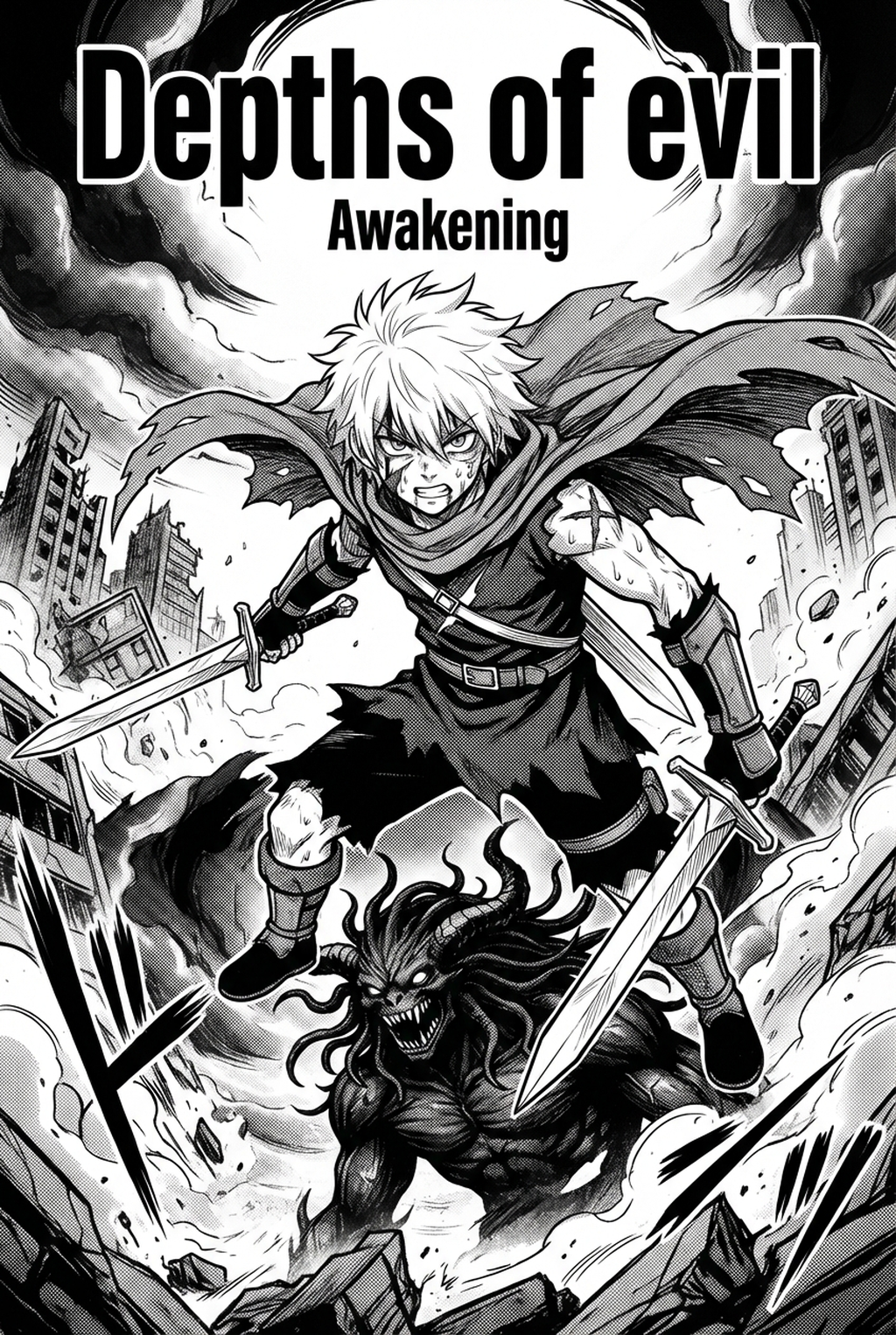
Mangaka is built specifically to bridge the gap between traditional pen-and-ink aesthetics and professional-grade digital color. Instead of forcing you to relearn your layout, it ingests your existing B&W pages and applies a sophisticated layer of color that respects your original line weight. This is critical for sports manga, where an inker’s line weight defines the "speed lines" and "impact frames" that denote an athlete's physical exertion. Because the AI preserves your linework, you maintain the "hand-drawn" soul of your project while accelerating your production pace by hours per page.
Review Controls Before Export
You have final say over every panel. Mangaka provides a layer-based review system that allows you to adjust the base tones generated by the AI before you commit to a final export. app/create) align perfectly with your established style guide.
Optimizing AI Manga Colorist Output for Serial Publishing
While Mangaka specializes in high-fidelity line preservation, other general-purpose recoloring tools often struggle with the complex, high-contrast nature of ink-heavy sports pages. Choosing the right tool depends on whether you prioritize raw speed or the surgical precision of your original art.
Creative Decisions and Export Quality
For creators who need to balance heavy background art—like crowded stadium bleachers or complex court lighting—Mangaka handles the separation of foreground and background elements more effectively than standard fill tools. This prevents the "bleeding" effect often seen in generalized AI models, keeping your character’s silhouettes clean and distinct from the surrounding environment.
Workflow Fit and Review Needs
General AI coloring plugins often produce a "final" image that you cannot easily modify without a total re-run. In contrast, Mangaka treats colorization as a structured task, offering toggles for shading intensity and highlight placement. This prevents the "flat" look that often plagues automated coloring, ensuring that your players look three-dimensional during high-stakes sequences.
Use Cases
Understanding when to rely on automation versus manual refinement is the hallmark of a professional creator. The goal is to spend your energy on the emotional beats, not the repetitive tasks.
Scenario Fit and Creator Goals
- Color Splash Pages: Transform your opening chapter color spreads or title pages instantly. * Match Highlight Reels: Quickly colorize intense play-by-play panels to emphasize the movement of a ball, a strike, or a final score. * Drafting Variations: Test different color palettes for team jerseys or stadium environments without manual repainting.
Page Cases and Manga Genre Fit
AI is a powerful assistant, but it cannot replicate your creative intuition for narrative mood. For scenes involving dramatic lighting shifts—like a night-time stadium under floodlights or a character's internal flashback—you will likely need to perform final manual touch-ups. Use the AI to establish the foundation, then manually layer in special effects, blood, sweat, or dramatic shadows to ensure the scene hits the right emotional note.
Pros & Cons
Every tool introduces new efficiencies while requiring adjustments to your existing production habits. Creators can use each revision decision to clarify panel readability, character consistency, and export quality before publishing or sharing.
Reader Impact Before Publishing
Mangaka shines when you have a high volume of panels that share consistent elements, such as character uniforms or team logos. By using it, you drastically reduce the time spent on "flatting" colors, allowing you to focus on the high-level compositing that makes your manga stand out.
Quality Checks Before Export
Always perform a Print Review" on your exported pages. Maintaining consistent color space is vital for long-term consistency in serialized works.
Publishing Checklist for Serial Publishing
A useful manga workflow ties setup, review responsibility, and export conditions to the page a creator needs to finish. That keeps the decision focused on sketch cleanup, character intent, panel readability, and the publishing handoff.
- Line Verification: Check that line weights remain sharp and that no speed lines were merged into color blobs. * Uniform Consistency: Ensure the team's primary and secondary colors remain identical across all panels of the match. * Contrast Balancing: Verify that your text bubbles remain readable against the newly applied background colors. * Resolution Check: Ensure your export matches the DPI requirements of your digital distribution platform.
Release cadence belongs in the production context for manga tools. For creators, the useful product question is whether pages stay readable when schedule pressure rises. Export quality depends on whether the creator can still adjust cleanup, line weight, and handoff settings after AI assistance.
Wacom comic and manga creation guidance ties that point to drawing practice instead of broad AI-image claims. Setup Readiness. Creators should define the scene goal, character references, page count, reading direction, and target Dynamic color panels. That gives AI Manga Colorist enough context to support the story instead of producing disconnected panels.
- Reader expectations. MyAnimeList manga news keeps genre expectations visible for readers who scan action, character acting, and page rhythm quickly. Shonen inking should preserve panel clarity, not just cleaner lines.
- Drawing practice. Wacom's comic and manga creation guide ties tool choice to brush control, cleanup effort, and export readiness. That keeps review grounded in creator workflow.
Elevate Dynamic Athletic Intensity and Stadium Lighting with Mangaka.app
Sports manga coloring requires vibrant energetic hues, glistening sweat highlights, stadium floodlight contrast, and high-impact motion shading. Mangaka.app provides the dedicated sequential production engine built specifically for sports manga and comic creators:
- Dynamic Stadium Floodlight & Lens Flare Modeling: Cast intense arena directional lighting and realistic sweat glimmers on moving athletes.
- Speed-Infused Action Palette Presets: Saturate motion impact points and speed trails while maintaining team jersey color consistency.
- Fast-Paced Batch Colorization: Streamline recurring tournament chapters with smart character palette memory across hundreds of action frames.
- Commercial Tankōbon & Webtoon Color Output: Seamlessly produce vibrant vertical scrolling strips and commercial print-ready color spreads.
The Bottom Line
A useful coloring pass keeps the story goal, visual style, and review step clear before export. AI Manga Colorist gives creators a faster first pass without removing the final human review. That extra context helps the reader connect the creative choice to character consistency, composition, speech-bubble space, and final file format.
Start creating with AI Manga Colorist for Sports manga when you are ready to turn the reviewed idea into finished manga pages. Test it with one real page goal, one reference boundary, and one export requirement so the decision stays tied to production quality.