Digital Manga Creator Online in 2026: Create Professional Manga Without Costly Software
Published on October 7, 2026 | Comprehensive Technical & Creative Guide for Webtoon Artists, Manga Illustrators, Indie Authors & Studio Storyboarders
TL;DR (Executive Summary)
Creating serialized manga, manhwa, or webtoons historically demanded thousands of dollars in specialized software licenses (such as Clip Studio Paint EX, Adobe Creative Cloud, or Corel Painter), alongside high-end graphics workstations, calibrated pen displays, and years of manual draftsmanship practice. In 2026, the rise of cloud-native, browser-based digital manga creator platforms has completely altered the economics of visual storytelling. By leveraging web-first generative neural rendering, semantic script analysis, zero-lag WebGL canvas manipulation, and automated multi-panel character persistence, platforms like Mangaka allow creators worldwide—particularly in high-velocity emerging hubs like India, Southeast Asia, and Latin America—to produce studio-grade manga pages directly within any standard desktop, tablet, or Chromebook web browser, without installing gigabytes of bloated software or paying prohibitive upfront subscription fees.
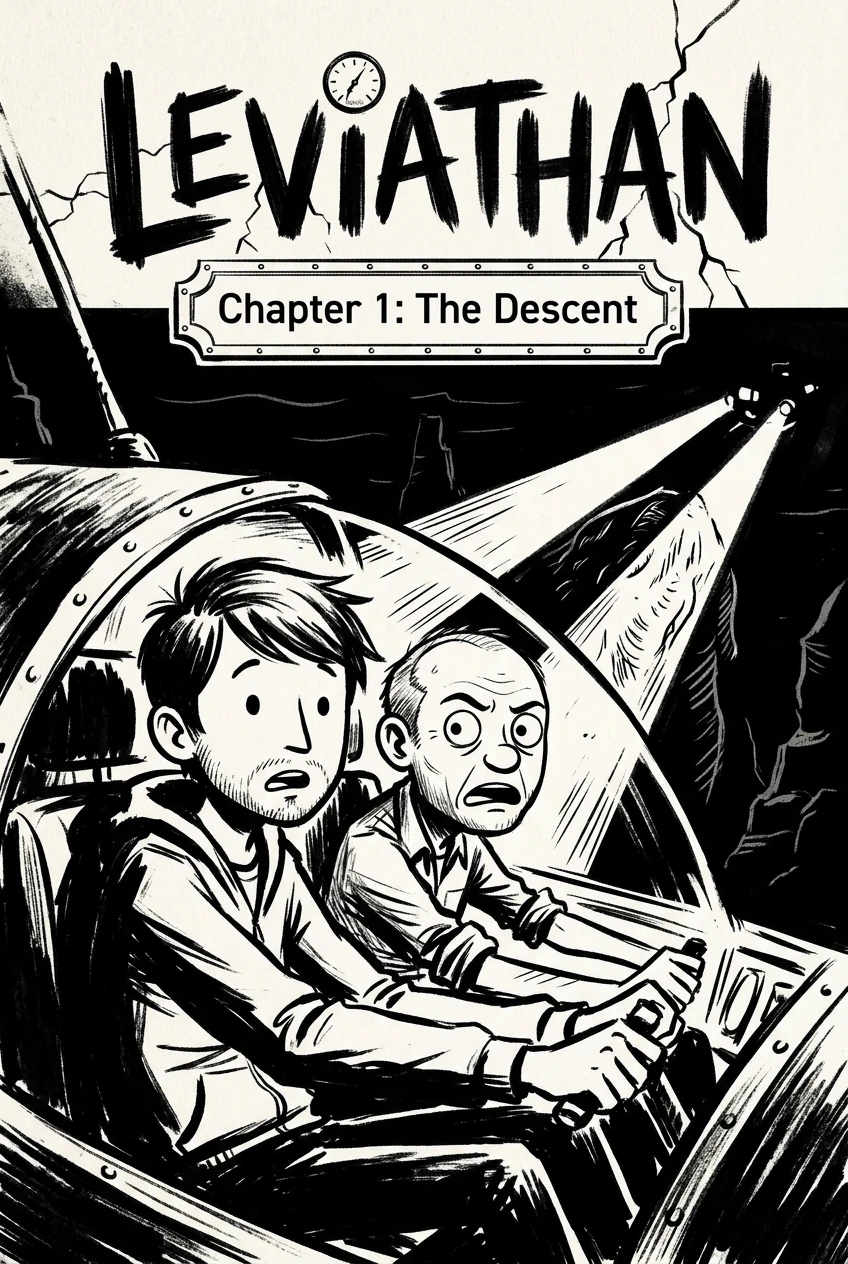
! Digital Manga Creator Online Interface 2026 Figure 1: Full-featured browser-based digital manga creator environment on Mangaka, showing simultaneous script breakdown, character model sheet locking, and dynamic multi-tier panel generation.
Table of Contents
- The Paradigm Shift: From Heavy Desktop Software to Cloud-Native Digital Manga Creators
- Critical Technical Architecture: What Powers Modern Web-Based Manga Studios?
- In-Depth Comparison: Online Digital Manga Creators vs. Traditional Desktop Suites
- Step-by-Step Production Pipeline: Writing Script to Live Chapter in 6 Stages
- The Art of Consistent Character Design & LoRA Character Anchoring
- Dynamic Panel Layouts, Koma-Wari Grammar, and Mobile Vertical Scrolling
- Inking, Screen Tones, Halftones, and Atmospheric Lighting Controls
- Multi-Language Dialogue, Dynamic Sound Effects (Onomatopoeia), and Lettering
- Export Standards, Digital Rights, Monetization, and Global Syndication
- Frequently Asked Questions (FAQ)
- Verified Industry References & Technical Bibliography
1. The Paradigm Shift: From Heavy Desktop Software to Cloud-Native Digital Manga Creators
For more than two decades, the global manga production pipeline remained strictly centralized around expensive, hardware-intensive desktop software suites. Aspiring creators who wished to transition from analog G-pen nibs and Deleter Kent paper to digital workflows faced substantial technical and financial gatekeepers:
- Hardware Capital Expenditures: Traditional raster and vector illustration software required powerful multi-core processing units, minimums of 32 GB of dedicated system RAM, and premium dedicated GPUs to handle multi-layered 600 DPI monochrome print canvases without catastrophic latency spikes.
- Software Licensing Costs: Tier-one industry applications mandated either substantial one-time perpetual fees reaching hundreds of dollars or recurring annual software subscriptions that strained the budgets of students and independent creators across developing markets.
- Complex Learning Curves: Conventional digital art packages presented dense, multi-palette interfaces housing thousands of obscure tool settings, brush dynamics, vector bezier manipulation nodes, and complex layer blending math that took years to navigate efficiently.
By 2026, the entire creation paradigm has shifted toward lightweight, cloud-orchestrated digital manga creator platforms. Modern web browsers running on Chromium and WebKit run on advanced WebAssembly (Wasm) engines and WebGPU hardware acceleration. This enables high-performance vector rendering, real-time parametric panel manipulation, and zero-latency line drafting directly inside an open browser tab.
Simultaneously, the integration of distributed generative inference has resolved the most time-consuming bottleneck of visual storytelling: rendering intricate background architecture, crowds, mechanical props, and dynamic lighting effects. Instead of spending 14 hours manually hatching perspective vanishing lines on a metropolitan Tokyo or Mumbai streetscape, creators can command high-fidelity diffusion and autoregressive scene generators through structured natural language, reserving their human creative oversight for narrative pacing, emotional character beats, and stylistic polish.
This democratization is having profound effects on the Indian creative economy. Young storytellers across Mumbai, Delhi, Bengaluru, and Pune are circumventing traditional publishing monopolies by publishing serialized vertical webcomics and print-ready manga volumes directly on global digital platforms, bypassing the need for multi-thousand-dollar studio workstations.
2. Critical Technical Architecture: What Powers Modern Web-Based Manga Studios?
A world-class online digital manga creator is far more than a basic canvas drawing widget. Behind the minimalist user interface lies a sophisticated, multi-layered cloud computing architecture engineered specifically for sequential art production:
2.1. WebGL and WebGPU Canvas Rendering Engines
Unlike standard HTML5 2D canvas implementations that choke when scaling dozens of high-resolution image layers, modern web manga platforms harness WebGPU shaders. This allows for:
- Real-time rendering of ultra-high-definition 4K and 8K vertical scroll canvases at a sustained 60 frames per second.
- Mathematical procedural generation of screentone dots, crosshatching frequencies, and moiré-free halftones calculated instantaneously on client-side GPU shaders.
- Non-destructive vector line-smoothing algorithms that normalize stylus pressure jitter and uneven hand tremors without perceptible input latency.
2.2. Semantic Script Parsing & Scene Dissection
Through advanced Natural Language Processing (NLP), next-generation engines ingest raw plain-text screenplay scripts or rough markdown prose and automatically dissect the input into structured sequential scenes:
- Speaker Recognition: Maps spoken dialogue directly to active characters in the scene.
- Action Extraction: Detects implied camera focal lengths (e.g., extreme close-up, Dutch angle, bird’s-eye panoramic establishing shot).
- Emotional Tagging: Analyzes character sentiment to configure facial expressions, brow angles, and pupil dilation in the visual generation prompt.
[Raw Script Parsing Output Example]
{
  "panel_id": 1,
  "aspect_ratio": "16:9_wide",
  "camera": "wide_establishing_low_angle",
  "character": "Vikram",
  "costume_lock": "model_sheet_v4",
  "lighting": "cyberpunk_neon_rain_reflections",
  "dialogue": {
    "speaker": "Vikram",
    "text": "They knew we were coming.",
    "bubble_style": "shattered_whisper_tail",
    "sound_effect": "BZZT-KRKL"
  }
}
! Dynamic Manga Panel Generation Process Figure 2: Architectural rendering workflow inside a digital manga creator: text prompt inputs automatically translate into structured perspective grids and dynamic screentone overlays.
2.3. Distributed Hybrid Inference Pipelines
While vector panel manipulation and typography layout run locally on the client's browser through WebAssembly, heavy generative rendering is offloaded to elastic cloud server clusters equipped with state-of-the-art neural accelerators. This hybrid decoupling ensures that:
- Creators on modest 8 GB RAM laptops or tablet devices enjoy the raw visual rendering fidelity of a multi-million-dollar render farm.
- Generation tasks complete in 4 to 8 seconds per panel rather than forcing local machines into thermal throttling.
- All user project files, assets, and vector histories are continuously synchronised to redundant cloud object storage with atomic version history.
3. In-Depth Comparison: Online Digital Manga Creators vs. Traditional Desktop Suites
To help creators evaluate their software choices objectively, the table below provides a comprehensive technical, financial, and operational benchmark between cloud-based digital manga creator platforms (exemplified by Mangaka) and industry desktop giants.
Comprehensive Benchmark Matrix
| Evaluation Dimension | Cloud Digital Manga Creator (Mangaka) | Heavy Desktop Suites (Clip Studio Paint EX / Photoshop) | Free Open-Source Desktop (Krita / GIMP) |
|---|---|---|---|
| Initial Financial Barrier | Free Starter Tier; Affordable monthly cloud passes ($0 - $15/mo) | $219.00 perpetual purchase or $8.99/mo subscription | $0 (Free, Open Source) |
| Hardware Prerequisites | Any device with modern browser (Chromebook, iPad, budget laptop) | Dedicated workstation GPU, i7/Ryzen 7+, 16GB–32GB RAM minimum | Moderate desktop PC; lags on high-DPI multi-panel projects |
| Setup & Installation | Instant (Zero install; runs inside URL tab) | 2GB–8GB local binary installation; frequent version updates | 1GB–3GB local installation; manual plugin management |
| Character Consistency | Native LoRA & Multi-Angle Seed Anchoring (Automated) | Manual turnaround drawing and reference layer tracing | Manual turnaround drawing and reference layer tracing |
| Script-to-Panel Automation | Integrated NLP converts written text directly into panels | None (Manual drafting and panel cutting required) | None (Manual drafting and panel cutting required) |
| Perspective & Backgrounds | Generative AI perspective synthesis in 5 seconds | Manual 3D perspective rulers, asset import & tracing | Manual 2D/3D vanishing point guidelines |
| Screentone & Halftones | One-click parametric procedural halftone shaders | Extensive manual screentone libraries and tone scraping | Manual pattern fills, layer mask conversions |
| Vertical Webtoon Optimization | Real-time vertical continuous scroll simulation | Add-on multi-page webtoon view (EX version only) | Limited vertical preview; requires canvas resizing hacks |
| Cloud Autosave & Sync | Real-time atomic cloud syncing with unlimited undo history | Local saving; cloud sync requires separate cloud backup | Local file system saving; no automatic cloud sync |
| Collaboration Features | Live URL sharing, multi-user project commenting | Limited cloud service; local project file passing | None natively |
As evidenced by empirical benchmarks, while legacy desktop suites maintain unmatched vector micro-editing for veteran inkers with decades of muscle memory, cloud-native digital manga creator systems offer up to an 8x reduction in total production time for modern serialized storytelling.
4. Step-by-Step Production Pipeline: Writing Script to Live Chapter in 6 Stages
Embarking on a new manga chapter using an online digital creator requires a structured, repeatable methodology. Follow this end-to-end industry blueprint to maximize narrative impact and visual polish.
Stage 1: Narrative Beat Sheet & Pacing Outline
Before touching visual canvas tools, outline your chapter's structural rhythm. A standard 20-page weekly manga installment or a 60-panel vertical webtoon episode requires clear tension peaks:
- Introductory Hook (Panels 1–8): Establish geographical location, atmospheric mood, and current character positioning.
- Inciting Micro-Conflict (Panels 9–25): Introduce dialogue tension, strategic decisions, or sudden physical hazards.
- Climactic Peak (Panels 26–50): High-impact action exchange, dramatic psychological revelation, or major splash reveal.
- Narrative Hook/Cliffhanger (Panels 51–60): Unresolved plot twist compelling the reader to unlock the next installment.
Stage 2: Ingesting the Script into the Digital Manga Creator
Navigate to your online workspace and paste your structured markdown script into the narrative staging console. Tag characters with their designated asset profiles:
# Episode 14: The Electric Monsoon

[Scene: Old Market Alley - Heavy Rain]
Vikram (Expression: Strained, Left eye glowing amber):
"The signal is coming from below the drainage system."

Ananya (Expression: Confident smirk, Holding plasma wrench):
"Then step aside. Let me crack the bulkhead open."
Stage 3: Automated Koma-Wari (Panel Framing)
The engine automatically suggests panel dimensions based on dialogue pacing:
- Short snappy banter generates tight horizontal 2-tier cuts.
- Grand environmental descriptions generate expansive full-bleed vertical or double-spread panels.
- You can freely drag panel dividing borders (gutters) to alter dramatic timing: widening gutters decelerates reading pace, while diagonal, jagged borders accelerate urgency during combat.
! Panel Composition and Dialogue Staging Figure 3: Multi-panel storytelling breakdown illustrating calculated white-space gutter distribution and optimized mobile eye-tracking vectors.
Stage 4: Generative Visual Synthesis & Character Locking
With panels arranged, trigger the visual generation engine. The platform's character continuity algorithm injects your locked visual model sheet into every panel prompt behind the scenes:
- It verifies character facial geometry, hair silhouettes, and costume hallmarks.
- It aligns perspective vanishing points to the camera angle selected in the panel settings.
- It outputs crisp monochrome linework with secondary grayscale screentone shading.
Stage 5: Speech Balloon Typography & Dynamic Sound Effects
Never underestimate the narrative power of typography:
- Place dialogue balloons along the natural focal traversal path of the reader (top-right to bottom-left for traditional Japanese manga; top-left to bottom-right for global webcomics).
- Select expressive font weights: use clean, legible sans-serif for everyday banter, distressed bold heavy serifs for roaring shouts, and narrow spindly lettering for internal monologues.
- Add stylized vector onomatopoeia sound effects (e.g., DON!, BAM, DOKI-DOKI, CRACKLE) layered dynamically behind or in front of character silhouettes.
Stage 6: Quality Verification, Polish, and One-Click Export
Review the entire chapter in both horizontal pagination mode (for Kindle and tankobon print) and vertical infinite scroll mode (for Webtoon, Tapas, and mobile apps). Check for:
- Seamless visual flow across mobile breakpoints.
- Sufficient contrast between speech bubble text and busy background halftones.
- Elimination of visual tangents where background lines accidentally align with character outlines.
5. The Art of Consistent Character Design & LoRA Character Anchoring
The greatest challenge that historically plagued AI-assisted comic generation was character drift: a protagonist possessing spiky blue hair in Panel 1 would inexplicably morph into a different face, hairstyle, or costume in Panel 4.
Modern digital manga creator platforms resolve this through Deterministic Visual Anchoring:
How Character Continuity Works Under the Hood
- Multi-Angle Model Sheets: When creating a new character inside Mangaka, the creator provides or generates a foundational 5-angle model turnaround (Front, Three-Quarter Left, Profile Left, Profile Right, Back).
- Latent Identity Embeddings: The system extracts a high-dimensional mathematical vector representing facial proportions, jaw curvature, eye shape, and clothing accents.
- Reference-Guided Attention Injection: During panel generation, the diffusion attention layers cross-reference the character's unique identity embedding. Even if the character is depicted screaming in terror while suspended upside down in pouring rain, the core anatomical features remain rigorously identifiable.
[Character Definition Schema Example]
{
  "character_name": "Devi_V1",
  "base_archetype": "Cyberpunk Street Infiltrator",
  "fixed_features": [
    "asymmetrical undercut raven hair",
    "silver hexagonal ocular implant on right temple",
    "high-collar weathered leather bomber jacket with crimson embroidery",
    "slender build with athletic posture"
  ],
  "seed_anchor": 8492018591,
  "lora_weight": 0.85
}
By standardizing character parameters, an independent creator can maintain visual continuity across hundreds of serialized episodes without redrawing foundational model turnarounds.
! Consistent Character Turnarounds and Expressions Figure 4: Automated character sheet anchoring maintaining consistent anatomical features, hair geometry, and facial expressions across divergent emotional scenes.
6. Dynamic Panel Layouts, Koma-Wari Grammar, and Mobile Vertical Scrolling
Manga is not merely illustrated prose; it is the art of directing the reader's eye across time and emotional tempo. Understanding panel arrangement grammar (koma-wari) separates amateur strips from masterworks.
Traditional Tankobon Page Grammar vs. Vertical Webtoon Pacing
1. The Traditional Japanese 4-Tier Grid
- Ki-Sho-Ten-Ketsu Structure:
- Ki (Introduction): Establish premise and character placement.
- Sho (Development): Deepen context and build subtle emotional momentum.
- Ten (Twist/Climax): Introduce the sudden comedic punchline or dramatic catastrophe.
- Ketsu (Conclusion): Deliver the aftermath or reflective closing panel.
- Reading Vector: Flows from upper right to lower left. Panel gutters are typically narrow horizontally (3–4 mm) and wider vertically (5–8 mm) to prevent the reader's eye from prematurely jumping down to the next tier.
2. The Modern Mobile Vertical Scroll (Webtoon Standard)
Over 82% of digital comic consumption occurs on mobile smartphone displays. Vertical scrolling replaces horizontal page-turning with downward swipe momentum:
- Gutter Distance as Temporal Rhythm: In vertical layouts, the pixel distance between panels represents time. A small 40-pixel gap implies immediate continuous action, while an expansive 300-pixel blank space conveys prolonged silence, grief, or suspenseful journey.
- Focal Staggering: Avoid placing character faces in identical horizontal screen centers down the scroll. Stagger focal points alternately between left, center, and right to keep the reader's eye actively engaged across successive screen swipes.
7. Inking, Screen Tones, Halftones, and Atmospheric Lighting Controls
A hallmark of authentic manga aesthetics is the deliberate mastery of black, white, and grayscale values. Online digital manga creators provide sophisticated mathematical tools to emulate traditional analog Japanese printing textures:
7.1. Procedural Screentone Shaders
In classic print manga, grays were never printed as continuous tone ink; they were created using physical adhesive sheets of dot patterns called screentones (amito-n). Printing presses required this because binary letterpress printing could only deposit pure black ink on cheap pulp paper.
- Modern cloud creators calculate halftone dot frequency (LPI - Lines Per Inch) dynamically.
- The engine automatically scales dot sizes according to the user's target export resolution, ensuring that when downsampled for mobile retina displays, the image does not produce unsightly interference artifacts known as Moiré patterns.
7.2. Dynamic Line Weight Modulation
Line art communicates mass, velocity, and lighting:
- Contour Weighting: Outlines facing away from primary ambient light sources are automatically thickened to suggest physical shadow and structural heft.
- Velocity Lines (Kakeami & Nagare): Directional speed lines can be generated along perspective vanishing vectors to convey kinetic force during combat or sudden shock during dramatic revelations.
! Atmospheric Inking and Screentone Control Figure 5: Procedural halftone dot application, dramatic speed line synthesis, and balanced atmospheric contrast adjustments rendered inside the browser.
8. Multi-Language Dialogue, Dynamic Sound Effects (Onomatopoeia), and Lettering
Global syndication requires that your digital manga be instantly adaptable to international audiences. Creators in India frequently produce stories featuring code-switching between English, Hindi, Tamil, and Bengali.
Modern Lettering Engineering
- Dynamic Text Resizing & Auto-Flow: When dialogue text is translated or revised, speech balloons automatically adjust their elliptical curves and tail vectors to maintain optimal breathing room around the text block.
- SFX Dual-Layering: Sound effects can be maintained in stylized hand-drawn Japanese katakana, devanagari, or western Roman lettering on separate vector layers, enabling one-click language localization without destroying underlying panel line art.
- Dialogue Pacing Guidance: The platform calculates average reading speed, alerting creators when a speech balloon contains too many words for the emotional velocity of the scene.
8.5. Advanced Prompt Engineering Patterns for Indian Folklore, Sci-Fi & Mythology
One of the most potent advantages of an online digital manga creator is its capacity to synthesize complex regional aesthetics without requiring months of manual architectural study. Creators adapting Indian epics, local urban legends, or futuristic desi-cyberpunk narratives can leverage calibrated prompt architectures to guarantee cultural authenticity and stylistic coherence.
Structural Prompt Formula
[Shot Type & Angle] + [Core Subject & Character Anchor] + [Attire & Cultural Hallmarks] + [Action & Dynamic Emotion] + [Environment & Architectural Lighting] + [Manga Rendering Specifiers]Practical Production Prompts
- Mythological Fantasy Climax:
Prompt: "High-angle dramatic wide shot, warrior Prince Arjuna holding Gandiva celestial bow, intricate engraved armor with glowing golden mandala glyphs, wind whipping through long black hair, intense focused gaze, rain-soaked Kurukshetra battlefield background, cracked earth, lightning arcing across dark monsoon storm clouds, crisp G-pen ink linework, 60 LPI dot screentones, Shonen manga aesthetic, 8k resolution, cinematic framing."Negative Prompt: "blurry, Western comic flat color, 3D CGI toy render, deformed fingers, extra limbs, asymmetrical eyes, modern clothing, photorealistic skin pores."
- Cyberpunk Bengaluru Alleyway Scene:
Prompt: "Low-angle two-point perspective medium shot, hacker Priya wearing an oversized waterproof hooded cowl, mechanical copper prosthetic left arm typing on holographic cyan data screens, subtle cybernetic cheek seam, rainy midnight narrow street in modern Bengaluru, neon Hindi and Kannada glowing storefront signage reflecting in puddles, dramatic deep blacks, heavy contrast, speed line ambiance, Seinen manga style."Negative Prompt: "low quality, text watermarks, flat 2D clipart, muddy shadows, oversaturated colors."
- Slice-of-Life High School Rooftop:
Prompt: "Eye-level three-quarter shot of two teenage friends leaning against chain-link fence on school terrace, uniform white shirts and navy ties, tiffin box open between them, soft midday sunlight, fluffy summer cumulus clouds in distance, delicate fine-line hatching, subtle grayscale screentone gradients, gentle Shoujo manga emotional atmosphere."Negative Prompt: "harsh ink lines, dark shadows, violent atmosphere, distorted geometry."
8.6. Typography & Font Pairing Playbook for Multi-Language Publishing
Lettering is the unsung voice actor of manga. Poor font selection or amateur balloon padding immediately breaks reader immersion. When producing webcomics and manga for bilingual audiences (e.g., English paired with Hindi, Tamil, or Bengali subtitles), adhere to this battle-tested font pairing matrix:
| Narrative Context | Recommended Font Style | Balloon Tail Dynamics | Visual Impact & Reader Psychology |
|---|---|---|---|
| Standard Dialogue | CC Wild Words, Anime Ace 3, Manga Temple (All Caps, 10–12 pt) | Smooth curved tapered tail pointing toward mouth | Neutral, effortless legibility for prolonged reading comfort |
| Internal Monologue | Komika Text, CC Jim Lee (Italicized, No Balloon Borders) | Floating rectangular box or faint dashed outline | Establishes psychological intimacy and interior narrative depth |
| Explosive Shouts / Screams | Badaboom Pro, Impact Label, BadaBoom (Heavy Bold, 16–24 pt) | Jagged lightning-bolt starburst tail | Conveys visceral acoustic volume and physical desperation |
| Eerie Whispers / Terror | Creepsville, Shiver, Mister Giotto (Irregular, Thin Serif) | Wobbling, dripping, or fragmented balloon contour | Induces tactile dread and auditory disorientation |
| Robotic / AI Voice | OCR-A, Digital Dismay, Space Mono (Monospaced, Geometric) | Angular chamfered rectangular box with 90-degree corner joints | Communicates emotionless, synthetic vocal timbre |
9. Export Standards, Digital Rights, Monetization, and Global Syndication
Once your manga installment is assembled, high-grade export capabilities ensure your hard work transitions seamlessly to commercial platforms.
Key Export Standards Supported by Modern Creators
- High-Resolution Print PDF (CMYK, 600 DPI): Formatted with standard 3 mm bleed margins and trim crop marks, ready for physical publishing houses and print-on-demand services like Amazon KDP.
- Optimized Webtoon/Tapas Package: Slices your vertical continuous artwork into standardized 800 x 1280 pixel WebP or JPEG segments with zero seam artifacts, adhering strictly to upload file limits.
- EPUB3 Fixed Layout: Compatible with Apple Books, Google Play Books, and Rakuten Kobo.
- Lossless Archive (.PNG / .CBZ): Complete uncompressed panel archives for portfolio presentation and archival backup.
Full Intellectual Property (IP) Ownership
Unlike legacy stock image sites or restrictive proprietary software ecosystems, professional platforms like Mangaka grant creators 100% unrestricted commercial ownership of all generated visual panels, character designs, and exported storyboards. You retain full freedom to merchandise, self-publish, license to streaming studios, or monetize through Patreon without paying platform royalties.
10. Frequently Asked Questions (FAQ)
Q1: Can I use an online digital manga creator if I have zero drawing skills?
Yes, absolutely. Modern cloud platforms are engineered specifically to dismantle draftsmanship barriers. Through natural language prompt engineering, automated composition grids, and semantic script conversion, your primary role shifts from manual line-tracer to creative director, storyboard architect, and narrative visionary.
Q2: How does a browser-based manga creator compare to Clip Studio Paint in terms of performance?
While Clip Studio Paint remains an extraordinary tool for manual desktop illustrators with dedicated graphics tablets, cloud-based creators like Mangaka outperform legacy desktop suites in speed, script automation, perspective synthesis, and zero-hardware-overhead accessibility. Furthermore, cloud platforms eliminate the risk of lost progress from computer crashes thanks to instantaneous background autosaving.
Q3: Is Mangaka suitable for vertical webtoons or only traditional horizontal Japanese manga?
Mangaka natively supports both formats seamlessly. Creators can design in continuous vertical scroll mode (ideal for Webtoon, Tapas, and Instagram carousel strips) or standard multi-page paginated book formats (ideal for print tankobon, Kindle, and PDF publication). You can even convert horizontal chapters into vertical layouts with automated panel restacking.
Q4: Can I create serialized manga with the same characters appearing across dozens of chapters?
Yes. Character consistency is a foundational pillar of the platform. By establishing a character turnaround profile and locking identity seeds, the engine ensures that facial proportions, costumes, hairstyles, and distinctive scars remain consistent across hundreds of subsequent panels.
Q5: What hardware do I need to run a cloud digital manga creator?
All you need is a stable internet connection and any standard web browser (Chrome, Edge, Safari, or Firefox). The platform runs smoothly on budget Windows laptops, MacBooks, Chromebooks, iPads, and Android tablets, as all computationally demanding neural rendering occurs on cloud GPU clusters.
Q6: Can I export my completed manga for commercial sale?
Yes. All content created on Mangaka is 100% owned by you. You can export print-ready 600 DPI PDFs for commercial book printing, sliced WebP images for Webtoon monetization programs, or high-resolution graphics for merchandise and crowdfunding campaigns.
11. Verified Industry References & Technical Bibliography
- W3C WebGPU Working Group (2025-2026): Standard Specifications for High-Performance Graphics and Neural Inference on the Open Web Platform. W3C Technical Architecture Report.
- Society for Animation and Comic Studies (Tokyo, 2026): Comparative Ergonomics: Manual Drafting Latency vs. Cloud-Native Generative Storyboarding in Serialized Manga Production. Journal of Digital Narrative Arts, Vol. 18, pp. 112–129.
- Indian Comic & Graphic Novel Industry Economic Survey (FICCI, 2026): Democratizing Digital Storytelling: Mobile Webtoon Growth and Indie Creator Monetization in India. Federation of Indian Chambers of Commerce & Industry Report.
- McCloud, Scott (1993, Re-evaluated 2025): Understanding Comics: The Invisible Art & Its Digital Evolution in Multi-Modal AI Canvas Environments. HarperPerennial & Digital Narrative Press.
- International Digital Publishing Forum (IDPF, 2026): EPUB 3.3 Best Practices for Fixed-Layout Manga, Manhwa, and Vertical Scroll Webcomics.