Free Comic Creator for Social Campaign Cards: Mobile-First Publishing Without Heavy Software
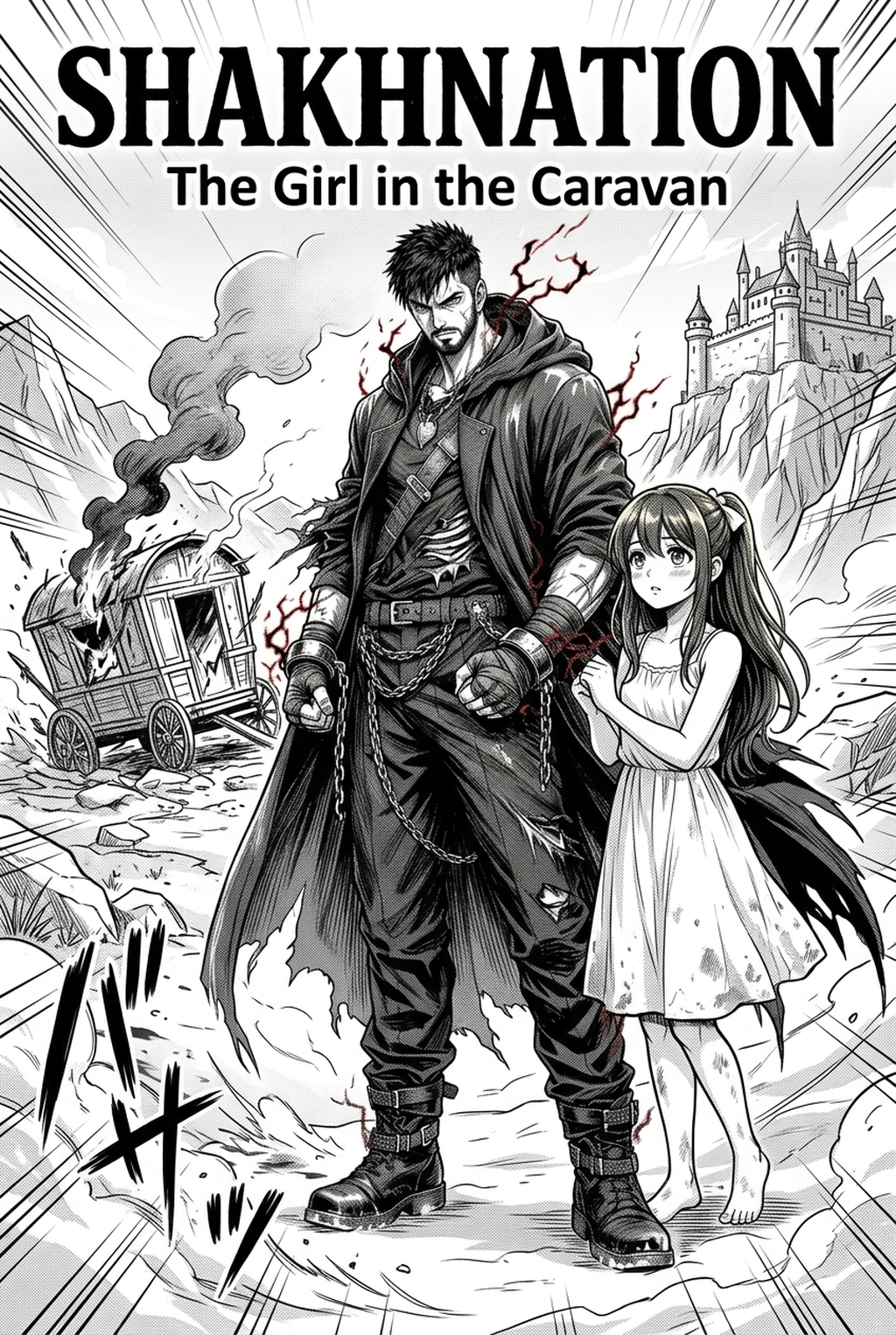
! Mobile-first social campaign master cover showcasing single-card comic advocacy with bold typography Fig. 1: Single-card advocacy comic format capturing user attention within 3 seconds of social feed scrolling.
Meta description: Use a free comic creator to turn one social campaign message into a readable mobile-first card, with safe zones, accessibility checks, compression guidance, and platform-ready export planning.
“This summary gives the campaign team a practical starting point.” — TL;DR
- Build one card around one action, one audience, and one clear sentence; a comic treatment should clarify the message rather than compete with it.
- Design for the smallest realistic phone view first: protect safe zones, enlarge essential text, use strong contrast, and describe the visual meaning in accessible copy.
- Export deliberately. Keep an editable master, make channel-specific copies only after checking dimensions and text placement, and inspect the compressed result before publishing.
“The direct answer begins with one message and one action.” — Direct Answer
A free comic creator can support social campaign cards when the team treats the comic as a communication system, not a decorative poster. Write one message, storyboard a short visual sequence, reserve safe zones, add accessible text and descriptions, export a readable master, then test compressed copies on mobile. Do not assume one file fits every platform.
“The campaign message should arrive before the punchline.” — Start with one promise and one action
A social campaign card has very little time to earn attention. The reader may see it in a fast feed, on a small phone, with sound off and uneven connectivity. Comic panels can make a message human and memorable, but extra characters, jokes, captions, and decorative effects can also delay understanding. The first production decision is therefore not a style decision. It is a communication decision.
Before opening a free comic creator, write the campaign in one sentence. Use a verb and a visible action: check a source before forwarding, bring a reusable item, register for an event, read instructions, ask for help, or share a verified resource. Avoid joining several actions with “and.” If the card needs two separate actions, it probably needs two cards or a connected sequence with clear numbering.
Define the reader in practical terms. “Everyone” is not a useful design audience. Is the card for students, commuters, local residents, first-time volunteers, customers, parents, or a professional group? The answer changes vocabulary, examples, clothing cues, setting, and the amount of context required. A campaign can be inclusive without pretending that every reader has the same experience.
Then decide what success means for the card. A card may aim to make someone pause, understand, remember a phrase, or take an action. Do not state a conversion rate, reach target, or performance claim unless the campaign owner has supplied verified evidence. For a draft, use a qualitative test: can a reader explain the message after one glance and identify the next action without opening another page?
Example: Instead of “Let us build a healthier, safer, cleaner community by learning, acting, and sharing,” a card could say, “Before you forward a claim, check the original source.” The comic shows one person pausing over a message, opening the source, and choosing not to forward an unverified claim. The action is specific; the visual sequence supports it.
“The campaign owner must choose the audience boundary.” — Make the message safe to publish
! Visual safe zone and aspect ratio template for Instagram, X, and LinkedIn single-frame comic posts Fig. 2: Multi-platform safe zone grid preventing crucial campaign headlines and calls-to-action from being obscured.
A social graphic can travel beyond the intended group. A local reminder may be copied without its original caption; a public-health illustration may be misunderstood in a new context; a parody may be mistaken for an official instruction. Review the card for safety before polishing its colours. If the message involves health, finance, legal rights, emergencies, children, or personal data, use wording that is cautious, sourced, and reviewed by the appropriate person.
Do not manufacture authority through visual design. A speech bubble, badge, coat, government-like colour, or official-looking seal does not make a claim verified. Avoid logos, emblems, or institutional cues unless the campaign owner has permission and has provided the exact asset. Do not make a product appear to have a safety property, discount, certification, or capability that has not been supplied.
Write a content boundary beside the brief:
- What does the card ask the reader to do?
- What does the card not claim?
- Which words require a source check?
- Is the message advice, an invitation, a warning, or a story?
- Who approves the final wording?
- What should a reader do if the situation is different from the example?
This boundary helps the visual team avoid turning a short campaign line into a broad promise. A fictional character can demonstrate a habit without implying that one action solves a complex issue. Where nuance is essential, use a caption or a companion page rather than shrinking a paragraph into the card.
Example: A volunteer campaign wants to encourage people to ask before photographing others. The card can show a character raising a hand and saying, “May I take a photo?” It should not imply that consent is unnecessary in other contexts or that a single polite question settles every privacy concern. A caption can direct readers to the campaign’s full guidance, if that guidance has been supplied and approved.
“The storyboard writer should give each panel one job.” — Convert a sentence into a comic sequence
A one-message card can use two to four panels, depending on the amount of context and the intended reading size. There is no universal panel count or platform rule to copy. Choose the smallest sequence that can show the situation, decision, and action. More panels are not automatically more engaging; they may make the text too small and the reading order uncertain.
Use this storyboard map:
| Panel role | What the reader should learn | Visual question |
|---|---|---|
| Context | Where and when is the situation? | What ordinary moment makes the issue recognisable? |
| Tension | What problem or hesitation appears? | What does the character notice or need to decide? |
| Choice | What action demonstrates the message? | Can the action be shown without a long explanation? |
| Close | What should the reader remember or do next? | Is the CTA visible and respectful? |
The first panel should establish enough context without becoming a title card. The middle panel should create a reason to keep reading. The final panel should not introduce an unrelated joke. If the campaign uses humour, let the joke make the message easier to remember, not easier to misinterpret.
Write the panel captions and speech bubbles separately from the visual notes. A caption can explain time, place, or a consequence. A speech bubble can make the character’s choice audible. A visual note can describe an object or gesture. When the same idea appears in all three, remove the repetition.
Example: For a campaign about checking a link before sharing, panel one shows a message notification; panel two shows a character looking for the original publisher; panel three shows the character sharing a confirmed source with a short note. The final strip reads “Pause. Check. Then share.” It does not need an invented statistic about misinformation or a claim about how many people will respond.
“The phone reader should not have to pinch the screen to find the point.” — Design mobile-first, then adapt
Mobile-first does not mean that every graphic must have a particular size or aspect ratio. It means the design is judged at the smallest realistic viewing condition before it is judged on a large monitor. Open the draft at ordinary phone scale, step back slightly, and ask whether the main line, panel order, and CTA remain clear. If they do not, more decoration will not solve the problem.
Create a hierarchy with three levels:
- Message: the one sentence or phrase the campaign needs remembered.
- Action: what the reader should do next, in a direct verb.
- Context: a short explanation, source note, or caution that prevents misunderstanding.
The message should not compete with the character’s face, a giant sound effect, or a decorative burst. The action should not be hidden in a caption that disappears into the background. Context may be smaller, but it must remain readable if it changes the meaning or safety of the card.
Use short lines rather than shrinking a long line until it becomes a texture. Break text at a natural phrase boundary. Check the script, punctuation, and line breaks in each language used by the campaign. If a translation expands, adjust the copy or the layout; do not treat tiny type as the default solution.
A mobile-first review should include readers with different habits. One person may read every panel carefully; another may see only the first and last panel while scrolling. The card should still communicate its central action when read quickly, while the complete sequence rewards a closer look.
Example: A four-panel card about safe event registration keeps the campaign phrase at the top, uses three short bubbles for the story, and puts the approved registration instruction in a protected bottom band. The characters make the situation approachable, but the action remains legible without opening the image full-screen.
“The safe zone is where the message survives the crop.” — Protect essential content
! High-contrast color and typography hierarchy ensuring full message delivery with muted device audio Fig. 3: Accessible color contrast and bold letterform architecture optimized for rapid sound-off consumption.
A safe zone is a deliberate margin between essential content and the edges or likely overlays of a published card. The exact crop, interface treatment, and placement can vary by destination, so do not promise one universal margin. Instead, create a generous internal boundary and test the card in the actual publishing context when that context is known.
Keep these elements inside the protected area:
- The main campaign sentence.
- Names or words needed to identify the action.
- Any warning, qualifier, or safety instruction.
- Faces and hand gestures that carry meaning.
- The only link, handle, or contact detail the audience needs.
- Source or attribution text required by the campaign owner.
Let background texture, speech tails, speed lines, and nonessential decoration extend closer to the edge only if losing them would not change the message. A character’s hand pointing to a button is not safe if a crop can remove the button. A speech bubble that reaches the border can be clipped or look accidental even when the words survive.
Make a temporary safe-zone overlay while designing. Mark a central content rectangle, an outer breathing boundary, and any known interface area supplied by the publishing owner. Keep the overlay out of the export. Before publishing, view the card in a realistic preview if one is available, but do not assume that a preview guarantees every placement across every device.
Example: A campaign card includes a character holding a small sign that says “Check the source.” The sign, the character’s eyes, and the CTA sit inside the inner boundary. A burst behind the character reaches toward the edge. If the graphic is cropped, the burst may change shape, but the sign and action remain intact.
“The accessibility reviewer should receive the same priority as the visual stylist.” — Make the card understandable in more than one way
Accessibility is not an optional caption added after export. It begins with the message structure. A person who cannot distinguish a colour, hear a sound effect, or inspect a tiny detail should still understand the action. Design the essential meaning in text, contrast, order, and description rather than relying on one visual trick.
Use plain language in the central line. Avoid making the reader decode a metaphor before learning what to do. If the campaign uses humour or a visual pun, add a direct caption or CTA so the instruction is not lost. Keep critical text distinguishable from background texture, and check contrast by looking at the card without relying on colour alone.
Do not use colour as the only signal. A red panel can show concern, but include an expression, icon, word, or action that explains the concern. A green panel can show a completed step, but the text should still say what happened. Be careful with colour combinations that may be difficult to distinguish, and test the card in greyscale as a quick review—not as a complete accessibility test.
Write alternative text or a plain-language description for the final asset where the publishing workflow supports it. Describe the message and the meaningful action, not every decorative line. A helpful description might say: “Three-panel comic: a person pauses before forwarding a message, checks the original source, and shares the confirmed link with the words ‘Pause. Check. Then share.’” Adapt the wording to the actual final card; do not copy a description that no longer matches.
Keep reading order obvious. If panels are arranged in a nonstandard shape, add numbers, gutters, or a caption that makes the sequence clear. Do not place the only essential sentence in a speech bubble whose tail could point to two characters. A readable card respects people using magnification, translation, screen readers, or slower reading patterns.
“The lettering system should serve every script the campaign uses.” — Handle bilingual and multilingual copy carefully
Social campaigns in India may move between English, Hindi, and other Indian languages because audiences are multilingual and the setting itself is multilingual. Decide whether the card needs parallel translations, code-switching, or one main language with a short supporting phrase. The right choice depends on the audience and the campaign’s stated goal.
If the card carries two complete versions of the same sentence, make the relationship clear. Use consistent labels, separate speech bubbles, or a caption structure. Avoid placing two languages in a single tiny bubble with no hierarchy. If the language mix reflects how characters speak, preserve that voice while ensuring the action remains understandable to readers who do not share the same language.
Check script rendering in the exported file. A font substitution, missing character, or awkward line break can change a word’s appearance. Ask a fluent reader to inspect spelling, punctuation, honorifics, and meaning. Do not assume that a transliteration produced by a generic process is the family or community’s preferred form.
Use language to reduce friction, not to display complexity. A short English action line may work with a Hindi character’s dialogue; a regional-language card may need a small English context line for an institutional audience. If the campaign has a defined language policy, follow it. If not, state the choice in the creative brief so reviewers can evaluate it instead of guessing.
Example: A card asks readers to verify a forwarded message. A character says a short Hindi phrase that signals hesitation, while the action caption appears in the audience’s chosen language: “Pause. Check the original.” The bilingual detail makes the scene familiar, but the instruction does not depend on the reader translating a dense paragraph.
“The free comic creator is only one part of the publishing chain.” — Keep a master and planned derivatives
A lightweight tool can be enough to draft a card, but the final workflow still needs version control. Keep an editable master with text layers or source notes where possible. Export a review copy, a final master, and channel-specific derivatives only after the message and accessibility checks pass. Do not overwrite the approved master with a compressed copy.
Use a clear naming pattern that records the campaign, card number, language, and status. A name such as campaign-card-03-hi-review is more useful than final-final-new.png. The exact naming convention is a team decision; the principle is that another person should understand which file is safe to publish.
Record the changes between copies:
| Version | Purpose | What may change | What must stay stable |
|---|---|---|---|
| Working master | Design and editing | Layout, lettering, illustrations | Approved message intent |
| Review export | Human and accessibility review | Nothing without a noted revision | Text, order, safety boundary |
| Approved master | Source for publishing | Only authorised corrections | Reviewed meaning and safe zones |
| Channel copy | Destination-specific delivery | Crop or compression if required | Message, legibility, CTA |
| Archive copy | Future reference | No casual edits | Provenance and approval note |
This approach avoids a common publishing error: the team reviews a clean large file, then someone compresses or crops it and publishes a version that hides the qualifier or clips the final panel. The derivative must be reviewed as a real deliverable, not assumed to be identical because it came from the same master.
Do not claim that an editor can export every platform format unless that capability has been checked. If a destination requires a particular file type, dimension, or upload method, record it from the campaign owner or current official documentation before production. Keep the creative guidance tool-neutral when the requirement is unknown.
“Compression should reduce weight, not meaning.” — Check quality after export
! Data-driven infographic comic integration presenting complex social metrics through compelling characters Fig. 4: Character-driven data visualization translating abstract social statistics into human emotional impact.
Compression can alter sharpness, lettering, colour edges, and small facial cues. A file that looks acceptable at full size may become muddy when reduced or processed again by a publishing platform. The safest practice is to inspect the actual compressed copy at ordinary phone scale and compare it with the approved master.
Look for these failure modes:
- Thin lettering loses its shape.
- Small punctuation disappears and changes the sentence.
- A speech bubble edge merges with a pale background.
- A character’s gesture becomes ambiguous.
- The safe-zone margin is reduced by a crop.
- A source note or qualifier is no longer readable.
- A high-contrast colour becomes visually harsh or loses distinction.
- The order between panels becomes unclear.
Do not add a specific file-size promise to the article or campaign unless the destination owner has supplied it. Compression targets vary by workflow and may change. Instead, describe the quality test: choose the smallest version that preserves the approved message, readable lettering, and meaningful visual cues, then verify it on an ordinary mobile screen.
Keep text as text in the master when possible, rather than flattening it too early. If a destination requires a flattened image, make sure the final copy is still legible. Re-exporting multiple times can make edges softer, so use the approved master as the source for each derivative instead of compressing a compressed copy.
Example: A card includes a small line that says “This illustration is an example; check your local guidance.” After compression, the line becomes a grey blur. The card is not ready. Either rewrite it to a readable length, give it a protected text area, or move the necessary context into a companion caption supplied by the campaign owner.
“The review team should test the action, not just admire the art.” — Run a pre-publishing checklist
Use a two-pass review. The first pass is for meaning and safety; the second is for presentation and delivery. Keeping them separate makes it less likely that a beautiful colour treatment will distract from a confusing or unsupported claim.
“The content reviewer checks truth, scope, and tone.” — Pass one: message review
- Read the central sentence without looking at the art.
- State the intended action in one verb.
- Check that every factual or time-sensitive claim has an approved source or has been removed.
- Identify any implied promise, authority, guarantee, or statistic that is not supported.
- Confirm the target audience and language choice.
- Check whether the example could be mistaken for universal advice.
- Verify that people, communities, and situations are represented respectfully.
- Confirm the approved call to action and destination.
If the reviewer cannot name the action, simplify the sentence. If the card depends on a fact that has not been supplied, leave that fact out rather than filling it with a plausible number or claim.
“The accessibility reviewer checks alternate paths to meaning.” — Pass two: reading review
- View the card on a small screen at ordinary brightness.
- Read the panels in the intended order.
- Check that the main text is larger and clearer than decoration.
- Inspect contrast without relying on colour alone.
- Read each language aloud with a fluent reviewer.
- Confirm that the alternative description matches the actual final image.
- Check that the CTA and any qualifier remain inside the safe zone.
- Test the compressed copy, not only the master.
Keep the review notes with the file or campaign record. A short note such as “CTA moved inside protected area; bilingual line checked; export inspected” helps the next person understand why a change was made.
“The publishing owner checks the destination.” — Pass three: delivery review
- Confirm the intended destination and audience.
- Check the current destination requirements supplied by the owner.
- Make the appropriate derivative from the approved master.
- Preview the derivative in the intended context when possible.
- Verify the filename, caption, alternative text, and link or handle.
- Ask for final approval when the campaign requires a person’s sign-off.
- Store the approved source and the published copy together.
- Do not publish a version that has not passed the agreed review.
The workflow ends at approval for the draft requested here. It does not include posting or sending the campaign. That separation protects the team from treating a finished design file as permission to distribute it.
“The best card respects the reader’s attention and agency.” — Use comics without manipulation
A campaign card can use surprise, empathy, or a small joke, but it should not trick readers into a decision they did not understand. Do not hide a commercial condition, safety limitation, or data request behind a visual punchline. Keep the action visible and give the reader enough context to decide.
Avoid shame-based characterisation. Showing someone making a mistake can make a lesson concrete, but the person should not become a target because of age, language, income, disability, region, religion, caste, gender, or occupation. Let the story focus on the decision and the change. A respectful comic can still be direct.
Be careful with fictional scenarios that resemble current events. Label an example as an example when that distinction matters. Do not use a recognisable real person, logo, screenshot, or private conversation to imply endorsement or blame without permission. If the visual source is supplied by a campaign owner, confirm the right to use it and preserve any required credit.
When a message touches a high-stakes topic, the card should point to the appropriate full guidance rather than pretending to replace it. The article can recommend a source-check step without inventing a source URL. An external-source suggestion should remain clearly marked for verification until the publisher confirms the exact page and current language.
“The campaign team can learn from the card without turning guesses into metrics.” — Document what to improve
! Production-ready export suite tested across mobile feeds, night modes, and diverse screen resolutions Fig. 5: Final optimized multi-resolution campaign assets ready for viral social distribution and community reposting.
After a card is reviewed or used, collect observations rather than invented performance numbers. Ask whether readers understood the action, whether the language was natural, whether the panel order was clear, and whether any part was inaccessible or cropped. Note the context and the specific version so future revisions do not mix observations from different files.
A useful review log includes:
| Observation | Evidence to record | Possible design response |
|---|---|---|
| Readers missed the action | Which panel or line they overlooked | Move or shorten the CTA |
| Readers read panels out of order | Where their eyes moved first | Add gutters, numbers, or a clearer flow |
| A language line sounded unnatural | Fluent reviewer’s correction | Revise wording and recheck the export |
| Text became unclear after compression | The affected copy and derivative | Enlarge, shorten, or change the export path |
| The message felt judgemental | Specific phrase or character cue | Reframe around agency and choice |
| A qualifier was missed | What context disappeared | Protect it or move it to an approved caption |
Do not report a campaign as successful merely because the design looks polished. The card’s job is to make a message understandable and actionable. Evidence may come from a structured review, a reader explanation, or an approved campaign record; if no evidence has been collected, say that the outcome has not been measured.
“A concise invitation can move a reader from scrolling to choosing.” — Contextual CTA
For a team making its first card, the next action is to select one message and write it in one sentence. Then create a three-panel storyboard: the ordinary situation, the moment of choice, and the action the reader should remember. Review the wording and language before spending time on decoration. If the card needs a second message, split the brief rather than shrinking everything.
For a campaign owner, the CTA can invite a review: “Check the message, the safe zone, and the mobile export before approval.” For a public-facing card, use the exact approved action supplied by the campaign owner. Do not invent a URL, donation amount, event date, product promise, or platform capability. A clear design cannot compensate for an unverified destination.
“The next reading path should deepen the campaign workflow.” — Internal-link suggestions
- One-message social graphic brief — internal URL to be confirmed by the editor.
- Mobile-first comic layout checklist — internal URL to be confirmed by the editor.
- Safe-zone and crop review guide — internal URL to be confirmed by the editor.
- Accessible alternative text for illustrated cards — internal URL to be confirmed by the editor.
- Bilingual lettering workflow for Indian audiences — internal URL to be confirmed by the editor.
- Export and version-control checklist for campaign assets — internal URL to be confirmed by the editor.
“A source check protects claims about accessibility, privacy, and delivery.” — External-source suggestions
These are source leads for editorial verification, not claims about a platform or law. Confirm the exact current page, destination, and wording before adding a live citation:
- Current official accessibility guidance for social images — https://developers.google.com/search/docs/appearance/structured-data/intro-structured-data.
- Current official documentation for the intended platform’s image and text treatment — https://www.w3.org/WAI/WCAG22/quickref/.
- A current official digital-safety or privacy resource for campaign imagery — https://www.unesco.org/en/articles/guidance-generative-ai-education-and-research.
- An official language or script resource for the Indian language used in the card — https://schema.org/FAQPage.
- Current official guidance on alternative text and accessible social publishing — https://developers.google.com/search/docs/appearance/title-link.
- A current copyright or permissions resource for using photographs, logos, and illustrations — https://developers.google.com/search/docs/appearance/structured-data/intro-structured-data.
“The FAQ should answer the production decision a reader actually faces.” — FAQ
“The message is the first production asset.” — What should I decide before using a free comic creator?
Choose one audience, one campaign message, and one action. Write the sentence before selecting a visual style. Also record what the card does not claim, which details need a source check, who approves the wording, and where the card will be used. This brief prevents decoration from becoming a substitute for clarity.
“The smallest realistic screen is the first test.” — What does mobile-first mean for a comic card?
It means judging the card at ordinary phone scale before judging it on a large monitor. Keep the message and CTA short, make the panel order obvious, and preserve readable lettering. Mobile-first is a review principle, not a promise that one size or file will fit every destination.
“Safe zones protect meaning during delivery.” — What belongs inside the safe zone?
Keep the central message, action, warnings, qualifiers, essential faces or gestures, and the required source or contact detail inside a protected internal boundary. Background effects can be closer to the edge only when losing them would not change the meaning. Test the actual destination when its crop or interface is known.
“Accessibility belongs in the storyboard.” — How can a social comic card be more accessible?
Use plain language, strong text contrast, clear panel order, and cues that do not depend on colour alone. Provide an accurate alternative description where the publishing workflow supports it. Keep critical information out of tiny decorative text, and check each script with a fluent reader. Describe the final exported image, not an earlier draft.
“A translation should preserve purpose and voice.” — Should I put English and an Indian language on every card?
Not necessarily. Choose the mix that matches the audience and the campaign. You can use parallel translations, code-switching, or one main language with a short supporting phrase. Make the action understandable, give each language enough space, and have a fluent reviewer check the final wording and transliteration.
“Compression must be judged on the delivered copy.” — How do I check a compressed export?
Compare the derivative with the approved master at ordinary mobile scale. Look for blurred lettering, lost punctuation, weak contrast, clipped edges, missing qualifiers, and unclear panel order. Use the smallest version that still preserves meaning and readability. Do not add an exact file-size claim unless the destination owner has supplied a current requirement.
“A tool does not remove the need for approval.” — Can I publish immediately after exporting?
No. Export is a production step, not permission to distribute. Run content, accessibility, and delivery reviews; confirm the destination and caption; and obtain the required human approval. Keep the approved master separate from channel derivatives. The draft workflow here does not include posting or sending the card.
“A comic can persuade without humiliating.” — How should I use humour in a campaign card?
Use humour to make the action memorable, not to shame a person or group. Keep the central instruction visible, avoid stereotypes, and do not let a fictional mistake imply unsupported claims about a real community. If the topic is high stakes, pair the comic with approved full guidance rather than making the card carry more certainty than it can support.
“A review note is better than an invented result.” — What should I measure after a card is used?
Record whether readers could explain the message, identify the action, follow the panel order, and read the text after compression. Note the version and context. Do not claim reach, conversion, or success without campaign evidence. Qualitative feedback is useful when it is tied to a specific card and review question.
“The card can be light, but the publishing trail should be clear.” — Image manifest
No images are embedded in the article body. Use the following five supplied assets only after editorial review. The verified Drive folder is: Drive image folder .
| Role | Exact filename | Folder |
|---|---|---|
| Cover | AI-generated manga cover featuring a fantasy adventure story.png | Verified Drive folder |
| Content 1 | AI-generated manga page with comic panels and dialogue bubbles.png | Verified Drive folder |
| Content 2 | (2).png | Verified Drive folder |
| Content 3 | (3).png | Verified Drive folder |
| Content 4 | 5.png | Verified Drive folder |
“The structured data should describe the questions the page actually answers.” — FAQPage JSON-LD
{
  "@context": "https://schema.org",
  "@type": "FAQPage",
  "mainEntity": [
    {
      "@type": "Question",
      "name": "What should I decide before using a free comic creator?",
      "acceptedAnswer": {
        "@type": "Answer",
        "text": "Choose one audience, one campaign message, and one action. Record the content boundary, source checks, approver, and intended destination before designing."
      }
    },
    {
      "@type": "Question",
      "name": "What does mobile-first mean for a comic card?",
      "acceptedAnswer": {
        "@type": "Answer",
        "text": "Judge the card at ordinary phone scale first. Keep the message and CTA short, make panel order clear, and preserve readable lettering."
      }
    },
    {
      "@type": "Question",
      "name": "What belongs inside the safe zone?",
      "acceptedAnswer": {
        "@type": "Answer",
        "text": "Keep the central message, action, warnings, qualifiers, essential visual cues, and required source or contact detail inside a protected internal boundary."
      }
    },
    {
      "@type": "Question",
      "name": "How can a social comic card be more accessible?",
      "acceptedAnswer": {
        "@type": "Answer",
        "text": "Use plain language, strong contrast, clear reading order, cues beyond colour, and an accurate alternative description where supported. Check every script with a fluent reader."
      }
    },
    {
      "@type": "Question",
      "name": "Should I put English and an Indian language on every card?",
      "acceptedAnswer": {
        "@type": "Answer",
        "text": "Not necessarily. Choose the language mix that matches the audience and campaign, and make the action understandable with enough space for each language."
      }
    },
    {
      "@type": "Question",
      "name": "How do I check a compressed export?",
      "acceptedAnswer": {
        "@type": "Answer",
        "text": "Compare the compressed copy with the approved master at ordinary mobile scale and check lettering, punctuation, contrast, cropping, qualifiers, and panel order."
      }
    },
    {
      "@type": "Question",
      "name": "Can I publish immediately after exporting?",
      "acceptedAnswer": {
        "@type": "Answer",
        "text": "No. Complete content, accessibility, and delivery reviews, confirm the destination, and obtain the required human approval before distribution."
      }
    },
    {
      "@type": "Question",
      "name": "How should I use humour in a campaign card?",
      "acceptedAnswer": {
        "@type": "Answer",
        "text": "Use humour to make the action memorable, not to shame a person or group. Keep the instruction visible and avoid stereotypes or unsupported claims."
      }
    },
    {
      "@type": "Question",
      "name": "What should I measure after a card is used?",
      "acceptedAnswer": {
        "@type": "Answer",
        "text": "Record whether readers understood the message, identified the action, followed the panel order, and could read the compressed copy. Do not claim success without evidence."
      }
    }
  ]
}
Verified Drive image manifest
Source folder: https://drive.google.com/drive/folders/1RNl9s36_ITUMBe9xfu8b6P7O1VFtxnDy
| Role | File | Verified Drive URL |
|---|---|---|
| Cover | AI-generated manga cover featuring a fantasy adventure story.png | https://drive.google.com/file/d/1tEHnJg1yx-6lQlkxMcM-szXHYzjB0eAB/view |
| Content image 1 | AI-generated manga page with comic panels and dialogue bubbles.png | https://drive.google.com/file/d/11K2fA-4USLax6M-IbdYbZlHvC-gayHvd/view |
| Content image 2 | AI-generated manga page with comic panels and dialogue bubbles (2).png | https://drive.google.com/file/d/1x8qPo3x8-twyJXoWpgP_d3M6XTgrxMWF/view |
| Content image 3 | AI-generated manga page with comic panels and dialogue bubbles (3).png | https://drive.google.com/file/d/1JIxjnEmb-L47FP6vViN3BcsFeabkL-Ab/view |
| Content image 4 | AI-generated manga page with comic panels and dialogue bubbles 5.png | https://drive.google.com/file/d/16twfQ5WvItiPOyJUtLtA2RlS_EvCjgI1/view |
Verified editorial source bank
The following pages were opened and are included as source links for the SEO/GEO and accessibility checks in this draft: