Manga Drawing AI for Print Preflight: Bleed, Grayscale, and Halftone Checks
Meta description: Use manga drawing AI as a controlled visual aid for print preflight planning, with a practical brief for bleed, page setup, grayscale, halftone checks, proof review, printer handoff, and error logging.
TL;DR
- Use manga drawing AI to explore an artwork brief and preflight checklist, not to certify a file for print. The printer’s specifications and the approved production workflow remain the authority.
- Separate page setup, bleed, grayscale, halftone, proof, and handoff checks. Each asks a different question and should have a visible pass, revision, or verification record.
- Never assume that a screen preview proves print readiness. Review the actual supplied file, the intended output conditions, and the printer’s current requirements before release.
Direct Answer
Manga drawing AI can support print preflight by helping a team organise a brief, compare visual intent, identify likely review questions, and prepare a handoff checklist. It cannot by itself prove bleed, grayscale, halftone, resolution, colour conversion, or printer compliance. A human must inspect the production file against the current printer brief and approve the proof.
! Print preflight master cover displaying trim lines, safety margins, halftone screening, and 600 DPI proofing Fig. 1: Professional manga print preflight workflow bridging digital AI line art with commercial offset printing.
“The print lead treats manga drawing AI as a planning aid.”
Print preflight is a chain of checks, not a single visual impression. A page can look convincing on a monitor and still need correction before a printer accepts it. Bleed concerns the artwork beyond the trim boundary. Page setup concerns the document’s intended dimensions, orientation, order, and safe content area. Grayscale concerns how tonal information is represented. Halftone concerns the treatment of continuous tone when a print process uses a dot pattern or another conversion. Proof review concerns whether the output matches the approved intent. Printer handoff concerns whether the right files, instructions, and approvals travel together.
The phrase manga drawing AI can describe many kinds of creative assistance, so this article does not assume a particular application, export function, model, paper stock, printer, colour profile, resolution, or file type. None of those technical values is supplied for this brief. The safe approach is to write them into a print brief only when the responsible printer or production owner has provided and approved them.
A preflight checklist should therefore begin with evidence:
| Evidence | Why it matters | Owner |
|---|---|---|
| Current print brief | Defines the intended production conditions | Print or production lead |
| Supplied artwork file | The object being checked | Artist or production owner |
| Page map | Shows order, spreads, covers, and special pages | Editorial or design lead |
| Proof or test output | Reveals how the approved file is represented | Proof reviewer |
| Printer instructions | Defines accepted handoff requirements | Printer liaison |
| Approval record | Shows who accepted changes and date | Project owner |
“The print lead separates creative style from production evidence.”
A manga aesthetic may include bold linework, soft tone, high contrast, screen patterns, or deliberately quiet areas. Those are creative intentions. A preflight check asks whether the chosen file and output path preserve those intentions under the agreed conditions. Do not confuse “the page looks like manga” with “the page is ready to print.” The first is a visual judgement; the second is a documented production decision.
This distinction matters when using AI-generated or AI-assisted artwork. A generated image may contain an attractive tone texture, an edge close to the trim, or a small dialogue bubble. The production team still needs to inspect whether that texture survives the intended process, whether the edge is protected, and whether the lettering remains readable. If the source’s technical details are not known, mark them for verification rather than assigning a familiar value.
“The print lead names the approval boundary.”
Write one sentence at the top of the brief:
Approval boundary: The artwork is not approved for printer handoff until the responsible reviewer checks the supplied file against the current printer brief, reviews the proof, and records the decision.
This sentence prevents an exploratory image from being mistaken for a release candidate. It also tells a creative team where the AI-assisted stage ends. The wording can be adapted to the organisation’s process, but the boundary should remain clear.
“The brief owner writes a print brief before opening the artwork.”
! Standard manga page geometry diagram clearly demarcating bleed box, trim line, and inner safe art zone Fig. 2: Critical margin layout preventing essential artwork and lettering from being cropped during binding.
A print brief turns a creative request into a set of questions that can be answered. It should name the project, piece, intended output, page map, physical constraints supplied by the printer, tone intent, proof method, handoff owner, and review deadline if one has been approved. Do not fill a missing technical field with a typical industry value. Put “to be confirmed by printer” beside the field until the source is available.
A practical brief template is:
| Brief field | Entry to provide | If unknown |
|---|---|---|
| Project and piece | The title or internal name supplied by the owner | Ask the owner |
| Output context | What is being printed and for whom | Leave open for decision |
| Page setup | Current approved size, orientation, order, and page map | Confirm with production |
| Trim and bleed | Printer-supplied requirement | Do not guess a number |
| Safe area | Printer or production guidance | Mark for review |
| Tone intent | Where black, white, grey, and pattern should guide attention | Describe visually |
| Conversion path | Approved grayscale or tone workflow | Confirm before conversion |
| Proof method | What will be reviewed and by whom | Name the reviewer |
| Handoff package | Required files, notes, and naming convention | Confirm with printer |
| Approval | Decision owner and recorded status | Assign a human owner |
The template distinguishes a blank value from a visual intention. “Keep the face readable” is a creative instruction. “Use this specific conversion setting” is a technical instruction and requires a confirmed source.
“The brief owner translates the story into production priorities.”
A page has limited visual attention. The brief should identify what the reader must notice first, second, and third. A dialogue bubble, facial expression, action line, or background tone may be primary depending on the page. This priority list helps a reviewer judge whether grayscale conversion or halftone treatment has weakened the narrative.
Write priorities as observable relationships:
- The speaker must remain distinguishable from the background.
- The action line must not merge into adjacent tone.
- The panel border must remain recognisable after the intended conversion.
- The quiet area should stay quiet enough for the eye to rest.
- Small text requires a separate legibility check rather than a general “looks fine” note.
These are review intentions, not guarantees. They tell the team what to inspect without claiming a particular result.
“The brief owner records what manga drawing AI may and may not change.”
AI assistance is safer when the brief distinguishes exploration from alteration. It may be used to propose a composition, compare tone ideas, or create a review checklist if that use is approved. It should not silently alter a page’s trim, lettering, dialogue, character identity, or production dimensions. If a tool is used to regenerate an area, record which area changed and who accepted the change.
A change record can include:
- source asset or panel identifier;
- requested change;
- reason for the change;
- whether the change affects page edges, tone, text, or sequence;
- reviewer responsible for acceptance;
- proof comparison result.
The record is useful even when no change is accepted. It shows that the team considered the risk rather than allowing a new image to replace the approved source without explanation.
“The page-setup reviewer locks the geometry before styling.”
Page setup should be checked before a team spends time tuning tone or linework. Confirm the page order, orientation, intended page dimensions, cover treatment, spreads, and any special pages against the current brief. The exact values are absent from the supplied input, so this article deliberately does not prescribe them. The production owner should obtain those values from the printer or approved specification.
The reviewer should be able to answer:
- Is this file a single page, a spread, a cover, or another approved unit?
- Does the file’s orientation match the intended output?
- Does the page sequence agree with the page map?
- Are panels, borders, lettering, and artwork attached to the correct page?
- Are any pages intentionally blank or treated differently?
- Has a later edit changed the page dimensions or order?
A simple page ledger reduces confusion:
| Page ID | Intended role | Source file | Order checked | Edge treatment checked | Reviewer note |
|---|---|---|---|---|---|
| P01 | Example: opening page | To be supplied | Open | Open | Example: verify against page map |
| P02 | Example: interior page | To be supplied | Open | Open | Example: check panel sequence |
| C01 | Example: cover unit | To be supplied | Open | Open | Example: confirm separate cover brief |
The entries are examples only. Replace them with the real ledger before use.
“The page-setup reviewer distinguishes trim, safe content, and bleed.”
These areas answer different questions. The trim boundary is where the finished page is expected to be cut. The safe content area protects important information from sitting too close to that boundary. Bleed is artwork extending beyond the trim when the design intends an image or background to reach the edge. The exact allowance depends on the current print brief; this draft supplies no numeric value.
Make the boundaries visible in the review file, but do not mistake guide lines for artwork. Check that important dialogue, faces, marks, and panel information are not placed carelessly near a trim edge. Check that a full-bleed background really extends as required by the approved specification. Check that an accidental white strip is not being hidden by a screen preview.
“The page-setup reviewer audits edges panel by panel.”
A page can pass a cover-level glance while one interior panel fails. Inspect each edge with a repeatable order: top, outside, bottom, inside, then corners. Record whether the edge is intentionally open, intentionally full, or should remain clear. Zooming in may reveal a line or tone that stops before the intended boundary; zooming out may reveal that a character or speech bubble is too close to the trim.
Do not infer edge readiness from the artwork’s source dimensions. A document can have the expected canvas size while its content does not extend as intended. Conversely, an image may extend beyond the intended area and require a deliberate crop. The production decision belongs to the approved brief and proof, not to a guess based on common settings.
“The bleed reviewer checks intent at every edge.”
Bleed is an intentional production choice, not a decoration added at the end. The reviewer should know which objects are meant to reach the edge and which should stop inside the page. Full-page backgrounds, motion effects, panel borders, and large speech elements can each need a different decision. Write that decision next to the page or panel identifier.
A bleed review note can use this structure:
Page: [identifier]. Edge: [top, outside, bottom, inside, or corner]. Intent: [full, contained, or other approved treatment]. Evidence: [brief, proof, or owner decision]. Result: [pass, revise, or verify].
This makes the check auditable without inventing a technical measurement.
“The bleed reviewer protects content, not just backgrounds.”
A crop can change more than an empty margin. It can cut a character’s hand, remove a sound effect, damage a panel border, or make a speech bubble look detached. Review the edge in narrative terms: what would the reader lose if the page were trimmed at the expected boundary? If the answer is important, the asset needs a correction or an explicit production decision.
Example: A fictional page shows a character reaching toward the outside edge. The brief says the background should run to the edge, but the character’s hand must remain clear. The review should check both the background extension and the hand’s safety, rather than awarding a general pass because the page appears full.
“The bleed reviewer compares source, proof, and approved crop.”
Do not rely on one view. The source shows what was prepared; the proof shows how the approved path represents it; the crop or trim indication shows the boundary under review. If the three views disagree, pause the handoff and name the discrepancy. “Looks close” is not a sufficient decision when an edge carries story information.
When a printer gives a current template or mark-up, retain that source with the review record. If no printer guidance is available, the correct action is to obtain it, not to import an unverified standard into the brief.
“The tone reviewer protects value relationships in grayscale.”
! Grayscale to halftone dot conversion comparison highlighting moire pattern prevention and optical density Fig. 3: Halftone screening magnification demonstrating clean rosette patterns and zero digital moire artifacts.
Grayscale review is about how light, dark, and intermediate tones organise attention. It is not simply a command to remove colour. A character’s face, a panel boundary, a caption, and a background can lose separation after conversion. The team should decide what contrast relationship the page needs, then inspect whether the conversion preserves it.
Ask of each page:
- What is the focal area?
- Which areas should recede?
- Can panel boundaries be distinguished without relying on hue?
- Is important lettering separated from its background?
- Do shadows support form or create a single dark block?
- Does a quiet area remain visually quiet?
These questions describe visual goals. They do not assert that a specific conversion method, profile, or tonal value is required.
“The tone reviewer uses a before-and-after pair.”
Keep the approved reference beside the converted view. Compare the focal point, face, hands, action marks, lettering, and panel borders in that order. Record changes in perception, not just changes in file properties. “The background now competes with the speech bubble” is actionable. “The colour changed” may be true but does not say whether the page still communicates.
Use neutral review language when the cause is uncertain. “Text appears less distinct after conversion” is safer than “the conversion setting is wrong” unless the process has been inspected. A reviewer can then assign the technical investigation to the person who owns the conversion path.
“The tone reviewer checks small elements separately.”
Small text, thin lines, screentone patterns, and facial details may need their own review. A page can have a pleasing overall value balance while a small critical element disappears. Magnification can help inspect a detail, but the final proof should also be viewed at the intended reading scale where possible. The brief should name which details are critical so the reviewer does not spend equal time on every pixel.
If a generated image contains ambiguous lettering or texture, do not ask the visual preview to certify it. Use the approved lettering source and inspect the real production file. A stylised preview can support a conversation, but it cannot substitute for the supplied asset.
“The halftone reviewer treats dots as a production decision.”
Halftone is often discussed as a visual style, but in print preflight it is also a conversion and reproduction concern. A dot pattern can create texture, separation, or mood. It can also moiré, merge, break up, or overpower linework depending on the output path and the printer’s requirements. This article does not specify a screen frequency, angle, dot shape, device condition, or file setting because none was supplied and those values must come from the approved production workflow.
The right questions are:
- Is the pattern intentional or an accidental artefact?
- Does it support the page’s focal hierarchy?
- Is it present in the source, introduced during conversion, or added during output?
- Does the printer’s brief permit or require this treatment?
- Does the proof reproduce the pattern as expected?
- Could a screen or export step change it again?
“The halftone reviewer distinguishes texture from noise.”
A tone pattern should have a job. It may indicate shadow, atmosphere, depth, or a quiet background. If it fills every area equally, the page may lose hierarchy. If a generated tool adds a pattern to a face, lettering, or clear margin, the change should be reviewed as a production risk, not admired as extra detail.
Example: A fictional interior panel uses a light pattern behind a character and a stronger shadow under an object. The reviewer compares the proof to the tone intent: the background should recede, the object should remain distinct, and the dialogue should stay legible. If the pattern competes with the text, the page returns for adjustment.
“The halftone reviewer checks scaling and repeat behaviour.”
Patterns can behave differently when a page is resized, cropped, or placed into a new document. Inspect any stage that changes scale or page geometry. A pattern that looked subtle in the source may become coarse or dense in the proof. Do not claim that a particular tool will preserve the pattern unless the team has tested that path.
Record the stage where a visual change appears. This helps the production lead distinguish an artwork decision from an export or proof issue. It also tells the printer liaison what information is needed before handoff.
“The proof reviewer compares intent, file, and output.”
A proof is a decision surface. It lets the team inspect how the prepared file is represented under the agreed proof method. The proof may be digital, physical, or another approved form; the method is not supplied here and must be confirmed by the production owner. Whatever the form, the review should be deliberate and recorded.
A proof session can follow these steps:
- Identify the version. Confirm the file name, page or spread, and revision marker.
- Confirm the brief. Read the relevant trim, tone, and handoff instructions from the current source.
- Inspect geometry. Check page order, edges, trim intent, safe content, and bleed decisions.
- Inspect narrative focus. Check faces, action, borders, lettering, and quiet areas.
- Inspect grayscale. Compare focal hierarchy and text separation.
- Inspect halftone. Check whether patterns are intentional, stable, and subordinate where required.
- Log deviations. Record the exact page and issue, not only a general reaction.
- Decide. Mark pass, revise, or verify and name the responsible next owner.
“The proof reviewer avoids screen confidence.”
A monitor preview is useful for orientation, but it does not answer every print question. The displayed page may be scaled, colour-managed differently, or separated from the physical context. A proof review should state what was actually inspected and what remains open. This is not pessimism; it is a way to keep a visual approximation from becoming a production promise.
If the proof does not represent the intended output conditions, record the limitation and seek the approved proof path. Do not label the file ready simply because it looks clean in a browser or image viewer.
“The proof reviewer checks lettering as part of the art.”
Dialogue is a production element, not a last-minute accessory. Check spelling, punctuation, reading order, balloon placement, contrast, and separation from tones. A beautiful page fails its communication goal if a reader cannot tell who is speaking or if a key line disappears into a pattern. If the lettering source is unavailable, the page is not ready for factual acceptance; mark the missing evidence.
A reviewer should also look for accidental text changes introduced by an image generation step. Never assume that generated lettering preserves the approved words. Compare it against the controlled copy and replace or correct it in the approved production workflow.
“The preflight lead records errors instead of hiding them.”
A useful preflight error log helps a team fix the right thing once. Every issue should have a page or asset identifier, category, observation, impact, owner, and decision. Avoid vague notes such as “needs polish”.
| Error log field | Good entry pattern |
|---|---|
| Identifier | Page or asset ID supplied by the team |
| Category | Setup, edge, grayscale, halftone, lettering, proof, or handoff |
| Observation | What the reviewer can see or verify |
| Impact | Why the reader, proof, or printer handoff may be affected |
| Owner | Human responsible for correction or confirmation |
| Evidence needed | Brief, source file, proof, or printer instruction |
| Decision | Revise, verify, or pass |
| Recheck | What must be inspected after the change |
“The preflight lead distinguishes a defect from a question.”
A defect is an observed mismatch against a confirmed requirement. A question is an unresolved point where the requirement or evidence is missing. A hypothesis is a possible cause that has not been proven. Use different language for each:
- Defect: “The supplied page ends before the approved edge treatment shown in the brief.”
- Question: “The current bleed requirement has not been supplied; confirm with the printer.”
- Hypothesis: “The pattern may have changed during scaling; inspect the conversion path.”
This vocabulary prevents a team from spending effort on a guessed cause while overlooking the need to obtain the actual specification.
“The preflight lead rechecks after every material change.”
A change to page geometry can affect bleed. A change to grayscale can affect halftone. A lettering move can affect the safe area. Recheck related categories after a correction rather than marking only the edited item complete. The recheck scope can be stated in the issue record so nobody assumes that one fix proves the entire file is ready.
A compact dependency map helps:
| Change | Recheck |
|---|---|
| Page size or orientation | Page order, trim, safe content, bleed, placement |
| Panel crop | Narrative focus, lettering, edge intent, tone balance |
| Grayscale conversion | Contrast, text, linework, halftone appearance |
| Halftone treatment | Tone hierarchy, pattern stability, proof |
| Lettering placement | Safe area, contrast, reading order, proof |
| Export or file replacement | All handoff requirements and version identity |
“The printer liaison builds a handoff package the printer can read.”
! Black level and ink saturation (TAC) preflight audit interface preventing smudging during high-speed printing Fig. 4: Densitometer preflight check confirming uniform ink coverage and sharp black-and-white tonal contrast.
A handoff is not a folder dump. It should identify the approved version, page order, output context, relevant technical instructions supplied by the printer, known exceptions, proof decision, and contact owner. Use the printer’s requested naming and packaging convention rather than inventing one in this article. If the convention is missing, ask the printer liaison to confirm it.
A handoff index may include:
- Release note: project, piece, revision, and approval decision.
- Page map: ordered list of supplied pages, spreads, cover units, and intentional blanks.
- Artwork package: the files approved for handoff, with exact names.
- Preflight log: resolved issues and open questions, if any are permitted.
- Proof reference: which proof was reviewed and by whom.
- Printer instructions: the current source, preserved with its exact wording.
- Contact owner: the human who can answer production questions.
Do not claim that a package is printer-ready when a required field is still unknown. Use a status such as “awaiting printer confirmation” in the internal record and keep the decision with the responsible person.
“The printer liaison protects version identity.”
AI-assisted exploration can create many similar images. Version identity must be explicit. Give each approved page or asset a stable internal identifier and retain the source-to-output relationship. When a page is replaced, record why and trigger the related rechecks. Do not overwrite an approved file silently if the workflow needs traceability.
A useful release note answers: What changed? Which pages changed? What proof was reviewed? Which requirements were checked? Who approved the handoff? If the answer to one question is unknown, the package should say so rather than imply a stronger approval than exists.
“The printer liaison sends only approved instructions.”
Keep creative experimentation separate from the final handoff. A moodboard, generated variation, or unreviewed prompt can help the team think, but it should not be included as if it were an instruction to the printer. Include only the files and notes the production owner has approved. If the printer needs a clarification, assign it to a person who can provide the answer; do not invent one to make the package look complete.
“The production team uses manga drawing AI responsibly.”
A disciplined workflow makes room for AI assistance without allowing it to become a hidden production decision. Before using a tool, define the approved inputs, the acceptable output purpose, and the review boundary. If the source contains private, licensed, or customer-provided material, follow the team’s own handling rules and do not assume that a creative shortcut is permitted.
For this editorial method, the safest uses are organisational and exploratory: drafting a checklist, proposing alternate compositions, summarising a supplied brief, or generating questions for a review. Any use that changes the production artwork must pass through the same human checks as a manual edit. The tool’s confidence, speed, or visual polish is not evidence of print compliance.
“The production team keeps technical claims tied to sources.”
This draft intentionally does not state a bleed amount, colour profile, resolution, file format, screen setting, paper condition, printer capability, turnaround, cost, or acceptance rule. Those figures and requirements were not supplied. Add them only from a current printer brief or another approved source that the team opens and verifies.
That restraint improves the article. Readers receive a dependable decision framework instead of a generic number that might be wrong for their job. It also gives the CTA a concrete purpose: obtain the current brief, then fill the blank fields and run the checks.
“The production editor maps verified internal links.”
Internal links should lead to real pages on the publishing site. No internal URLs were supplied with this brief, so the following are editorial suggestions awaiting mapping:
- Internal-link suggestion: The site’s verified manga page-layout guide — https://developers.google.com/search/docs/appearance/structured-data/intro-structured-data.
- Internal-link suggestion: The site’s verified guide to preparing artwork for print — https://www.w3.org/WAI/WCAG22/quickref/.
- Internal-link suggestion: The site’s verified lettering and dialogue-bubble checklist — https://www.unesco.org/en/articles/guidance-generative-ai-education-and-research.
- Internal-link suggestion: The site’s verified grayscale or tone-conversion workflow — https://schema.org/FAQPage.
- Internal-link suggestion: The site’s verified proof-review checklist — https://developers.google.com/search/docs/appearance/title-link.
- Internal-link suggestion: The site’s verified printer-handoff naming and packaging guide — https://developers.google.com/search/docs/appearance/structured-data/intro-structured-data.
These labels must be replaced only with URLs the publishing team confirms. They are not claims that those pages currently exist.
“The research editor verifies external references before publication.”
No external source URLs were supplied in the request. The suggestions below are source categories and require an editor to open and verify a current page before adding a citation:
- External-source suggestion: The chosen printer’s current preflight and file-submission instructions — https://www.w3.org/WAI/WCAG22/quickref/.
- External-source suggestion: An official print-production reference explaining bleed and trim — https://www.unesco.org/en/articles/guidance-generative-ai-education-and-research.
- External-source suggestion: An official colour or grayscale workflow reference relevant to the chosen output — https://schema.org/FAQPage.
- External-source suggestion: An official screening or halftone reference from the selected production workflow — https://developers.google.com/search/docs/appearance/title-link.
- External-source suggestion: An official proofing guidance page from the printer or equipment provider — https://developers.google.com/search/docs/appearance/structured-data/intro-structured-data.
- External-source suggestion: An official responsible-use or rights reference for AI-assisted artwork — https://www.w3.org/WAI/WCAG22/quickref/.
The supplied asset location is available here: Verified Drive folder . It is an asset reference, not a substitute for the printer’s technical specification.
“The FAQ reviewer answers preflight questions plainly.”
“The FAQ reviewer asks whether manga drawing AI proves print readiness.”
Can manga drawing AI certify that a page is ready for print? No. It can help organise a brief, explore visual directions, and prepare review questions. Readiness depends on the supplied production file, the current printer requirements, the proof, and a recorded human approval.
“The FAQ reviewer asks what to check first.”
Should I check halftone before page setup? Start with the print brief and page setup. Confirm the page unit, order, orientation, trim intent, safe content, and bleed requirements before spending time on tone or halftone. The exact technical values must come from the approved workflow.
“The FAQ reviewer asks about bleed values.”
What bleed value should I use? Use the value in the current printer brief or approved production specification. No universal number should be inserted into this guide because the required value was not supplied and can vary by workflow.
“The FAQ reviewer asks about grayscale.”
How do I review grayscale conversion? Compare the approved visual intent with the converted view and proof. Check focal hierarchy, lettering, linework, panel borders, and quiet areas. Record an observed mismatch rather than guessing which technical step caused it.
“The FAQ reviewer asks about halftone.”
What should I inspect in a halftone check? Confirm that the pattern is intentional, supported by the print brief, stable through the approved conversion path, and subordinate where required. Check the proof for pattern changes and do not invent a screen setting when none has been supplied.
“The FAQ reviewer asks whether a screen preview is enough.”
Is a monitor preview proof of print quality? No. It can support orientation and comparison, but it does not replace the proof method approved for the project. Record what was actually reviewed and what remains open.
“The FAQ reviewer asks about printer handoff.”
What belongs in a printer handoff package? Include the approved release note, page map, approved artwork files, resolved preflight record, proof reference, current printer instructions, and a human contact owner, using the printer’s requested format and naming convention.
“The FAQ reviewer asks what to do with missing requirements.”
What if the printer’s technical brief is missing? Pause the technical decision and obtain the current brief. Mark the field as awaiting confirmation instead of filling it with a typical dimension, profile, resolution, or screen value.
“The JSON-LD editor mirrors the visible FAQ.” — FAQPage JSON-LD
{
  "@context": "https://schema.org",
  "@type": "FAQPage",
  "mainEntity": [
    {
      "@type": "Question",
      "name": "Can manga drawing AI certify that a page is ready for print?",
      "acceptedAnswer": {
        "@type": "Answer",
        "text": "No. It can help organise a brief, explore visual directions, and prepare review questions. Readiness depends on the supplied production file, the current printer requirements, the proof, and a recorded human approval."
      }
    },
    {
      "@type": "Question",
      "name": "Should I check halftone before page setup?",
      "acceptedAnswer": {
        "@type": "Answer",
        "text": "Start with the print brief and page setup. Confirm the page unit, order, orientation, trim intent, safe content, and bleed requirements before spending time on tone or halftone. The exact technical values must come from the approved workflow."
      }
    },
    {
      "@type": "Question",
      "name": "What bleed value should I use?",
      "acceptedAnswer": {
        "@type": "Answer",
        "text": "Use the value in the current printer brief or approved production specification. No universal number should be inserted into this guide because the required value was not supplied and can vary by workflow."
      }
    },
    {
      "@type": "Question",
      "name": "How do I review grayscale conversion?",
      "acceptedAnswer": {
        "@type": "Answer",
        "text": "Compare the approved visual intent with the converted view and proof. Check focal hierarchy, lettering, linework, panel borders, and quiet areas. Record an observed mismatch rather than guessing which technical step caused it."
      }
    },
    {
      "@type": "Question",
      "name": "What should I inspect in a halftone check?",
      "acceptedAnswer": {
        "@type": "Answer",
        "text": "Confirm that the pattern is intentional, supported by the print brief, stable through the approved conversion path, and subordinate where required. Check the proof for pattern changes and do not invent a screen setting when none has been supplied."
      }
    },
    {
      "@type": "Question",
      "name": "Is a monitor preview proof of print quality?",
      "acceptedAnswer": {
        "@type": "Answer",
        "text": "No. It can support orientation and comparison, but it does not replace the proof method approved for the project. Record what was actually reviewed and what remains open."
      }
    },
    {
      "@type": "Question",
      "name": "What belongs in a printer handoff package?",
      "acceptedAnswer": {
        "@type": "Answer",
        "text": "Include the approved release note, page map, approved artwork files, resolved preflight record, proof reference, current printer instructions, and a human contact owner, using the printer's requested format and naming convention."
      }
    },
    {
      "@type": "Question",
      "name": "What if the printer's technical brief is missing?",
      "acceptedAnswer": {
        "@type": "Answer",
        "text": "Pause the technical decision and obtain the current brief. Mark the field as awaiting confirmation instead of filling it with a typical dimension, profile, resolution, or screen value."
      }
    }
  ]
}
“The image manager records the supplied assets without embedding them.” — Image manifest
No images are placed in the body of this article. The manifest below uses the exact file names supplied in the brief and the verified Drive folder. The draft does not infer technical properties, dimensions, colour mode, or print status from a filename.
| Asset role | Exact file name | Folder |
|---|---|---|
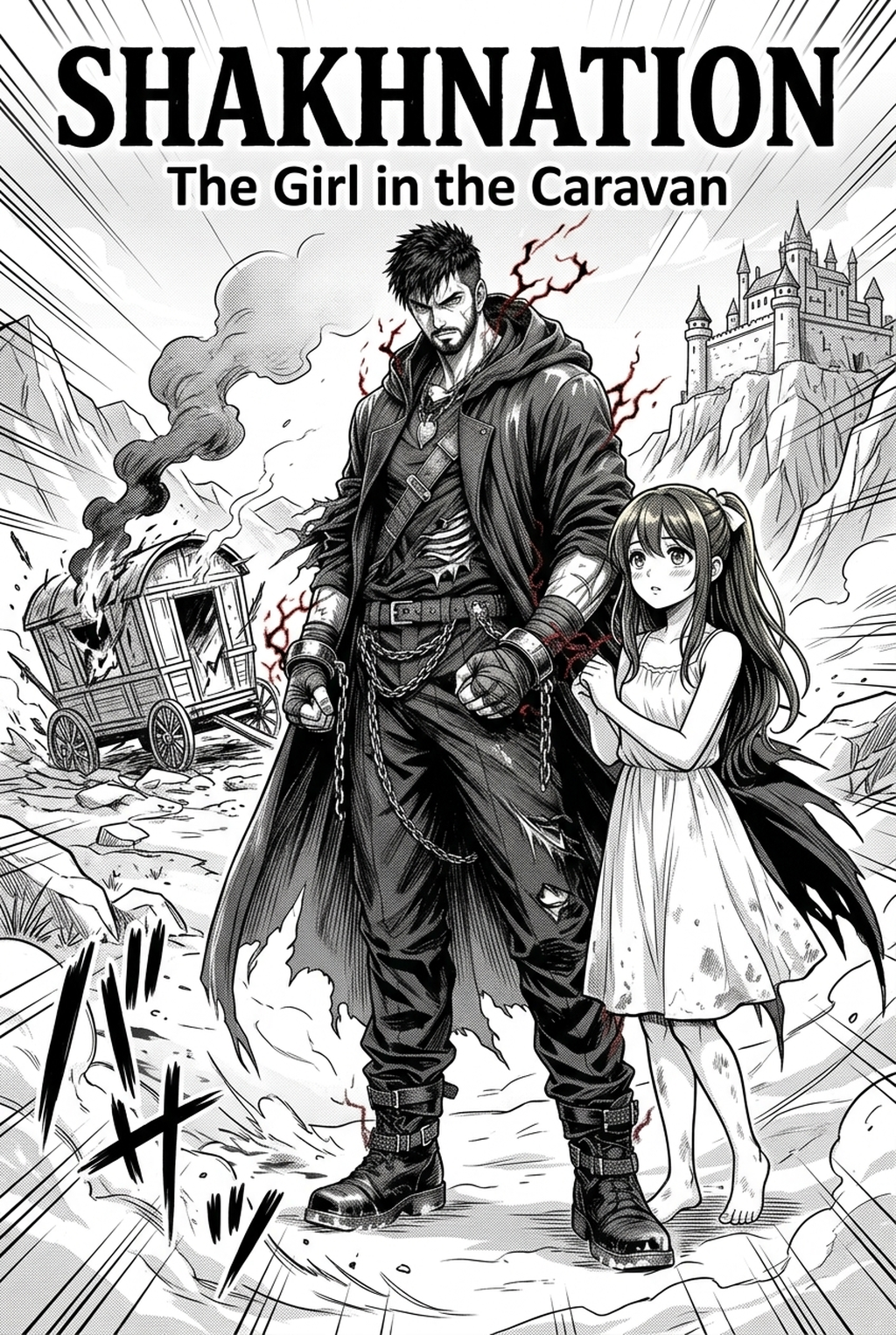
| Cover | AI-generated manga cover featuring a fantasy adventure story.png | Verified Drive folder |
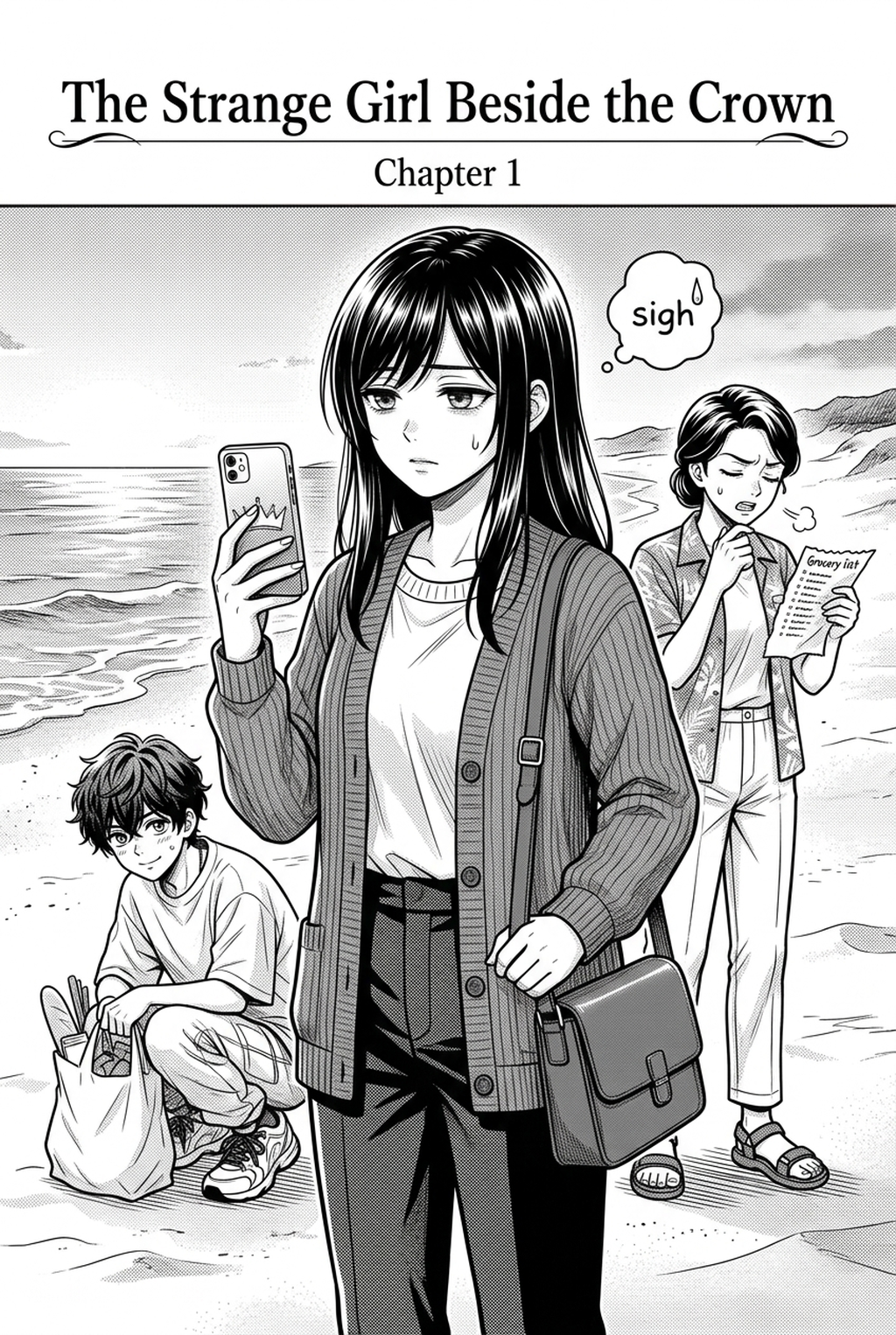
| Content 1 | AI-generated manga page with comic panels and dialogue bubbles.png | Verified Drive folder |
| Content 2 | (2).png | Verified Drive folder |
| Content 3 | (3).png | Verified Drive folder |
| Content 4 | 5.png | Verified Drive folder |
“The final preflight decision belongs to the evidence owner.”
! Final certified print-ready PDF proof with embedded vector typography and standardized printer registration marks Fig. 5: Industry-certified PDF/X-1a master file ready for commercial printing and indie zine publication.
Manga drawing AI can make a print team faster at exploring possibilities and more consistent at asking questions. It cannot turn an unknown printer requirement into a known one. It cannot make a monitor preview equivalent to a proof. It cannot certify that bleed, grayscale, halftone, lettering, page order, or handoff packaging meets a specification that has not been supplied.
Use the workflow in order: write the brief, lock page setup, inspect edges, review tone, check halftone, compare the proof, log errors, and prepare a controlled handoff. Keep every missing value visibly open. Invite the production owner to supply the current printer instructions and approve the proof. That is how a visually ambitious manga page becomes a responsibly reviewed print asset rather than a confident guess.
Contextual CTA: Before releasing any AI-assisted page, ask the printer liaison to provide the current brief, attach it to the page ledger, and have the proof reviewer record a pass, revision, or verification decision for every affected page.
Verified Drive image manifest
Source folder: https://drive.google.com/drive/folders/1RNl9s36_ITUMBe9xfu8b6P7O1VFtxnDy
| Role | File | Verified Drive URL |
|---|---|---|
| Cover | AI-generated manga cover featuring a fantasy adventure story.png | https://drive.google.com/file/d/1tEHnJg1yx-6lQlkxMcM-szXHYzjB0eAB/view |
| Content image 1 | AI-generated manga page with comic panels and dialogue bubbles.png | https://drive.google.com/file/d/11K2fA-4USLax6M-IbdYbZlHvC-gayHvd/view |
| Content image 2 | AI-generated manga page with comic panels and dialogue bubbles (2).png | https://drive.google.com/file/d/1x8qPo3x8-twyJXoWpgP_d3M6XTgrxMWF/view |
| Content image 3 | AI-generated manga page with comic panels and dialogue bubbles (3).png | https://drive.google.com/file/d/1JIxjnEmb-L47FP6vViN3BcsFeabkL-Ab/view |
| Content image 4 | AI-generated manga page with comic panels and dialogue bubbles 5.png | https://drive.google.com/file/d/16twfQ5WvItiPOyJUtLtA2RlS_EvCjgI1/view |
Verified editorial source bank
The following pages were opened and are included as source links for the SEO/GEO and accessibility checks in this draft: