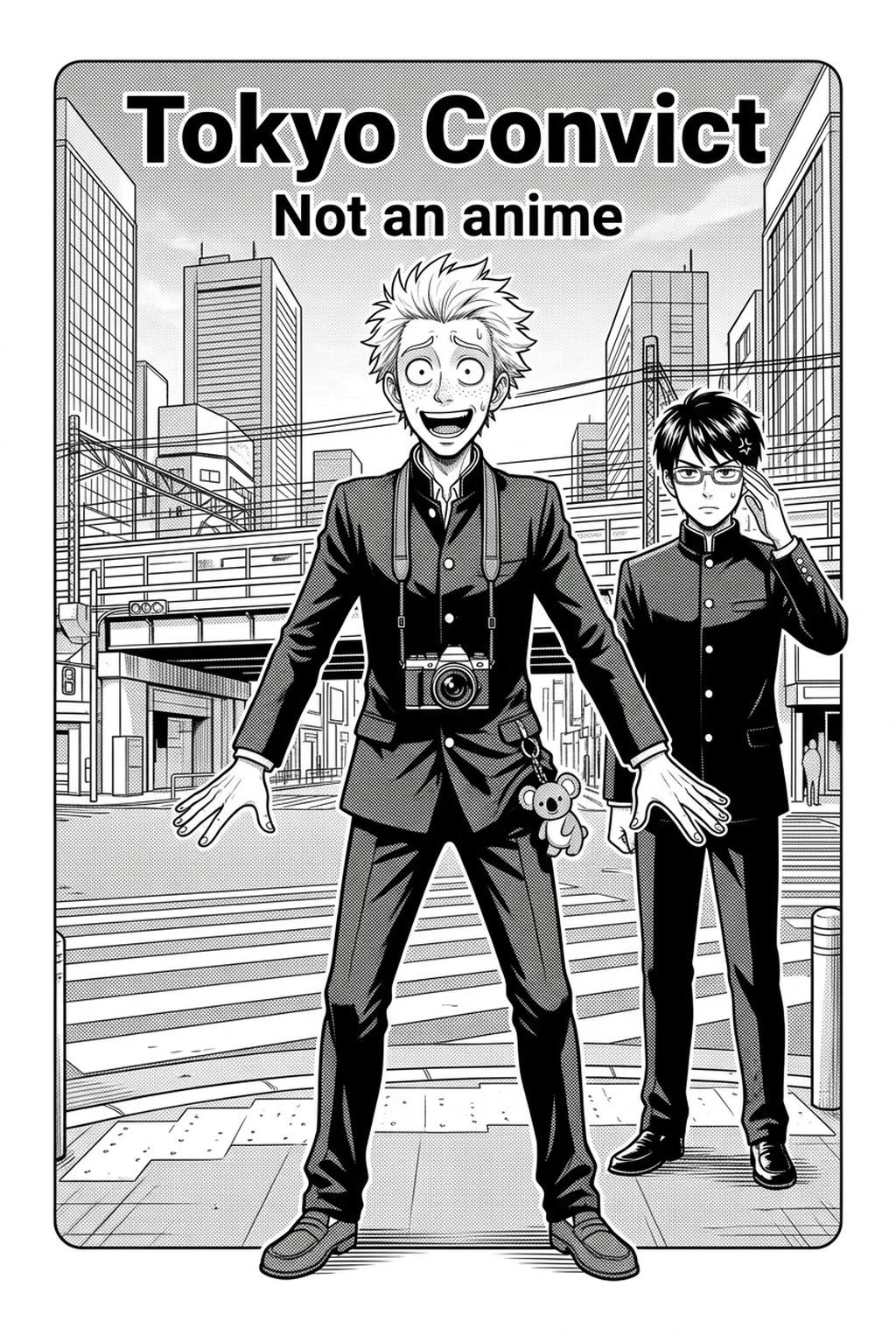
Understanding the Nature of Environmental Design
Manga background art relies on the precise intersection of vanishing points, screen-tone usage, and narrative depth to anchor characters within a physical space. Professional-grade work for Seinen or Shonen titles demands consistent architectural scale that prevents the reader from feeling "lost" within a non-linear page spread.
Effective environments require a deliberate use of negative space to prevent the frame from appearing cluttered during high-intensity sequences. When you prioritize negative space, you guide the reader’s eye toward the character’s emotional expression instead of exhausting them with excessive architectural texture.
Check character consistency, panel readability, line quality, and export readiness before publishing. Creators should also record why the page passed review, which panel details still need manual cleanup, and which export format the next collaborator will use. That makes the subsection useful instead of leaving a short checklist under a large heading.
Art style drift frequently occurs when an artist manually re-draws environments across a multi-page sequence. To maintain visual fidelity, you must define a strict stroke-width standard for every background asset, ensuring that wide establishing shots of cityscapes possess the same ink-line density as the interior furniture of a close-up conversation.
Why Structural Environments Dictate Narrative Pacing
Backgrounds act as silent narrators that communicate the tone of a scene before a single dialogue bubble is read. A cold, industrial background in a Cyberpunk series dictates a specific pace, forcing the reader to interpret the environment as an antagonist, whereas a soft, open field in a slice-of-life title encourages a slower, more meditative reading speed.
You should utilize varying focal lengths within your background panels to control the pacing of your narrative flow. A wide-angle perspective generates a sense of isolation or scale, while a shallow depth of field helps isolate character interactions, ensuring the reader focuses on the primary subjects without losing the context of the setting.
How to Optimize Your Background Workflow
AI-driven tools now allow you to generate perspective-accurate environments from simple text descriptions, bypassing the hours previously spent on repetitive technical drawing. By automating the rendering of complex interior architecture, you reallocate your most precious resource—creative energy—to perfecting character expressions and delicate inking.
The primary challenge when introducing AI-generated art is ensuring the generated line-art matches the pressure sensitivity of your custom brushes. When you choose a tool for background creation, prioritize systems that allow you to calibrate the black-ink density and stroke-width parameters to match your existing hand-drawn assets.
Strategic Implementation for High-Impact Panels
Begin your page layout by drafting storyboards that identify exactly which panels require hyper-detailed backgrounds and which can rely on abstract screen-tone gradients. This differentiation prevents production bottlenecks and ensures you maintain a consistent delivery schedule for your readers.
| Panel Type | Background Priority | Implementation Strategy |
|---|---|---|
| Establishing Shot | High | Full-detail perspective with deep focal range |
| Dialogue/Reaction | Medium | Blurred/abstracted background to highlight expression |
| Action Sequence | Low | Kinetic lines with minimal environmental detail |
Ensure the atmospheric lighting of your generated backgrounds matches the tone of the screen-tone filters applied to your characters. When layering AI-generated elements beneath your hand-drawn character layers, use transparency masks to blur the edges where the two assets meet, creating a cohesive, professional-dimensional composition.
Getting Started with Integrated Generation Tools
The Mangaka platform allows creators to train stylistic parameters that align with the distinct visual requirements of diverse genres. By defining your camera angle through descriptive creative briefs, such as "low-angle street view" or "bird's-eye perspective," you retain full narrative control over the reader's visual journey.
Creative Brief and Source Input
Creative Brief and Source Input. Creative Brief and Source Input. Mangaka is built to integrate with your existing workflow, offering alignment tools that harmonize generated environments with hand-drawn character assets. This means you do not have to compromise on your unique inking style to benefit from high-fidelity environmental rendering.
- Before Export. Creators should compare the generated line art with the original sketch and confirm that facial expressions, props, speed lines, and speech-bubble space still support the scene. A repeatable review pass should cover character consistency, panel readability, background clarity, and whether the final file is ready for coloring, lettering, or editor feedback. - For Longer Projects. Creators should save approved examples of line weight, face detail, clothing folds, and background density. Those references keep later chapters closer to the intended style. For collaboration, creators should mark which panels are final and which panels still need redraws. Clear status labels prevent an assistant, editor, or colorist from polishing the wrong version. - For Publishing. Creators should review the page at the actual reading size before export. Small screens expose crowded dialogue, weak silhouettes, and line details that looked fine while zoomed in. This keeps the review focused on story intent, line weight, panel readability, and the export quality behind the final AI Manga Background Artist output. - For Style Control. Creators should keep a short reference board beside the draft and compare hair shapes, eye details, costume folds, and texture choices before approving the final page. For revision planning, creators should separate art fixes from story fixes. Line cleanup, panel order, dialogue clarity, and character acting each need a different review question. - For Solo Creators. The most useful workflow is one that keeps rough ideas editable until the final pass. That reduces rework when the scene mood changes after the first read-through. For teams, handoff notes should explain why a panel was accepted, not just whether it was accepted. That context helps later coloring, lettering, and export decisions stay consistent.
Generation Review and Export
Creators can evaluate manga background art with Mangaka mid-workflow when they need the product path tied directly to review, refinement, and export. A real test should use the same sketch, character goal, or panel sequence that would otherwise need manual cleanup after generation.
The Bottom Line
Creating professional-grade background art is no longer a bottleneck for indie creators who need to maintain production speed without sacrificing visual quality. By leveraging specialized tools to handle the heavy lifting of perspective and architectural detail, you keep your focus on the story and character growth. Start your journey at AI Manga Background Artist workflow with Mangaka to see how AI-generated environments can elevate your storytelling and streamline your page production.
Accelerate Your Background Production Workflow with Mangaka.app
For solo manga creators, drafting intricate cityscapes, classroom interiors, and natural landscapes across dozens of weekly pages is the most time-intensive part of the production pipeline. Mangaka.app provides specialized architectural and environment generation tools built specifically for sequential artists:
- Accurate Multi-Point Perspective Scenes: Instantly render complex urban streets, detailed domestic interiors, and fantasy ruins matched to your panel camera angle.
- Seamless Line & Screentone Extraction: Output ready-to-ink architectural wireframes and manga-standard screentone shading that seamlessly blend with your hand-drawn character figures.
- Rapid Scene Variations: Adjust daytime lighting to midnight gloom or change weather elements across panels without redrawing underlying structural geometry.
Overcome background burnout and publish on schedule by integrating Mangaka's AI Background Studio into your creative pipeline.