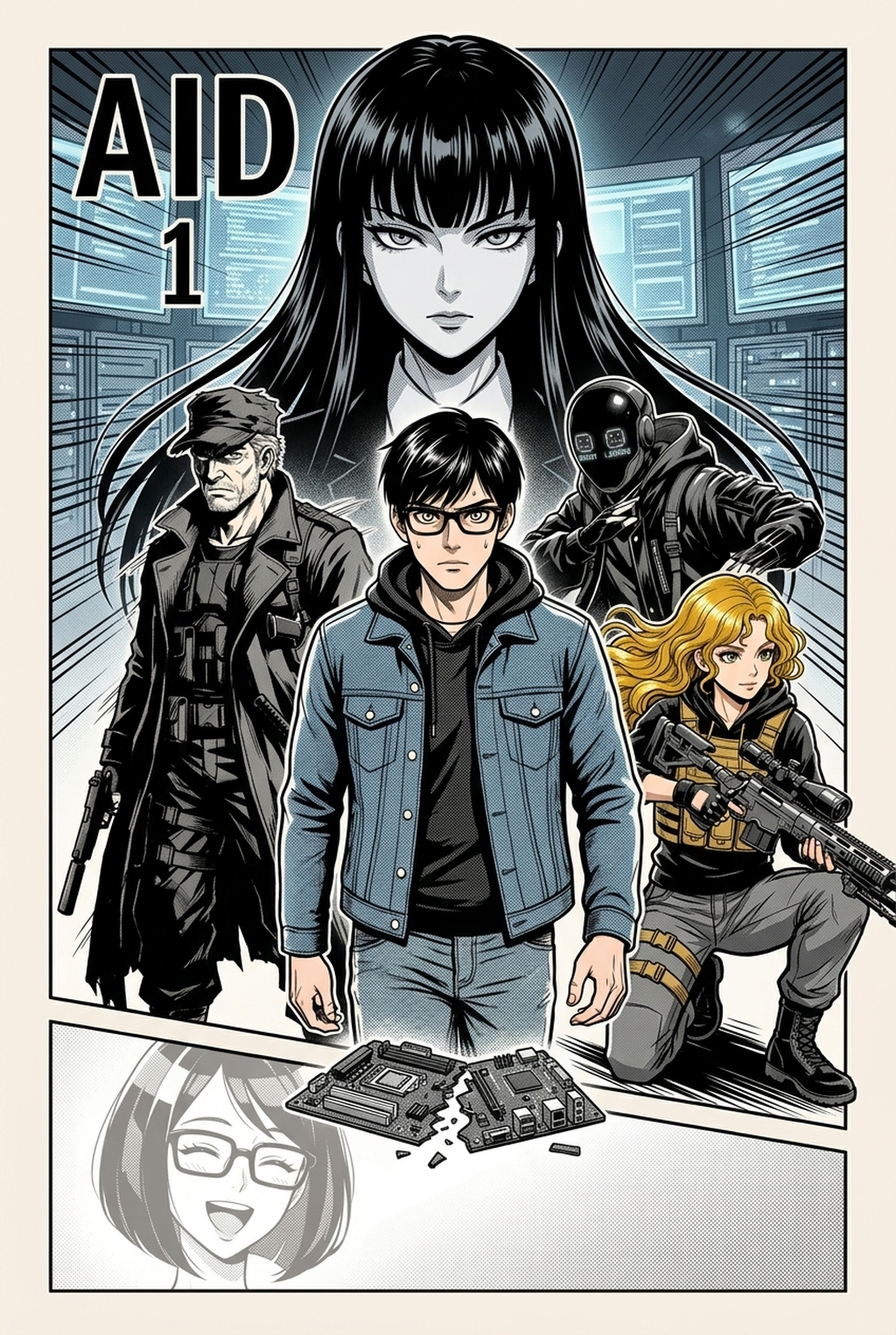
AI Manga Storyboard Builder: The Mechanics of Kinetic Narrative Design
Effective shounen layouts rely on narrative kineticism—a specialized sequence of panels designed to amplify the sense of speed, impact, and scale during high-octane battle sequences. Unlike standard dialogue-heavy pages, these sequences prioritize non-linear gutter tension and irregular panel shapes that intentionally disrupt the reading rhythm. This disruption forces the reader to slow down or speed up based on the emotional weight of the panel content, creating a visceral reaction that mirrors the characters' high-stakes reality.
| Feature Type | Standard Layout | Shounen Action Layout | Impact on Reader |
|---|---|---|---|
| Gutter Width | Uniform/Stable | Variable/Dynamic | Controls pacing |
| Panel Shape | Rectangular Grid | Diagonal/Bleeding | Enhances kinetic energy |
| Silhouette Usage | Full Body Staging | Aggressive Cropping | Increases sense of power |
These frames act as the primary engines for your action, where oversized, high-contrast panels force an immediate pause in the eye-trace. By prioritizing these frames during the storyboard phase, you ensure that pivotal hits or transformations receive the necessary real estate, preventing the surrounding action from feeling cramped or disorganized.
Maintaining character identity during intense movement requires a clear silhouette hierarchy, where the active striker is visually prioritized over the opponent. If you fail to differentiate these silhouettes through deliberate panel placement, your fight sequences will suffer from proportion drift and confusing limb placement, making it nearly impossible for readers to follow the choreographic flow.
Why Structural Planning Dictates Visual Clarity
Narrative flow is the difference between a coherent battle sequence and a confusing mess of lines that fails to convey speed. When you define your storyboard early, you map the exact 'eye-trace'—the specific, intended path a reader follows as they flip through a chapter—which is essential for maintaining the high-energy pacing synonymous with top-tier titles.
Poorly planned storyboards result in stagnant visual hierarchies where every panel holds equal weight, stripping the scene of its necessary climactic build. By establishing a clear progression—starting from a wide shot of the battlefield, moving into the impact-burst, and ending on a character reaction shot—you maintain tension that carries the reader across the entire chapter.
Without a structural plan, you risk losing the 'power-up' arc progression, where each subsequent page must escalate in intensity or emotional stakes. The storyboard serves as your blueprint for this escalation, ensuring that your panel count and page layout support the narrative’s climax rather than undermining it with inconsistent pacing.
How Your Storyboard Integrates with Mangaka
Mangaka streamlines the technical overhead of storyboard construction by auto-arranging panels to match your specific narrative pacing and stylistic needs. The tool interprets your creative inputs, such as character placement and action direction, to suggest logical, impact-focused layouts that respect traditional manga reading orders while maximizing the kinetic intensity of your scenes.
Maintaining Delivery Format Consistency. Whether you are producing for mobile vertical comic platforms or traditional print, utilizing AI-assisted layouts ensures that your composition remains consistent across your chosen export format. This removes the burden of manual recalculation, allowing you to focus on the nuance of character expression rather than the geometry of the grid. You can access these layout features at shounen manga storyboard with Mangaka to begin mapping out your action sequences with professional precision.
While traditional manual thumbnailing requires you to draw and erase every box to test pacing, this tool generates valid layouts based on your input parameters, drastically speeding up the drafting phase. If you find the initial suggestion needs adjustment, the software allows for full manual overrides, ensuring that your artistic intent remains the guiding force while the AI handles the technical alignment.
Tactical Panel Implementation Strategies
Utilizing 'Bleed' panels effectively breaks the boundary of the grid, which is crucial for creating a sense of massive scale during final attacks or pivotal character reveals. These panels should occupy at least 30% of your total page space during a double-page spread to effectively pull the reader into the high-stakes moment.
Implementing the 'rule of thirds' within individual panels helps emphasize character emotion during transition beats between intense action scenes. By positioning the character's eye-line at a specific intersection of your grid, you create an subconscious anchor for the reader, preventing the disorientation that often occurs after a high-speed sequence.
- Flashback-Syncing: Use these moments to contrast current fight stakes with past memories, ensuring the transition back to the present impact-burst is jarring and effective. * Impact-Burst Zoom: Optimize your zoom effects to isolate key character details like a clenched fist or focused eyes, heightening the intensity without requiring an entire page of filler. * Double-Page Real Estate: Reserve these moments for the most significant transformation or final strike to ensure the visual pay-off matches the build-up of your narrative arc.
Getting Started with Professional Pacing
You do not need prior storyboard experience to achieve professional-grade results, as the tool is designed to assist creators of all skill levels. By inputting your core story beats, you can quickly visualize the flow of your entire chapter, identifying pacing issues before you ever touch a pencil for line art or inking.
Many creators struggle with line-weight drift when switching between tools, but by defining your panel structure within this system first, you secure a foundation that keeps your art consistent. This setup prevents the need for major revisions during the late stages of production, such as when you are applying screen tones or final ink passes.
The Bottom Line
Shounen manga storytelling hinges on the quality of your storyboard, but you don't have to spend days mapping out panel arrangements manually. By integrating AI-powered layout tools, you can focus on the core narrative and action beats while the technical structure of your manga pages is handled efficiently. Start your first shounen storyboard project at shounen manga storyboard to see how automated narrative flow can transform your creative process today.
Related articles
Manga Storyboard: The Essential Guide for Faster Drafting
Manga Storyboard Guide: How to Master Narrative Pacing 2026
Mastering 4-Koma Manga Creation: A Guide for Indie Artists