AI Manga Inker: Core Principles of Inking Dynamics
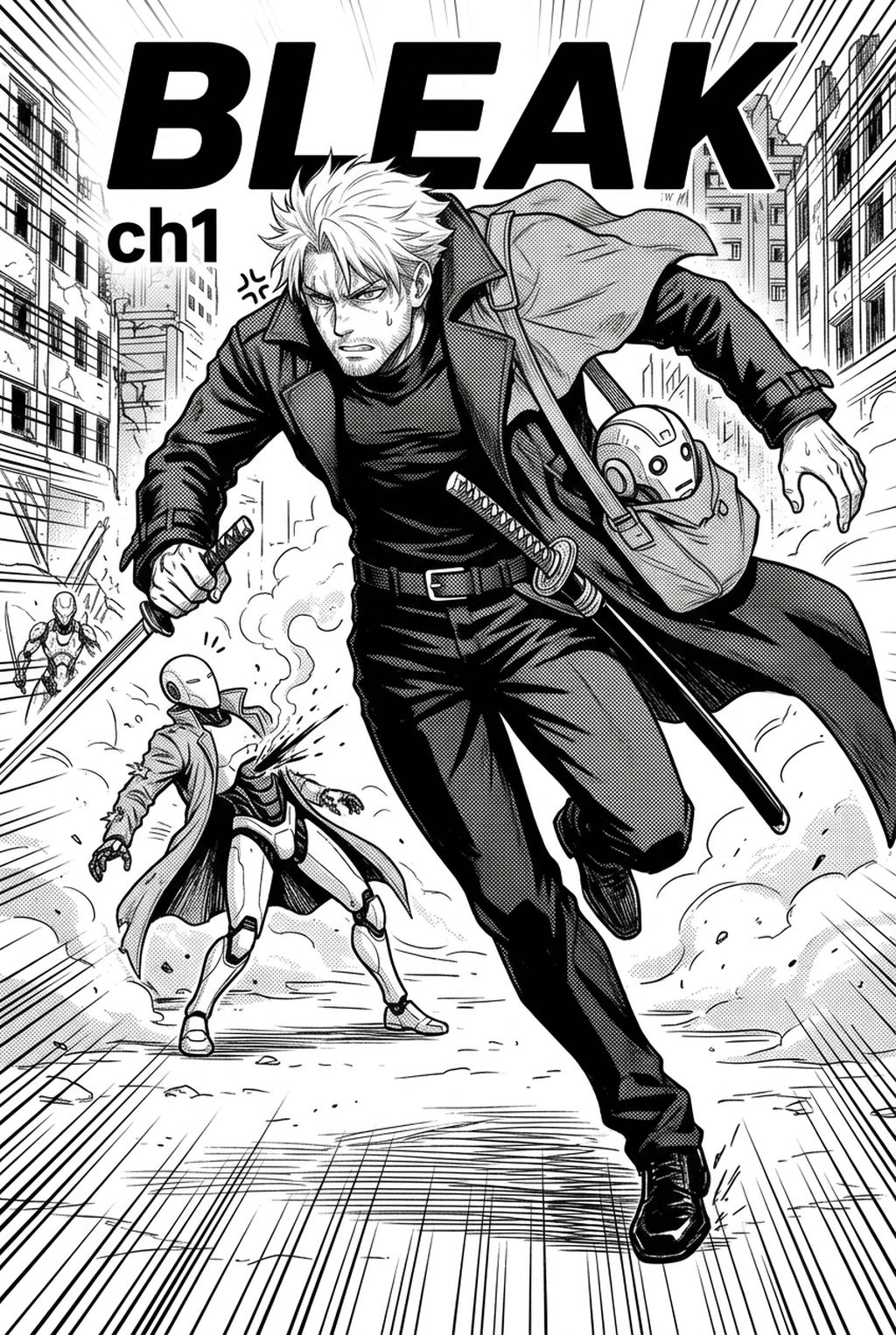
Effective inking relies on the intentional use of 'spot blacks' to define light sources and provide visual weight to the character design. When an artist correctly applies these solid black areas, the character loses that "floating" feeling often seen in unrefined, strictly penciled drafts.
The classic G-pen and Maru-pen remain the gold standard for creating the organic, tapered lines essential for Shonen action scenes. While digital emulations exist, many creators find that software settings often suffer from "vector stiffness," where the line loses its human, variable feel. To counter this, professional artists prioritize pen-pressure sensitivity, allowing for smooth, fluid transitions between thin, expressive strokes and bold, sweeping contours.
8mm brushes to delineate the outer boundary of a character, forcing the figure to pop off the page. 2mm pens to avoid overcrowding the eyes, nose, and mouth, which can muddy the character’s emotional expression. * Dynamic Action Flow: Utilize high-speed, long-taper strokes to convey momentum, ensuring the lines follow the arc of the motion rather than just outlining the anatomy.
Why Quality Line Art Drives Readability
Clean line art serves as the final quality gate before the application of screen tones or digital color. When a manga panel is scaled down for standard printing, messy lines—those plagued by jitter or uneven density—tend to bleed into one another, creating a visual noise that obscures the artist's intent.
Maintaining consistent stroke quality is a major hurdle during high-stakes deadlines, where fatigue can lead to shaky hands and loss of detail. A professional workflow demands a system that maintains high production throughput without forcing the artist to choose between speed and legibility. By enforcing a clean line strategy early in the production process, you prevent the need for costly redraws during the late-stage lettering or balloon placement phases.
Automating the Production Workflow
AI-driven tools now enable creators to convert raw pencil storyboards into professional-grade digital ink layers, eliminating the repetitive strain of manual tracing. By utilizing the manga inking techniques with Mangaka , you can automatically translate rough graphite lines into polished, high-fidelity ink paths that preserve your individual style while smoothing out unintentional jitter.
Automated inking systems operate by analyzing the vector path of a sketch, effectively "cleaning" the line while respecting the creator's original hand-drawn dynamics. This capability allows you to focus on the nuance of panel composition and narrative pacing, rather than the mechanical drudgery of tracing. When you upload a raw, scan-ready sketch, the engine identifies the intended silhouettes and applies consistent, professional-grade line weight throughout the entire page.
Imagine you are working on a 20-panel action chapter. The system converts your sketches into high-resolution PSD or PNG files with separate, clean line-art layers, effectively saving nearly 70% of your production time. This allows you to spend the remaining hours refining character consistency across the entire 20-page spread rather than struggling with basic line jitter on the final export.
- Chapter cadence. Use the AI pass for pages where speed matters most, such as repeated action poses, transformation beats, or dense speed-line panels. Keep manual cleanup for hero panels where the line style defines the emotional peak.
- Character continuity. Compare the generated lines against the same model sheet, costume notes, and facial-expression range used during sketching. This prevents a fast inking pass from drifting away from the character identity readers recognize.
- Export readiness. Check whether the final manga output can move into lettering, coloring, or final layout without rebuilding panel borders or speech-bubble space. A good manga workflow should save time while keeping the next production step predictable.
Refined Approaches to Composition
Over-inking is a common failure mode that can suffocate a composition, leaving no "breathing room" for the reader’s eye. Effective technique requires an understanding of how to balance high-density areas with minimalist, open-space segments.
- Avoiding Vector Stiffness: Digital artists often struggle with lines that feel too mathematically perfect; injecting subtle, manual-like variations back into the AI-generated ink can preserve the "hand-crafted" aesthetic. * White Space Management: Keep at least 30% of a character's interior areas free of unnecessary detail to ensure the panel remains readable at small print scales. * Style Control: Use AI-assisted smoothing for background structures where mechanical precision is desired, but manually adjust facial features to ensure they retain your unique, signature art style.
Getting Started with Automated Inks
Integrating digital assistance does not mean sacrificing your artistic soul; it means offloading the technical burden so your creative focus remains on narrative flow. This keeps the review focused on story intent, line weight, panel readability, and the export quality behind the final AI Manga Inker output.
The key to maintaining a natural look is to use the automated process as an under-layer, allowing you to manually touch up specific areas where you want a more expressive or "rough" feel. If you are worried about losing your signature style, remember that the AI serves as a production partner that interprets your intent rather than replacing it.
Ensure your pencil sketches are drawn on high-contrast paper or provide a clear, high-resolution scan. A clean base-layer—free of smudges—allows the engine to distinguish between your primary anatomy lines and guide-lines, resulting in significantly more accurate ink generation.
Creators should compare the generated line art with the original sketch and confirm that facial expressions, props, speed lines, and speech-bubble space still support the scene. A repeatable review pass should cover character consistency, panel readability, background clarity, and whether the final file is ready for coloring, lettering, or editor feedback.
The Bottom Line
Mastering the intersection of traditional pen pressure and modern AI-assisted tools is the most effective path toward professional-grade output in today’s publication landscape. By offloading technical labor, you ensure that your final pages maintain high readability and clean, commercial-ready line art without sacrificing the expressive soul of your work. You can manga inking techniques today to see how automated pathing transforms your rough sketches into finished, publication-standard manga panels.
Accelerate Your Manga Production Workflow with Mangaka.app
For creators working to streamline panel pacing, character consistency, and production speed, Mangaka.app offers an integrated, AI-assisted creative suite designed specifically for sequential manga art:
- Consistent Character Model Sheets: Anchor character facial structures, hairstyles, and costumes across dynamic angles without visual drift between panels.
- Dynamic Komawari & Panel Composition: Generate multi-panel page layouts adhering to traditional Japanese reading momentum (Right-to-Left) and dramatic eye-flow principles.
- Clean Vector-Grade Inking: Transform rough sketches into crisp monochrome line art with customizable G-pen and Maru-pen line-weight dynamics.
- Print-Ready High-Resolution Export: Output layered PSD files and high-density 600 DPI monochrome pages ready for physical tankōbon publication or digital webtoon distribution.
Experience modern manga creation tools built for indie mangaka and professional studios alike on Mangaka.app .