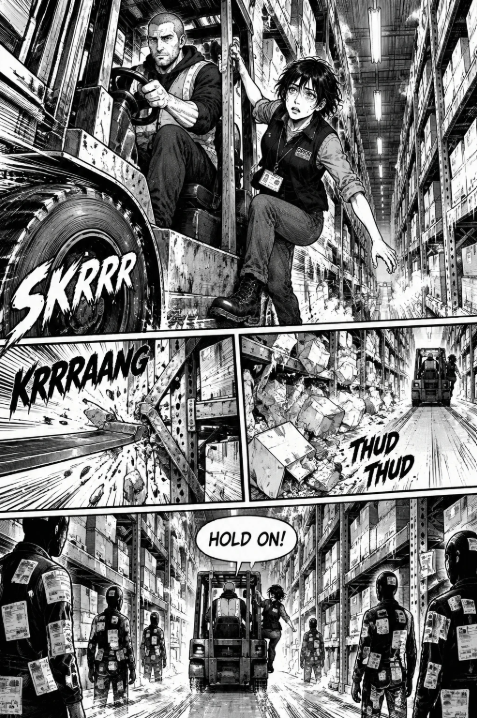
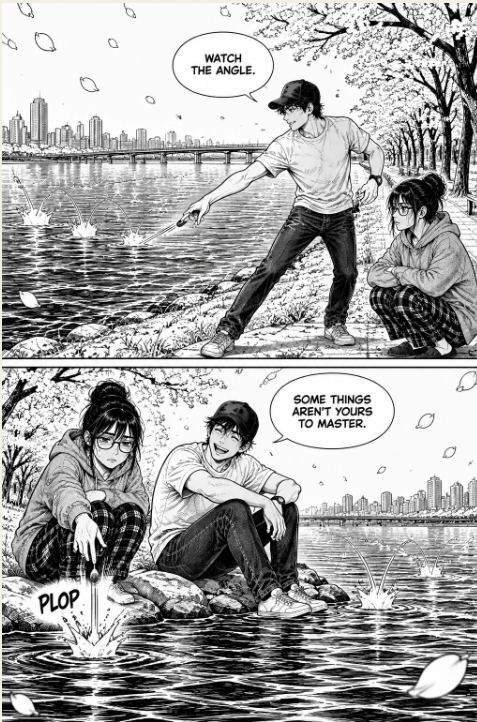
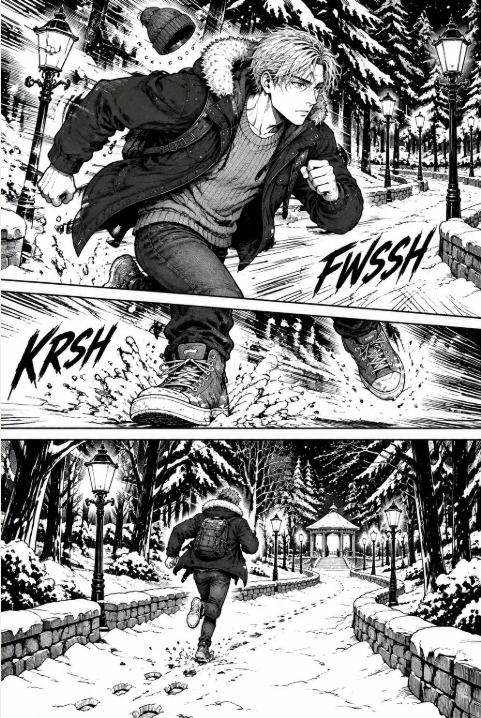
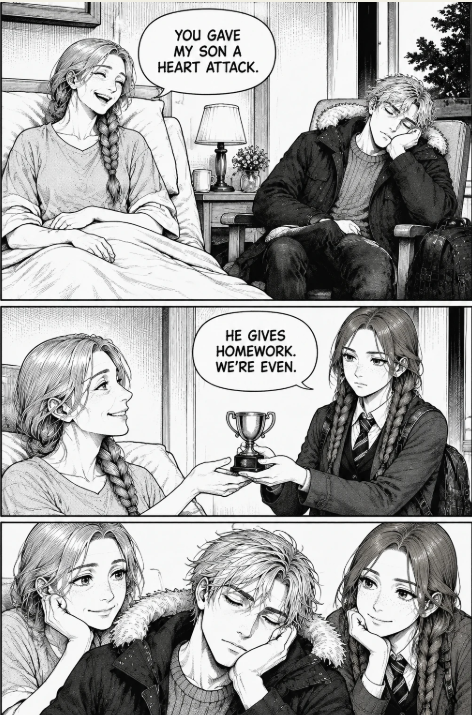
Webtoon Creator Software for Accessibility-First Production: Screen Readers, Captions, and Low-Bandwidth Collaboration
Primary keyword: webtoon creator software (secondary: make webtoon online) Editorial status: Draft for review; not published to a CMS Planned collection: Mangaka, 19 October 2026
TL;DR
- An accessibility-first online webtoon creator treats reading, creating, reviewing, and sharing as connected experiences. Semantic text, meaningful image descriptions, captions, keyboard support, and clear contrast help more people participate without flattening the visual language of comics.
- Low-bandwidth collaboration works best when teams make small, labelled handoffs: compressed previews, text-first feedback, version notes, and explicit ownership. A lighter workflow is often easier to audit, translate, and recover than a single large file exchange.
- Accessibility is not a final polish pass. Use a repeatable checklist from script to export, test with assistive technology where possible, and invite disabled readers and creators into paid, respectful review. CTA: Try Mangaka Webtoon Creator Software
Direct Answer
The best online webtoon creator for accessibility-first production is the one that lets a team structure story text, visual descriptions, captions, navigation, and feedback as deliberate content—not hidden afterthoughts. Choose a workflow with keyboard-friendly controls, readable exports, flexible image compression, clear versioning, and a review path that works on slow connections. Explore Mangaka.app to structure scripts, panel descriptions, and accessible webtoon exports in your browser.
! Webtoon Creator Software Accessibility-First Workspace Caption: Figure 1: An accessibility-first webtoon creator software workspace combining panel layouts, semantic descriptions, and low-bandwidth review manifests (Drive ID: 11K2fA-4USLax6M-IbdYbZlHvC-gayHvd).
Why accessibility-first webtoon production starts before the canvas
Webtoons are visual stories, but they are not only pictures. A reader may encounter a panel through a screen reader, a captioned video preview, a translated transcript, a low-resolution connection, or a teammate’s written review. A creator may be working with reduced vision, limited motor control, dyslexia, attention differences, hearing loss, temporary injury, or a device that cannot comfortably load a large project. An accessibility-first production method respects all of these entry points.
The phrase “accessibility-first” does not mean removing style, motion, surprise, or visual experimentation. It means deciding how the story remains understandable when one channel is unavailable. The panel can still be dramatic. The lettering can still be expressive. The color palette can still be unusual. The team simply supplies enough structure that readers and collaborators are not forced to guess what matters.
An online webtoon creator can make that structure easier to maintain because the work is already organized in a shared environment. Scripts, panel notes, image assets, alt text, captions, translations, review comments, and export decisions can live near one another. That proximity is useful only when the team labels information clearly and avoids treating a visual editor as the sole source of truth.
This guide focuses on production, not a generic “how to make a comic” tutorial. It explains how to design an accessible workflow for a small studio, a solo creator with reviewers, or a distributed team working across different devices and connection speeds.
! Accessible Webtoon Production Workspace and Panel Manifest Caption: Figure 2: Keeping story structure, speaker labels, and accessibility notes directly alongside the panels they describe (Drive ID: 11PjbE61ne4fVD3iW-y_hMOmtgswD8eTH).
1. Define the access needs your production must support
Before choosing settings, write a short access brief. It should describe the situations the team intends to support, not diagnose or stereotype the people who may use the work. For example, the brief might say that a reader should be able to understand the plot without hearing audio; a reviewer should be able to navigate comments with a keyboard; and a collaborator on a slow connection should be able to inspect a text-first version before downloading full artwork.
A useful brief separates the audience from the production team. Readers may need descriptions, captions, readable lettering, motion warnings, and predictable navigation. Artists may need scalable interface text, non-drag alternatives, visible focus states, and a way to work without constantly switching tools. Editors may need searchable text and a compact review package. One person may need several of these supports at once.
Do not promise an experience you have not tested. “Screen-reader friendly” can describe an intention, but it is not evidence. Record what has been checked, by whom, with which export or device, and what remains uncertain. If the team cannot test a particular assistive technology, label the result as unverified and invite a qualified tester rather than filling the gap with assumptions.
Access brief starter table
| Production question | Practical requirement | Evidence to record |
|---|---|---|
| Can the plot be followed without audio? | Captions or text transcript for spoken and essential non-speech audio | A reviewer checks the published or preview version |
| Can a non-visual reader understand the scene? | Panel-level descriptions that identify action, speaker, setting, and important visual change | Description review against the script and panel |
| Can a keyboard user review a file? | Logical focus order, visible focus, and controls that do not require dragging | Keyboard walkthrough with issues logged |
| Can a slow-connection collaborator participate? | Text-first brief, compressed preview, and separate high-resolution assets | Download size and handoff notes recorded |
| Can readers distinguish content? | Legible type, sufficient contrast, and non-color cues | Visual and content review, with limitations noted |
This table is a starting point, not a compliance certificate. Requirements vary by format, audience, platform, and jurisdiction. When a release has formal legal or contractual obligations, obtain the appropriate specialist review.
2. Build semantic story structure before arranging panels
A visual editor often encourages creators to begin with boxes, speech balloons, and images. Accessibility improves when the team also maintains a semantic story layer. This can be a structured script or panel manifest with fields such as panel number, setting, characters, action, dialogue, sound, reading order, description, caption status, and unresolved questions.
The semantic layer has several benefits. It gives a screen-reader user something meaningful to inspect. It gives a translator a clean source. It lets an editor search for every caption or sound effect. It lets a low-bandwidth collaborator review story logic without downloading finished art. It also protects the team when a panel is redrawn: the intention does not disappear with the old image.
Keep the language plain and specific. “A beautiful scene” is not a useful description. “Mina stands at the closed station gate, gripping a red umbrella while rain runs across the sign” gives a reader and an editor something concrete. Do not describe every decorative detail. Prioritize identity, action, relationship, setting, spatial change, and information needed to understand the story.
Recommended panel record
| Field | Example purpose | Common mistake |
|---|---|---|
| Panel ID | Stable reference for comments and revisions | Renaming panels after every edit |
| Reading order | Explains sequence, especially in unusual layouts | Assuming visual placement always makes sequence obvious |
| Action | States what changes in the moment | Listing objects without describing the action |
| Dialogue | Preserves exact spoken text | Rewriting dialogue inside a description |
| Essential audio | Identifies meaningful sound or music | Treating all sound effects as equally important |
| Description | Communicates visual information in a concise way | Writing promotional language instead of a scene description |
| Status | Shows whether review is needed | Marking a panel complete before its text is checked |
The online webtoon creator should support a stable naming convention, even if the interface does not. A team might use EP03-P07 for episode three, panel seven, while keeping a human-readable title beside it. Never use color alone to communicate status. Pair colors with labels such as “Needs description,” “Caption reviewed,” or “Ready for export.”
3. Write descriptions that carry story, not an inventory
Alt text and extended descriptions serve different purposes. Short alt text can identify an image or summarize its function. A panel description may need to explain a sequence, emotional reaction, visual clue, or change in spatial position. The right length depends on the panel and the reading context.
Start with the information a reader needs to interpret the moment. Who is present? What are they doing? Where are they? What changes? Which visual detail affects the plot or tone? If the panel contains dialogue, the dialogue may already be available as text and need not be repeated word for word, unless the layout or speaker identity is essential.
Avoid assumptions about emotion. Instead of “Jae is sad,” describe observable cues and, when relevant, connect them to context: “Jae lowers his head and folds the letter against his chest; the empty chair beside him remains in frame.” This gives the audience room to interpret while preserving the narrative signal.
Descriptions should respect names and pronouns supplied by the story team. If identity is intentionally unknown, do not reveal it in the description. If a visual joke depends on a background detail, include that detail when it becomes relevant. If the joke is purely decorative, it may not need a long explanation.
A practical description pattern
- Orient: identify the setting and the main subject.
- Act: state the important movement, gesture, or interaction.
- Connect: explain the relationship to the preceding or following panel.
- Prioritize: include visual evidence that affects plot, mood, identity, or navigation.
- Stop: remove decorative details that do not help comprehension.
Example: “Inside the crowded night bus, Nari stands beside the rear door and holds a phone above the passengers. Its screen shows the same symbol seen on the missing-person poster. In the next panel, the bus lights go out.” This description communicates setting, action, clue, and transition without cataloguing every passenger.
! Panel Description Form Beside Webtoon Artwork Caption: Figure 3: Recording setting, action, and story-relevant visual clues for each webtoon panel without redundant inventory (Drive ID: 120O2eeg8j4ztbew_OxO0WSR6xreUqw9O).
4. Treat captions and lettering as core narrative content
Captions are not only for videos. In a webtoon, a caption can identify a speaker, supply narration, express time or place, or communicate a sound that would otherwise be visually obvious. Captions should be planned with the same care as dialogue. If text is placed inside an image, keep a text equivalent in the semantic story layer.
Dialogue needs speaker attribution when the layout does not make it clear. A screen reader may encounter several text objects in an order that differs from the visual arrangement. The panel record can state “Rin: We should leave now” rather than presenting an unattributed sentence. For overlapping speech, indicate the intended sequence.
Sound effects require judgment. A giant “CRASH” may be part of the artwork, but it also communicates an event. A description or transcript can identify the event in words. Decorative typography can remain expressive while a separate text layer gives readers an equivalent meaning.
Captions should be synchronized when the story includes video or animated previews. Do not place captions over faces, important clues, or other captions. Provide enough time to read them, and avoid flashing patterns that could create risk. If motion is optional, make it easy to pause or skip.
Caption review table
| Content | Text treatment | Review question |
|---|---|---|
| Spoken dialogue | Exact text with speaker label where needed | Can the reader identify who speaks? |
| Narration | Separate narrator label or clearly defined style | Does the narration remain distinct from dialogue? |
| Important sound | Brief description of meaningful sound | Would missing the sound change the plot? |
| Music or atmosphere | Identify only when story-relevant | Does the text add information rather than noise? |
| Typography-based effect | Text equivalent plus visual treatment | Is meaning available without the visual style? |
5. Make the online webtoon creator usable with different input methods
A production tool can be visually clean and still be difficult to operate. Test common actions without a mouse: opening a project, moving between panels, editing text, adding a comment, reviewing status, and exporting a preview. The goal is not to force every artist into one input method. The goal is to ensure that no essential action is available only through a fine-motor gesture or an unlabeled icon.
Keyboard support should include a logical order and visible focus. If a control opens a menu, its state should be clear. If a comment is attached to a panel, the relationship should be available in text. If a drag-and-drop action is convenient, provide a button or menu alternative. For creators using switches, voice input, screen magnification, or alternative keyboards, predictable labels matter more than decorative efficiency.
Interface language also affects access. Use consistent names for panels, assets, statuses, and review actions. Avoid changing “description” to “accessibility copy” in one screen and “image notes” in another unless the terms have distinct meanings. A short glossary can prevent confusion across a distributed team.
Remember that the tool interface and the comic itself are separate experiences. A team may work in an accessible editor but export a flattened image with no text alternative. Conversely, a beautifully structured script does not help if the editor cannot navigate the project. Test both.
6. Design a low-bandwidth collaboration loop
Low-bandwidth production is not a lesser version of collaboration. It is a disciplined way to separate what must travel from what can remain local. A collaborator should not have to download a full-resolution episode merely to answer whether a character’s name is spelled correctly.
Use a tiered handoff. First send a text-first package containing the episode summary, panel list, dialogue, descriptions, open questions, and change log. Then send a compressed preview with readable dimensions. Provide original or layered assets only to people who need them for the next step. Include file sizes and the date or revision label so recipients can plan their downloads.
A team can reduce repeated transfers by keeping a small “what changed” note. It should name the affected panel IDs and describe the change in plain language. “P07: replaced background sign; updated description and translation note” is more useful than “new version uploaded.”
Avoid making connection speed someone’s private problem. Give them a reasonable review window, offer text-first alternatives, and do not infer lack of interest from delayed downloads. If a deadline is fixed, identify the smallest package needed for a decision and send that first.
Handoff tiers
| Tier | Contents | Best for |
|---|---|---|
| Text-first | Script, panel manifest, captions, descriptions, change log | Plot, language, and accessibility review |
| Compressed preview | Readable page or panel images with stable IDs | Composition and lettering review |
| Working assets | Layered art, source files, fonts where licensed | Art, lettering, and production changes |
| Release package | Final exports, text alternatives, metadata, version record | Publishing or archival handoff |
A low-bandwidth workflow also improves resilience. If an image transfer fails, the team can still discuss the script. If a preview is temporarily unavailable, panel IDs preserve the thread of the review. If someone joins late, the change log gives them a path into the work without requiring a meeting replay.
! Low-Bandwidth Webtoon Collaboration Handoff Tiers Caption: Figure 4: Separating text-first manifests and compressed previews from heavy source files so collaborators on slower connections can review smoothly (Drive ID: 12kl66ZMgDzTuB6KmqwZZ7ppfBjylfctL).
7. Establish review roles without making disabled people do unpaid education
Accessibility review is stronger when responsibilities are explicit. The writer can check dialogue and story logic. The letterer can check reading order and text legibility. The editor can check consistency and unresolved notes. A disabled reviewer or accessibility specialist can identify barriers that the production team may miss. That reviewer should be credited and compensated according to the agreement, not treated as an unlimited source of free training.
Invite feedback with focused questions. “Can you follow the scene from the descriptions?” is more useful than “Is this accessible?” Ask which information is missing, where navigation becomes confusing, and whether the format creates friction. Make it possible to decline a question or describe a barrier without disclosing personal medical information.
Keep an issue log with severity, panel ID, owner, decision, and verification status. A suggestion is not automatically a defect, and a team may make a deliberate artistic decision after considering a concern. Record the decision and any alternative provided. Transparency helps future editors avoid reopening the same question without context.
Issue log example
| Issue | Location | Owner | Decision or fix | Verification |
|---|---|---|---|---|
| Speaker unclear in overlapping balloons | EP03-P07 | Letterer | Added speaker labels to text layer | Pending review |
| Plot clue absent from description | EP03-P12 | Writer | Added the symbol and its relation to prior panel | Confirmed by accessibility reviewer |
| Preview too large for text review | Episode export | Producer | Added compressed preview and text-first package | Confirmed by reviewer download |
8. Plan for readable typography and visual clarity
Typography is part of access, not merely branding. Use a typeface and size that remain legible at the expected reading scale. Keep dialogue text distinct from decorative lettering. Avoid placing important words on noisy backgrounds. Make contrast a deliberate choice, but do not rely on a color contrast check alone: texture, outline, spacing, and surrounding imagery can also affect readability.
Do not communicate status through red and green alone. Add labels, symbols with text, or a different shape. When a character’s identity is encoded by color, reinforce it through dialogue attribution, costume detail, position, or another story cue. This improves comprehension for readers with color-vision differences and for anyone viewing a dim or low-quality screen.
Long vertical scrolls can create orientation problems. Use clear episode titles, meaningful breaks, and consistent panel progression. If a dramatic transition intentionally breaks the expected rhythm, provide enough context in the text layer or description to preserve sequence.
Test lettering at the smallest practical preview size, not only at the creator’s zoom level. Check mobile viewing if that is part of the intended release, and check a compressed version because image artifacts can reduce the distinction between letters and background.
9. Create a repeatable pre-export checklist
A checklist reduces the chance that accessibility work disappears during the final export. Keep it close to the project and mark each item with a person, date, and evidence. “Checked” should mean a real inspection, not an assumption based on a previous episode.
- Confirm that every panel has a stable ID and an intended reading order.
- Compare the dialogue layer with the approved script for omissions and speaker clarity.
- Review captions and important sound descriptions for completeness.
- Read panel descriptions in sequence and check that the plot remains understandable.
- Check that visual clues introduced earlier are described when they become necessary.
- Inspect text size, spacing, contrast, and placement at the intended preview scale.
- Verify that color is not the only way to communicate identity, status, or meaning.
- Navigate the review package with a keyboard or another available alternative input method.
- Open the text-first package on a low-bandwidth connection or simulate a constrained download.
- Confirm that compressed previews retain readable lettering and stable panel references.
- Record unresolved issues rather than silently removing them from the release notes.
- Save the final export, text alternatives, and change log under one clear revision label.
The checklist should be adapted to the medium. An interactive or animated episode needs controls for pause, motion, and timing. A printed compilation needs a different approach to links and alternative text. Do not copy a checklist mechanically across formats.
! Pre-Export Webtoon Accessibility Checklist Inspection Caption: Figure 5: Auditing reading order, captions, contrast, and compressed slice legibility before exporting the final episode (Drive ID: 16twfQ5WvItiPOyJUtLtA2RlS_EvCjgI1).
10. Use an online webtoon creator as a source of traceability
The main value of an online webtoon creator is not simply that it runs in a browser. It can provide a shared place where decisions are visible and connected. A panel comment can point to a description. A caption change can appear in the revision record. A translator can see which line changed. A producer can identify which export includes the fix.
Traceability does not require surveillance or excessive process. It requires a small number of stable references. Use episode, panel, and revision labels. Keep comments specific. Close resolved issues with a short explanation. Do not delete a difficult discussion merely because the team disliked the conclusion; preserve the decision in an appropriate project record.
Access permissions should follow the work. A reviewer may need to read and comment but not alter source art. A letterer may need to edit text but not release the episode. A guest tester may need a limited preview. Review who can see personal information in comments, especially when accessibility discussions include sensitive details.
Export a lightweight archive of the semantic layer, not only the final images. The archive helps with future translations, remasters, platform changes, and accessibility corrections. It also protects the story if the original project becomes difficult to open.
11. Write a team policy people can actually follow
A policy should fit on a page or link to a short, well-organized set of instructions. State the default: every episode receives a text-first story layer, panel descriptions where needed, captions or text equivalents for essential audio, and a documented review. State the exception process: if a requirement cannot be met, record why, who decided, and what alternative is offered.
Include language guidance. Ask contributors to describe barriers and observations rather than disclose diagnoses. Ask reviewers to avoid stigmatizing language. Set a response expectation that does not punish people who need more time or a different format. Clarify who owns the final decision, while making clear that an artistic decision does not erase a documented access concern.
Train through examples from the team’s own episodes. Show a weak description and a revised one. Compare a text-first handoff with a full asset download. Demonstrate how to attach a panel ID to a comment. Examples make the policy operational without turning it into an abstract promise.
What to measure without inventing performance claims
Accessibility work benefits from evidence, but teams should not manufacture metrics to make a process look successful. Track operational facts you can actually observe: how many panels have descriptions, how many unresolved issues remain, whether the text-first package exists, whether a reviewer could open the compressed preview, and which export was checked.
Do not claim that a feature “increases engagement” or “reaches a larger market” unless you have valid evidence for that specific claim. Instead, describe the workflow benefit: a transcript gives a translator searchable text; a compressed preview reduces the amount a reviewer must download; a stable panel ID makes a correction easier to locate.
Evidence ledger
| Claim or decision | Evidence needed | Safe wording when evidence is limited |
|---|---|---|
| A panel can be understood without audio | Reader or reviewer test | “The team has provided a text equivalent; reader testing is pending.” |
| A preview works on a slow connection | Actual review or documented test | “A compressed preview is available; connection testing is unverified.” |
| Keyboard review is possible | Keyboard walkthrough | “Keyboard support is part of the requirement; verification is pending.” |
| Descriptions preserve essential clues | Script comparison and reviewer feedback | “Descriptions were compared with the script; external review is pending.” |
This cautious language is more credible than unsupported certainty. It also gives the team a useful map of what to test next.
Common mistakes to avoid
- Treating alt text as a marketing slogan. Descriptions should communicate the scene, not praise the artwork.
- Flattening all text into images. Keep a usable text layer or transcript for dialogue, captions, and essential effects.
- Sending only a huge source file. Offer a text-first or compressed review package.
- Assuming visual order equals reading order. Long-scroll layouts, unusual panel shapes, and overlapping balloons can confuse assistive technology.
- Using color as the only status signal. Add labels and clear wording.
- Making one disabled reviewer responsible for the whole project. Distribute ownership and pay specialist work appropriately.
- Calling an untested export accessible. Say what was checked and what remains unverified.
- Leaving descriptions until the night before release. Story clues are easier to capture while the team still remembers the scene’s intent.
- Deleting unresolved feedback. Record the decision and alternative instead.
- Confusing a tool with a process. An online webtoon creator can support access; it cannot replace thoughtful writing, testing, and accountability.
Choosing a workflow for different team sizes
A solo creator may keep the semantic layer in a structured document and use one trusted reviewer for a short checklist. A small studio can assign description, lettering, and export ownership by episode. A larger distributed team may need permission levels, a change log, a translation handoff, and scheduled accessibility review.
The goal is proportionality. Do not impose a complex approval chain on a two-person project if a clear panel manifest and focused review will work. Do not rely on informal memory when many people edit the same episode. Every workflow should answer the same basic questions: what is the story content, where is its text equivalent, who checks it, and which revision was checked?
A practical seven-day pilot
If the team is unsure where to start, run the method on one short episode rather than changing every project at once.
- Day one: write the access brief and create the panel manifest.
- Day two: add dialogue, speaker labels, essential sound, and reading order.
- Day three: draft descriptions while the artist and writer can still answer questions.
- Day four: produce a compressed preview and text-first handoff.
- Day five: conduct keyboard, visual, and low-bandwidth checks that the team can genuinely perform.
- Day six: invite focused feedback from an accessibility reviewer or disabled reader, with agreed compensation and scope.
- Day seven: resolve issues, record what remains unverified, and export the release package.
The pilot should produce evidence, not a perfect score. Note where the workflow was slow, where labels were confusing, and where the tool could not support the intended action. Use those observations to improve the next episode.
Resources and next steps
For internal guidance, connect this article to the team’s own editorial and production references:
- Dynamic Manga Panel Layouts and Gutter Spacing Guide
- Mastering Character Consistency in AI Comics: Face and Outfit Persistence
- Digital Comic Book Maker: From Rough Storyboard to Final Export
- Free Webtoon Maker for Mobile-First Publishing Guide
- How to Turn a Light Novel into Manga: Adaptation Workflow
For external reference material, add only URLs that have been opened and approved by the editorial team:
- W3C Web Content Accessibility Guidelines (WCAG) Overview
- W3C Scalable Vector Graphics (SVG) Specification
- MDN Web Docs — IndexedDB API for Client-Side Offline Storage
- Schema.org FAQPage Structured Data Specification
- U.S. Copyright Office — Copyright and Artificial Intelligence Report
- WEBTOON Official Creator Platform and Publishing Specifications
CTA: Start an accessibility-first episode in the Mangaka online webtoon creator: Open Mangaka Studio . All workspace exports preserve your structured script and panel manifest alongside visual slices.
FAQ
1. What is an accessibility-first online webtoon creator?
It is a web-based creation workflow that plans access for readers and collaborators from the beginning. Alongside artwork, it maintains useful text, descriptions, captions, reading order, review notes, and export evidence. The tool matters, but the process matters just as much.
2. Does accessibility mean a webtoon must lose its visual style?
No. Accessibility adds ways to understand the story when a reader cannot access one visual or audio channel. Expressive lettering, unusual layouts, color, and motion can remain part of the work when essential meaning is also available through clear text, descriptions, captions, or controls.
3. How should a team write panel descriptions?
Describe the setting, important subjects, action, relationship to nearby panels, and visual information needed for the plot or mood. Avoid inventorying every object and avoid replacing observable evidence with unsupported assumptions about emotion. Review descriptions in sequence, not only one panel at a time.
4. How can a team collaborate when someone has a slow connection?
Separate the handoff into tiers. Send a text-first package before a compressed preview, and reserve large layered assets for people who need them. Use stable panel IDs, a change log, and clear revision labels so collaborators can make decisions without downloading the entire project.
5. Can an online webtoon creator guarantee accessibility?
No single tool can guarantee the experience. A creator can support semantic structure, keyboard-friendly work, text alternatives, and traceability, but the team still needs appropriate testing and feedback. Label what has been verified and what remains uncertain instead of making a blanket claim.
6. What should be checked before an accessible webtoon is released?
Check reading order, dialogue and speaker labels, captions, essential sound, panel descriptions, typography, contrast, non-color cues, keyboard or alternative-input review, compressed previews, and the final revision record. Keep unresolved concerns visible and document any deliberate exception.
<script type="application/ld+json"> { "@context": "https://schema.org", "@type": "FAQPage", "mainEntity": [ { "@type": "Question", "name": "What is an accessibility-first online webtoon creator?", "acceptedAnswer": {"@type": "Answer", "text": "It is a web-based creation workflow that plans access for readers and collaborators from the beginning, including useful text, descriptions, captions, reading order, review notes, and export evidence."} }, { "@type": "Question", "name": "Does accessibility mean a webtoon must lose its visual style?", "acceptedAnswer": {"@type": "Answer", "text": "No. Accessibility adds ways to understand the story when a reader cannot access one visual or audio channel while allowing expressive visual choices to remain."} }, { "@type": "Question", "name": "How should a team write panel descriptions?", "acceptedAnswer": {"@type": "Answer", "text": "Describe the setting, important subjects, action, relationship to nearby panels, and visual information needed for the plot or mood. Avoid unnecessary inventory and unsupported assumptions."} }, { "@type": "Question", "name": "How can a team collaborate when someone has a slow connection?", "acceptedAnswer": {"@type": "Answer", "text": "Use tiered handoffs: send a text-first package, then a compressed preview, and reserve large layered assets for people who need them. Use stable panel IDs and a change log."} }, { "@type": "Question", "name": "Can an online webtoon creator guarantee accessibility?", "acceptedAnswer": {"@type": "Answer", "text": "No single tool can guarantee the experience. The team still needs appropriate testing and feedback, and should label what has been verified and what remains uncertain."} }, { "@type": "Question", "name": "What should be checked before an accessible webtoon is released?", "acceptedAnswer": {"@type": "Answer", "text": "Check reading order, dialogue, captions, essential sound, descriptions, typography, contrast, non-color cues, keyboard or alternative-input review, compressed previews, and the final revision record."} } ] } </script>