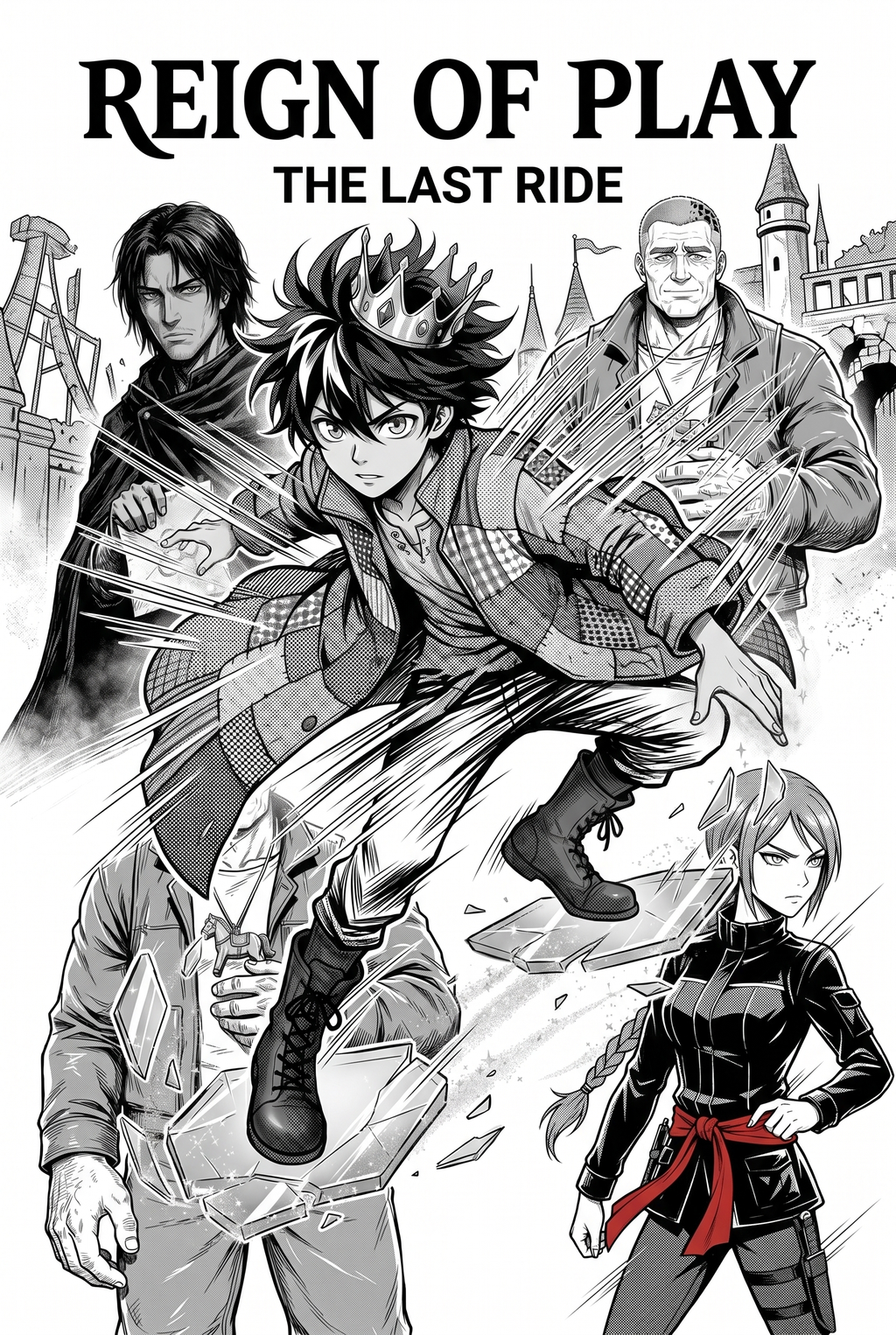
AI Manga Inker: Why Precision Inking Matters for Manga Creators
Achieving professional-grade results requires a technical focus on line weight that keeps the reader’s eye moving through the composition correctly. When your inking is inconsistent, the "action flow" suffers, making combat scenes appear flat or confusing rather than visceral and explosive.
Creators must deliver high-resolution files that function across varied output media, from high-density tankōbon prints to compressed mobile-screen vertical comic platforms formats. Automating the inking process ensures that every line remains crisp at 600 DPI, preventing the pixelation that often occurs when scaling up hand-drawn sketches that were not perfectly anchored to the page grid.
Maintaining a unique visual identity is difficult when juggling dozens of side characters alongside the protagonist. Our system allows you to define custom ink weight profiles, ensuring that the heavy, jagged lines used for your lead’s "super mode" remain distinct from the thinner, cleaner line work used for background environmental elements, even during batch-processing of entire scene sequences.
How the Mangaka Engine Facilitates Production
Mangaka translates your raw pencil sketches into production-ready digital ink by analyzing the vector paths of your original strokes. This process eliminates the tedious manual tracing phase entirely, allowing the artist to pivot back toward narrative pacing, dialogue layout, and complex panel geometry.
By offloading the ink work to an AI trained on thousands of dynamic manga frames, you reclaim the hours previously lost to repeating basic line tracing. Verified by independent creators meeting aggressive weekly schedules, this approach ensures that you never miss a submission deadline due to the sheer volume of frames required for a high-octane battle scene.
We prioritize your autonomy as an artist; every sketch you upload remains your exclusive proprietary asset throughout the conversion phase. The platform utilizes a security-first architecture to ensure that your page layouts, character designs, and unreleased scripts remain isolated, providing a professional environment where you retain full control over your creative outputs without the risk of public exposure.
Practical Use Cases for Action-Oriented Inking
The software handles specific visual tropes, such as blood spray, speed lines, and shattering debris, by recognizing the inherent motion-blur intent in your source context. Because the output layers are fully editable in standard software, you can perform a final review to add personal flourishes to impact frames that require an extra degree of intensity.
The system accepts standard input files like JPG, PNG, and PSD, ensuring seamless integration into your existing studio setup regardless of which tablet or software you currently use. Once the AI processes your rough sketches, you can export the inked output into your preferred layout software to finalize lettering, speech-bubble placement, and screen-tone application.
Since the system exports in a layered format, it acts as a base layer for your final human touch. If the AI detects a line that could be more aggressive, you have the total freedom to adjust the vector paths after the initial conversion to match the exact aesthetic requirements of your project.
- Chapter cadence. Use the AI pass for pages where speed matters most, such as repeated action poses, transformation beats, or dense speed-line panels. Keep manual cleanup for hero panels where the line style defines the emotional peak. - Character continuity. Compare the generated lines against the same model sheet, costume notes, and facial-expression range used during sketching. This prevents a fast inking pass from drifting away from the character identity readers recognize. - Export readiness. Check whether the final manga output can move into lettering, coloring, or final layout without rebuilding panel borders or speech-bubble space. A good manga workflow should save time while keeping the next production step predictable.
- Chapter cadence. Use the AI pass for pages where speed matters most, such as repeated action poses, transformation beats, or dense speed-line panels. Keep manual cleanup for hero panels where the line style defines the emotional peak.
- Character continuity. Compare the generated lines against the same model sheet, costume notes, and facial-expression range used during sketching. This prevents a fast inking pass from drifting away from the character identity readers recognize.
- Export readiness. Check whether the final manga output can move into lettering, coloring, or final layout without rebuilding panel borders or speech-bubble space. A good manga workflow should save time while keeping the next production step predictable.
How to Get Started with Our Automated Inking Suite
Mangaka is the premier solution for creators looking to bypass the labor-intensive stages of ink-work without compromising on industry-standard quality. You can sign up at action manga inking with Mangaka to immediately access our professional-grade inking tools and begin refining your page production workflow.
Creators should compare the generated line art with the original sketch and confirm that facial expressions, props, speed lines, and speech-bubble space still support the scene. A repeatable review pass should cover character consistency, panel readability, background clarity, and whether the final file is ready for coloring, lettering, or editor feedback. For longer projects, creators should save approved examples of line weight, face detail, clothing folds, and background density. Those references keep later chapters closer to the intended style.
Creators can evaluate action manga inking with Mangaka mid-workflow when they need the product path tied directly to review, refinement, and export. A real test should use the same sketch, character goal, or panel sequence that would otherwise need manual cleanup after generation.
The Bottom Line
Automating your inking process is a move toward professional sustainability, allowing you to focus on storytelling while keeping your production schedule on track. By reducing the time spent on manual tracing, you can output higher-quality pages that are ready for any print or vertical comic platforms platform without the risk of burnout.
Related articles
Creating 4-Koma Manga Strips: A Beginner’s Guide in 2026
Decoding the Dengeki Daisy Art Style: A Creator’s Guide 2026
Automate Your Manga Colorist Workflow with Mangaka.App 2026