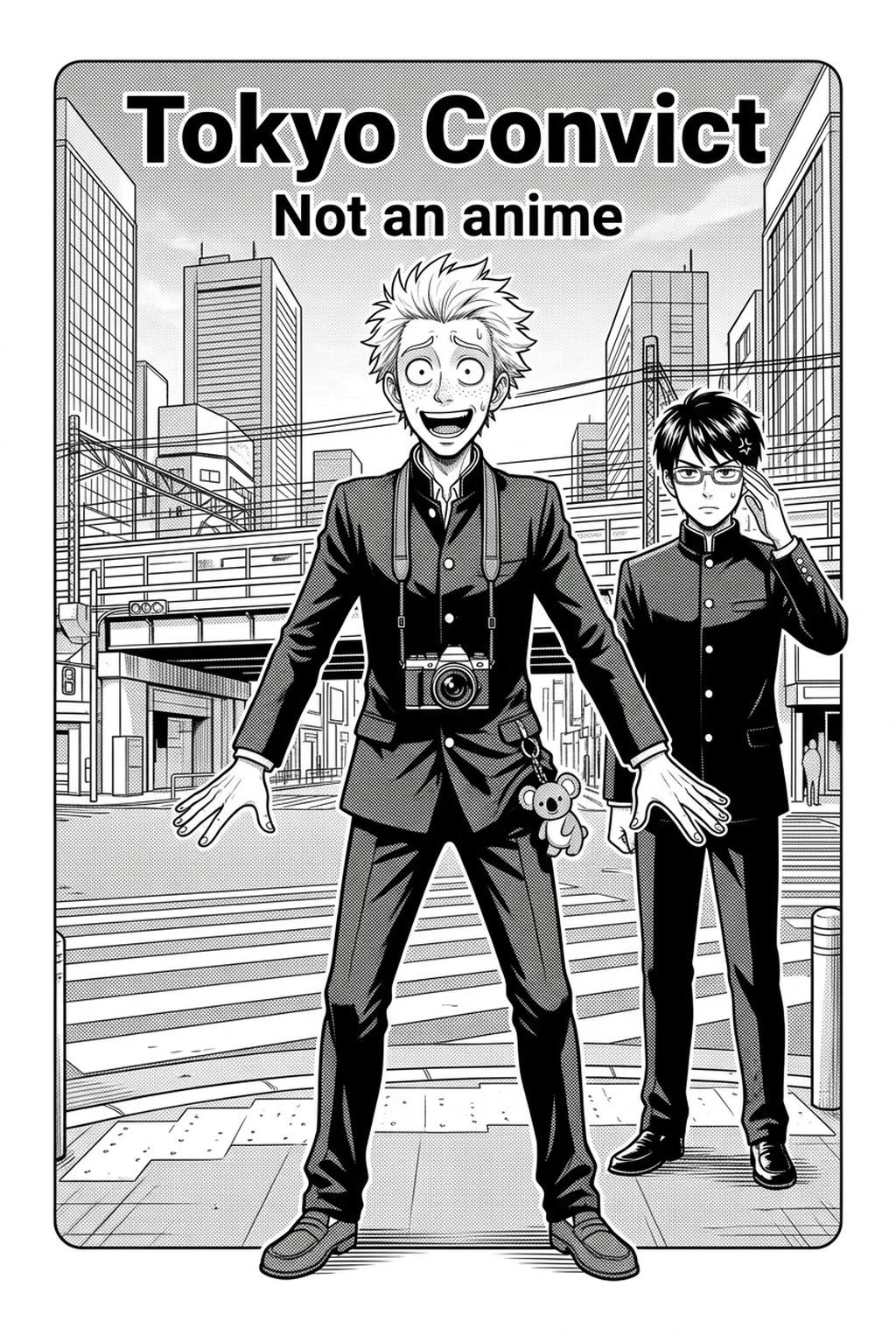
AI Manga Inker: Why AI Manga Inker Matters for Manga Creators
Inking is the most frequent bottleneck in serialization, where the repetitive nature of manual line work leads to significant physical fatigue. Serialized artists often report that as a multi-day session drags on, their hand-eye coordination wanes, resulting in "line drift"—a technical error where previously solid, confident strokes become shaky or misaligned.
- Production bottlenecks: A single chapter might require thousands of unique strokes. By the third day of a weekly production cycle, the repetitive strain on an artist’s wrist often forces a compromise in quality that would not be tolerated in early-stage sketches. * Burnout markers: Maintaining character anatomy across dozens of complex panels is psychologically taxing. When an artist focuses too heavily on technical line execution, their capacity for creative storytelling and compositional innovation is drastically reduced.
How Manga Inking Works with Mangaka
Mangaka uses specialized neural networks to interpret your pencil paths, effectively translating your raw intent into clean, vector-like lines. Rather than replacing the artist, the system functions as a high-speed assistant, handling the tedious cleanup of smudges and uneven line weights while preserving the specific anatomy established in your source context.
- Human-in-the-loop control: The system allows creators to perform precise overrides on critical sections, such as delicate highlights on clothing or sharp fabric folds. This ensures the AI respects the stylistic nuances of your specific artistic voice rather than forcing a generic, uniform thickness onto every sketch. * Neural line refinement: The tool analyzes your stroke trajectory to determine if a line represents a hard contour or a soft interior shadow. By differentiating between these elements, the output remains true to the depth cues defined in your initial sketch layer.
Practical Use Cases for AI Manga Inker
The quality of your digital ink is heavily dependent on the discipline you maintain during the sketching phase. If you submit a sketch with competing, messy lines for a single contour, the algorithm may struggle to identify the correct path; however, providing a sketch with a clear hierarchy of line weight allows for significantly cleaner, more accurate results.
- Layer discipline: Keeping your pencil sketches on a separate layer from your background elements is essential. This separation enables the software to process character anatomy without accidentally merging foreground figures into architectural environment lines. * Contrast preparation: Boosting the contrast of your original scans or digital sketches removes faint artifacts that might interfere with the conversion process. Removing these digital "noises" ensures the software identifies your intended ink path correctly.
By applying an automated tool to a 300dpi PSD file, the creator can reduce their total inking time by approximately 60%, allowing them to allocate that saved time to color work or late-stage tone adjustments. In this workflow, the creator exports the final inked line art as a high-resolution PNG, maintaining full control over the resolution needed for professional publication.
How to Get Started with Mangaka
Transitioning to an automated workflow does not require abandoning your current hardware setup. Most modern tools are designed to integrate seamlessly into standard industry environments, ensuring your existing Wacom or tablet drivers function as they always have. Workflow Fit for Creator Output.
- Post-processing adjustments: After the AI completes the initial inking, you are not locked into a rigid final version. Professional creators often adjust the generated line weight, thinning out specific areas to add more delicate texture to character hair or thicker, more aggressive lines to armor and environmental anchors. * Digital feel preservation: A common fear is that automation removes the "human touch" from the page. However, when configured with correct pressure-sensitivity settings, the software mimics the natural variance of a traditional pen, ensuring the ink maintains the organic rhythm that readers expect from indie and serialized manga.
Creators should compare the generated line art with the original sketch and confirm that facial expressions, props, speed lines, and speech-bubble space still support the scene. A repeatable review pass should cover character consistency, panel readability, background clarity, and whether the final file is ready for coloring, lettering, or editor feedback. For longer projects, creators should save approved examples of line weight, face detail, clothing folds, and background density. Those references keep later chapters closer to the intended style.
- Before Export. Creators should compare the generated line art with the original sketch and confirm that facial expressions, props, speed lines, and speech-bubble space still support the scene. A repeatable review pass should cover character consistency, panel readability, background clarity, and whether the final file is ready for coloring, lettering, or editor feedback.
- For Longer Projects. Creators should save approved examples of line weight, face detail, clothing folds, and background density. Those references keep later chapters closer to the intended style. For collaboration, creators should mark which panels are final and which panels still need redraws. Clear status labels prevent an assistant, editor, or colorist from polishing the wrong version.
- For Publishing. Creators should review the page at the actual reading size before export. Small screens expose crowded dialogue, weak silhouettes, and line details that looked fine while zoomed in. This keeps the review focused on story intent, line weight, panel readability, and the export quality behind the final AI Manga Inker output.
Creators can evaluate manga inking with Mangaka mid-workflow when they need the product path tied directly to review, refinement, and export. A real test should use the same sketch, character goal, or panel sequence that would otherwise need manual cleanup after generation.
The Bottom Line
AI Manga Inker workflow serves as the critical bridge between a rough story concept and a polished, professional-grade page. By offloading the technical burden of repetitive line work to manga inking , you can focus your energy on the narrative and compositional elements that define your unique artistic voice. Integrating this technology into your workflow ensures your project remains sustainable, efficient, and visually consistent for your readers.
Related articles
Mastering Cyberpunk Manga Art Style: A 2026 Creative Guide
Mastering 4-Koma Gag Timing: The Ultimate Creator Guide 2026
Creating Dystopian Manga Background Art: A Creator's Guide