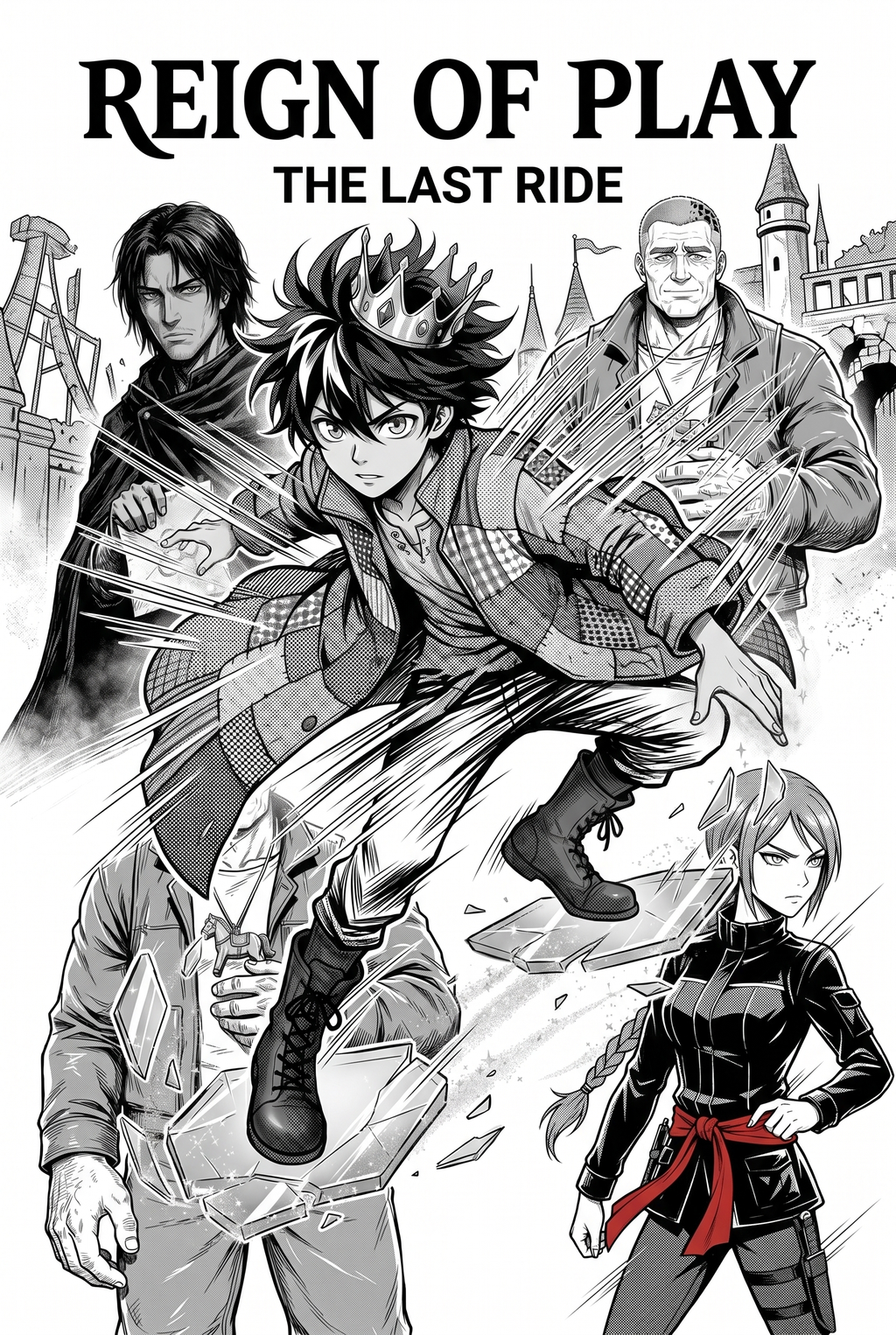
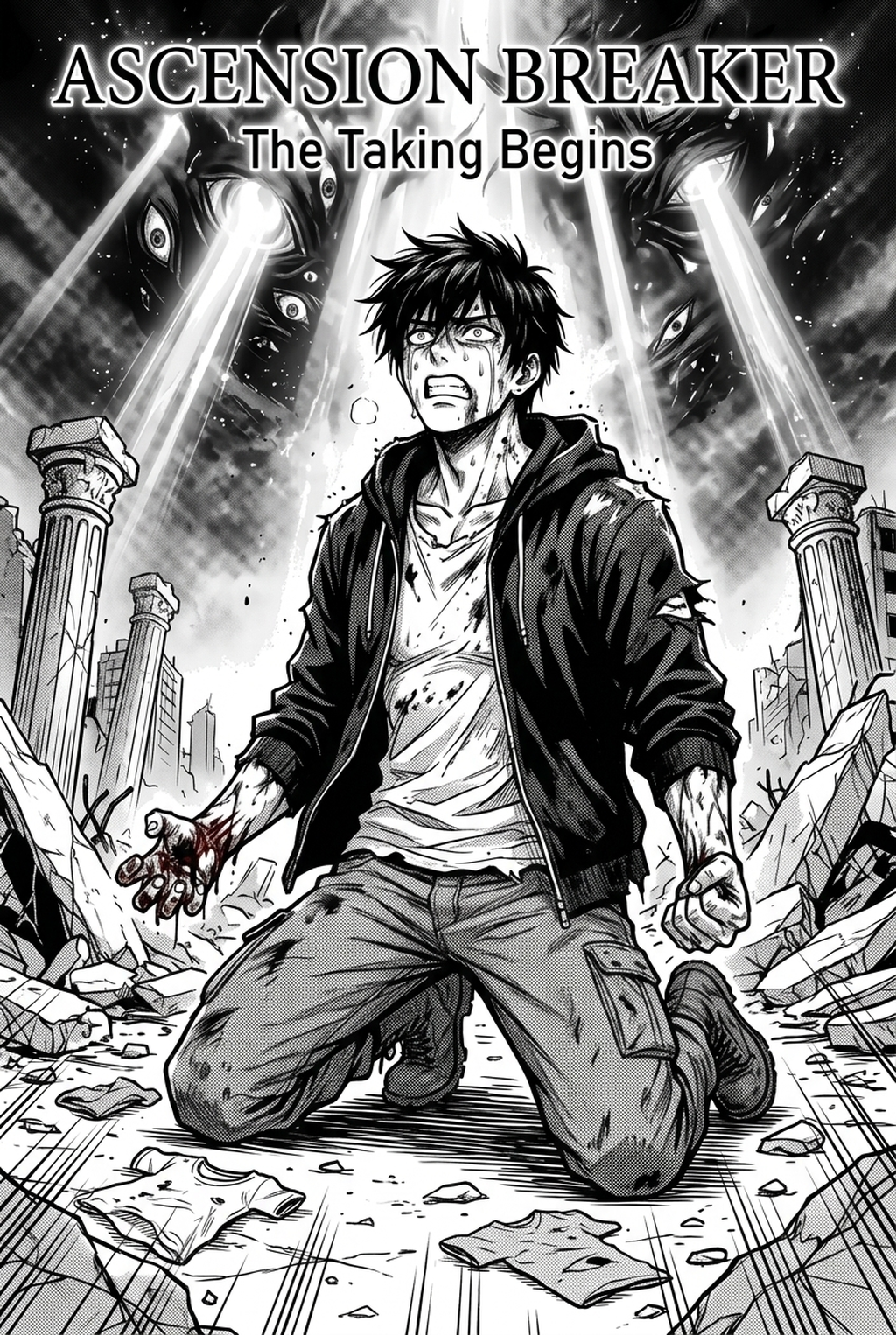
AI Webtoon Generator for Season Bibles: Keeping Characters and Plot Consistent Across Episodes
! Season bible master cover featuring character continuity charts, costume registers, and episodic vertical strips Fig. 1: Comprehensive series bible overview harmonizing character identity, color scripts, and vertical panel flow.
Audience: Webtoon writers, editors, independent studios, illustrators, and production teams in India Meta description: Use an ai webtoon generator responsibly with a season bible, continuity ledger, cliffhanger calendar, and episode review gates that keep character and plot decisions consistent.
“TL;DR makes the season system actionable.”
- Keep canon and arc intent in a human-owned season bible, then track changing facts, evidence, and owners in a continuity ledger.
- Use a cliffhanger calendar to separate a supported story promise from a dramatic image that has no planned payoff.
- Mark generated visuals exploratory until episode review gates confirm character anchors, plot timing, language, lettering, and release decisions.
“Direct Answer: consistency comes from editorial records around the generator.”
An ai webtoon generator can support visual tests for characters, reveals, and cliffhangers, but it cannot own episode continuity. Keep canon in a season bible, track changes in a ledger, map promises in a cliffhanger calendar, and require human review gates before exploratory imagery becomes production direction.
“The season bible is a decision system, not a decorative encyclopaedia.”
An episodic webtoon can lose its identity through tiny changes. A character’s motivation shifts between writers, a family relationship is renamed in dialogue, a prop appears before its introduction, or a cliffhanger promises a reveal the next episode cannot support. These problems rarely begin with one dramatic mistake. They grow when the production has no compact place to check what is canon, what is planned, what is deliberately uncertain, and what must be reviewed before publication.
An ai webtoon generator can support visual exploration, but it cannot be the season bible by itself. The bible must remain a human-owned record of character facts, plot commitments, episode intent, visual anchors, open questions, and review gates. Generated images can help test a costume, expression, panel rhythm, or reveal setup. The continuity ledger then records which decision the image supports and whether a person approved it. This keeps an attractive variation from quietly becoming the latest version of a character.
The workflow in this article is designed for teams making a serial story with limited time and changing episode assignments. It uses four connected tools: a season bible, a continuity ledger, a cliffhanger calendar, and episode review gates. The names are practical labels, not claims about a particular product. Check any selected generator’s current documentation, privacy terms, export behaviour, and rights requirements before relying on it.
For readers and creators in India, the process can accommodate multilingual dialogue review, regional settings, distributed teams, and culturally specific material without assuming that one visual reference is automatically accurate. The central rule is simple: the story record decides what is true; generated exploration helps the team discuss how to show it.
“This guide avoids invented feature, price, quality, or rights claims about any generator.”
No tool-specific output, speed, resolution, model, licensing, or collaboration promise is used here. The actionable guidance is about editorial control. If a product does not support a suggested activity, keep the record in an ordinary document or spreadsheet and use the generator only for the part the team has verified.
“The editor defines canon before asking for continuity.”
! Character continuity ledger tracking facial hair, costume changes, and physical scars across 20 webtoon episodes Fig. 2: Episode-by-episode continuity tracker preventing visual inconsistencies across multi-chapter serialization.
Canon is not every idea in a writers’ room. It is the set of facts the published story and approved production plan must respect. Put canon in a small, readable section rather than burying it in a long lore archive. Record names, relationships, goals, constraints, setting facts, time order, visual anchors, and terminology. Give each item an owner and a status. If a fact is provisional, label it provisional; do not phrase it with the confidence of a published truth.
A season bible should answer the questions an episode team will actually ask. Who wants what at the opening of the season? What can each person know at each point? Which object carries plot importance? Which relationship may change, and what event causes the change? What must not be revealed before a planned episode? A bible that describes only backstory can be beautifully written and still fail to prevent episode contradictions.
Example — a compact canon entry
Character: Mira, a courier who hides an inherited brass compass. Public goal at season opening: Deliver a sealed letter without exposing the family name. Private fear: The compass may lead to the people who caused her brother’s disappearance. Visual anchors: Short uneven braid, repaired blue sleeve, compass carried inside the left pocket. Continuity guardrail: The compass is not shown to another character before the planned reveal episode. Status: Approved for the current season plan; wording and visual details require owner confirmation before publication.
This example is fictional and illustrates a record format. It does not assert facts about any existing webtoon or community. The owner should confirm every story detail before it becomes production canon.
“The showrunner distinguishes a fact from a promise and a possibility.”
Use separate labels. A fact is already approved and must be preserved. A promise is an audience-facing setup the season intends to answer or develop. A possibility is an exploration that may be discarded. Generated image variations are usually possibilities until an editor approves them. A cliffhanger is a promise only when the story team intends to carry its question forward; a dramatic-looking final panel is not automatically a promise.
This vocabulary helps during reviews. If someone says, “The compass should be gold in every frame,” ask whether that is a canon fact, a visual preference, or a newly proposed anchor. If the answer is unknown, the ledger should show an open decision. The team should never reverse-engineer canon from whichever generated image is easiest to reproduce.
“The season bible maps the story at three useful scales.”
First, keep a season overview: premise, central conflict, character arcs, major reversals, and ending direction. Second, keep an episode map: each episode’s goal, turn, reveal, emotional landing, and unresolved question. Third, keep a scene or sequence note for the current episode: panels, dialogue purpose, visual anchors, and handoff requirements. The scales should point to one another. Do not copy every detail into every section; duplication creates another place for contradictions.
| Scale | Record | Continuity question |
|---|---|---|
| Season | Arc direction, central promises, end-state intention | Does this episode serve the season’s declared movement? |
| Episode | Goal, turn, reveal, emotional landing, cliffhanger | Does the ending create a supported next question? |
| Sequence | Panel purpose, character action, props, dialogue role | Are the people and objects behaving according to current canon? |
| Review | Owner, evidence, decision, open issue, due point | Who decided what, and what remains unresolved? |
“The episode writer uses the bible to narrow choices rather than remove creativity.”
Continuity is not a demand for repetitive scenes. It protects the conditions that make change meaningful. If Mira begins to trust a rival, the ledger should preserve the reason for that shift while allowing new staging, dialogue, and visual rhythm. If a costume changes after an injury, note the event and the first episode in which it appears. The writer can still choose how to dramatise the change, but the audience should not have to guess whether it was intentional.
A generator can propose multiple expressions or layouts for that moment. The bible tells the editor what must be recognisable: the relationship, the injury consequence, the prop, or the withheld information. It does not dictate every line or panel shape.
“The continuity ledger turns memory into checkable evidence.”
A ledger is a running table of facts, appearances, changes, and decisions. Give each entry a stable label and a narrow scope. Useful entry types include character, relationship, object, location, timeline, terminology, visual anchor, reveal, and unresolved question. Add the first episode or scene where the item appears, its latest approved state, and the next review point. Link to the relevant episode record or note instead of pasting an entire script into the ledger.
| Ledger field | Example content | Why it helps |
|---|---|---|
| Entry ID | CHAR-MIRA-01 | Gives comments a stable reference |
| Subject | Mira’s compass | Names the continuity object |
| Type | Object and reveal | Identifies the kind of check |
| Current canon | Hidden in left pocket at season opening | States what must be preserved now |
| First appearance | Episode reference by the team | Prevents invented chronology |
| Change trigger | Planned reveal or story event | Explains when the state may change |
| Visual anchor | Brass compass, worn edge, no visible crest yet | Gives art review a focused test |
| Owner | Named editor or showrunner | Assigns the decision |
| Status | Approved, proposed, or open | Stops a draft from becoming canon |
| Evidence | Episode note, approved panel, or decision record | Shows why the entry exists |
The example labels are illustrative. Use the team’s actual IDs and episode references. Do not insert an unverified episode number merely because a template has a blank field.
“The continuity editor records changes as events, not as silent replacements.”
When a fact changes, preserve the previous state and add the event that caused the change. For instance: “Before the dock confrontation, Mira hides the compass; after the confrontation, the rival sees its chain; reveal status remains open.” This makes the change narratively legible. Overwriting the old sentence with “Mira carries the compass openly” destroys the evidence needed to review earlier episodes.
A change note should name the affected episodes, owner, date if the team uses dates, and whether back-editing is required. If an old panel now contradicts canon, decide whether to revise it, add a clarification, or retain it as an intentional misdirection. The ledger does not choose that editorial action; it makes the choice visible.
“The visual editor checks identity anchors without freezing natural variation.”
A character can wear different clothes, change expression, age within the story, or appear in unusual lighting. The ledger should state which changes are allowed and which would alter recognition. For Mira, the repaired sleeve may be an anchor while the braid direction may vary with action. For another character, an eye marking may be critical while coat colour is flexible. Avoid universal rules; define the team’s own anchors per subject.
When using an ai webtoon generator for exploration, compare a proposed frame with the ledger. Ask: Is the anchor present? Is the change intentional? Has the story reached the point where the change is allowed? Does the frame introduce a new mark, prop, or relationship that would need a record? A “yes” to the last question is a prompt to update the ledger, not permission to ignore the addition.
“The cliffhanger calendar protects the space between promise and payoff.”
! Vertical cliffhanger pacing architecture optimizing mobile thumb-scroll retention at episode transitions Fig. 3: Mobile thumb-scroll rhythm map strategically placing dramatic pauses and micro-cliffhangers.
A cliffhanger calendar tracks what an episode leaves open and how the season plans to develop it. It is not a list of dramatic images. For each ending, record the immediate question, the audience expectation the team wants to create, the earliest planned response, the information deliberately withheld, and the owner responsible for checking the later payoff. This helps writers avoid accidental promises that cannot be answered without breaking character or pacing.
Example — cliffhanger calendar entry
| Episode point | Ending question | Intended audience expectation | Payoff planning | Guardrail |
|---|---|---|---|---|
| End of a mid-season episode | Who sent the letter? | The sender has a connection to Mira’s family | Reveal route to be agreed in the season map | Do not show the sender’s crest yet |
| Next review | Does the rival know the compass? | The rival may understand more than stated | Check dialogue and panel focus | Avoid confirming knowledge before approval |
These entries are fictional examples. They demonstrate how a cliffhanger can be tracked without claiming a specific series schedule. The team should replace them with its own approved story plan.
“The writer separates a hook from a mystery the story cannot sustain.”
A hook creates a next-step desire. A mystery with no ownership becomes continuity debt. When a cliffhanger is proposed, ask what information the next episode can deliver, what character action will change, and what the audience should continue to wonder about afterward. If the team cannot answer those questions, label the ending as experimental and send it through an editorial gate before illustration.
Generated visual options can be helpful here. Create alternatives for the final panel’s subject, crop, and withheld detail, then judge which one creates the intended question without adding a false fact. Do not assume the most secretive image is the strongest; an opaque panel may confuse rather than intrigue.
“The editor checks cliffhangers backward as well as forward.”
Read the ending against earlier episodes. Has the series earned the question? Has a character already answered it? Does the image contradict what the audience has been told? Then read it forward. Is there a feasible reveal path? Does the planned payoff change the meaning of the previous setup? The calendar should record both checks. A visually exciting ending can still fail if its promise arrives without groundwork.
“An ai webtoon generator is most useful when each visual test has a continuity question.”
Do not ask for an entire season’s visual identity in one unstructured request. Choose a question such as “Can the repaired sleeve remain recognisable in a night scene?” or “Which final-panel crop hides the crest without hiding Mira’s reaction?” Attach the relevant ledger entry and mark the image as exploratory. This makes the output reviewable and reduces the risk of confusing experimentation with an approved model sheet.
Example — visual test card
Episode role: final-panel exploration. Continuity question: Keep Mira’s left-pocket compass hidden while showing that the rival recognises her hesitation. Locked anchors: uneven braid, repaired sleeve, rain-dulled platform, rival behind her. Variable: crop and expression only. Do not add: crest, second compass, new weapon, final dialogue lettering. Review outcome: editor selects a direction or records why none supports the beat.
The card is an editorial example. It does not guarantee that a chosen tool will preserve every anchor or follow every exclusion. Inspect the result manually and update the ledger if a proposed variation exposes a real decision.
“The art lead reviews sequence continuity across panels, not only single-image beauty.”
Webtoon reading depends on the relationship between panels and the vertical movement through the episode. A frame that looks strong alone may duplicate the previous beat, reveal too much too early, or leave the next panel with no action to carry. Review the sequence in order. Note subject position, gaze direction, prop state, emotional change, and the information each panel releases.
Keep lettering, dialogue, and sound cues in the editorial record. Generated bubbles can be useful as placeholders for scale or placement, but they should not be treated as approved language. For multilingual or code-switched dialogue, route wording to the relevant language owner. A visual test can reserve space without deciding the final text.
“Episode review gates make continuity a release condition rather than a hope.”
Use gates at moments where the cost of change rises. Gate one is the story brief: premise, episode goal, character actions, and canon references. Gate two is the outline: sequence order, reveal timing, and cliffhanger promise. Gate three is the visual plan: character anchors, setting, prop state, and panel intent. Gate four is the lettering and proof pass: dialogue, terminology, reading order, and continuity. Gate five is the final editorial review: unresolved questions, approvals, and publication readiness.
- Brief gate: Confirm the episode’s purpose and the relevant season-bible entries.
- Outline gate: Check that character actions and reveals follow the current plot plan.
- Visual gate: Compare proposed panels with the continuity ledger and anchor notes.
- Lettering gate: Verify names, terminology, dialogue ownership, and reserved visual space.
- Proof gate: Read the full episode in sequence and check its cliffhanger against the calendar.
- Release gate: Record the final decision, open exceptions, and responsible approver.
A gate can result in proceed, revise, or hold. The wording matters because “approved” should mean something specific to the team. If a human editor must decide whether a reveal is canon, keep that decision with the editor; a generated visual cannot approve itself.
“The reviewer uses evidence, not familiarity, to challenge a continuity break.”
Ask for the ledger entry, prior panel, episode note, or approved decision that supports a claim. “That is how the character always looks” is not enough if no record names the anchor. Evidence helps a new collaborator raise a valid issue without needing years of memory. It also protects the team from overcorrecting a deliberate change.
For each issue, record severity in plain language: blocks release, needs revision before next gate, or note for future. Assign an owner and a next action. Avoid burying a release-blocking contradiction among optional style comments. The point of a gate is to make the team’s risk visible while there is still time to act.
“The season editor handles multilingual and culturally specific continuity with named review.”
Names, honorifics, translated terms, dialect choices, and code-switching can carry character and relationship information. Record the approved form, language owner, and where variants are allowed. Do not treat an automatic translation or generated lettering as final copy. If a phrase has cultural, religious, historical, or regional significance, ask an appropriate human reviewer to check context and representation.
The same principle applies to visual references. A setting inspired by an Indian city, community, festival, clothing practice, or architectural tradition should have a human review path. The generator can support visual discussion, but it cannot certify accuracy or respectful representation. Keep the source, interpretation, and unresolved question separate in the bible.
“The production manager makes version history legible to a changing team.”
Keep the current bible visible and archive superseded decisions without deleting them. Add a version note that says what changed: “Episode outline revised the reveal order; update the cliffhanger entry and two visual tests.” Contributors should know whether they are reading the current season plan or an old exploration. File names and folders help, but a short change log is more reliable than memory.
Do not duplicate the entire bible into every episode folder. Use a stable canonical record and episode-specific notes that point back to it. If a project must work offline or in several systems, nominate one source of truth and document the sync rule. The exact technology is a team decision; the continuity principle remains the same.
“The review conversation protects the story from visual momentum.”
! Automated revision difference check flagging subtle character model drifting between chapters Fig. 4: Quality gate comparison identifying and correcting style drifts across consecutive digital releases.
Once a team has spent time making a frame, it may feel uncomfortable to reject it. Build rejection into the process. A discarded image can still answer a question about crop, expression, or prop readability. Record the reason: “good mood, wrong reveal timing,” “anchor missing,” “strong silhouette but adds an unapproved object,” or “dialogue area too narrow.” This turns failure into evidence and reduces the urge to force a weak frame into canon.
When a variation is selected, record what was selected and what was not. If the editor chooses the expression but not the costume change, say so. If the generated frame is only a reference for an illustrator, state that in the handoff. Precision here prevents downstream contributors from copying incidental details that were never approved.
“The workflow scales by assigning one home to every decision.”
A small team may combine roles, but it should not combine records carelessly. The season bible holds canon and arc intent. The continuity ledger holds changing facts and evidence. The cliffhanger calendar holds promises and payoff checks. Episode review notes hold the gate decision and current exceptions. The visual test card explains what a generated image was meant to explore. Keeping those purposes distinct makes the system easier to audit.
For a solo creator, these can be tabs in one document. For a larger studio, they can be linked records. The format is less important than the boundaries. If the same sentence is copied into four places, it will eventually diverge. Prefer one canonical statement and links or references elsewhere.
“A practical episode loop moves from canon to test to proof.”
Use this loop when preparing an episode that includes a new character state, reveal, or visual motif.
- Read the current season entry. Confirm the episode’s place in the planned arc and list the relevant promises.
- Open continuity entries. Pull character, relationship, object, location, terminology, and timeline records that the episode touches.
- Write the episode intent. State the emotional turn, plot movement, and information released or withheld.
- Update the cliffhanger plan. Describe the ending question and the planned route to its later development.
- Create visual test cards. Ask only the questions the team needs to answer before panel production.
- Review variations. Compare anchors, sequence function, reveal timing, and text-safe space; record a reason.
- Draft with approved decisions. Keep exploratory images labelled and do not silently promote them to canon.
- Run the visual gate. Check the full sequence, not isolated frames, against the ledger.
- Run language and proof checks. Verify names, terms, dialogue, reading order, and intentional ambiguity with the responsible owners.
- Close the episode gate. Record proceed, revise, or hold and carry open issues into the next record.
The loop is deliberately editorial. It remains useful if the visual exploration is done by hand, by a generator, or through a mixed workflow. The source of truth is the reviewed story record.
“The direct answer is that consistency comes from records and gates, not from generation alone.”
An ai webtoon generator can accelerate visual questions for a season bible: try a character state, test a reveal crop, compare expressions, or explore a cliffhanger composition. It cannot maintain episode continuity by itself. Keep canon in a human-owned season bible, log changes in a continuity ledger, map promises in a cliffhanger calendar, and use episode review gates before a visual variation becomes production direction. That separation lets the team experiment without losing the story.
Start with one upcoming episode and five ledger entries. Mark every generated image as exploratory, test one continuity question, and record the editorial decision. If the experiment reveals a gap in the bible, fix the record before making more images. Consistency is the result of visible decisions carried forward by people.
“Internal-link suggestions can connect the season system to related editorial pages.”
These are suggestions only; verify the site’s actual pages before publication.
- How to write a webtoon season bible — suggested target:
/webtoon-season-bible/. - Character continuity sheet template — suggested target:
/character-continuity-sheet/. - Webtoon episode outline and pacing — suggested target:
/webtoon-episode-outline/. - Cliffhanger writing guide — suggested target:
/webtoon-cliffhanger-writing/. - Lettering and dialogue proof checklist — suggested target:
/webtoon-lettering-proof/. - Editorial review gates for serial comics — suggested target:
/serial-comics-review-gates/.
The target paths are not verified live URLs. Replace them with the site’s confirmed destinations before publication.
“External-source suggestions stay within the supplied Drive record until verification.”
! Production-ready weekly episodic episode packet assembled with locked palettes and standardized gutter margins Fig. 5: Finalized episodic production packet formatted to industry-standard 800px vertical webtoon specifications.
No external factual pages were supplied for this draft. Use the provided folder for the project’s image reference and verify any public guidance on tools, rights, privacy, accessibility, or publishing before adding claims.
- Season visual reference folder — supplied Drive folder — verify the relevant file and its current status.
- Character image reference — supplied Drive folder — verify which supplied image is appropriate.
- Episode continuity evidence — supplied Drive folder — verify whether an episode note is stored there.
- Rights and source record — supplied Drive folder — verify the current rights documentation.
- Cliffhanger visual reference — supplied Drive folder — verify the intended asset before publication.
- Final image manifest — supplied Drive folder — verify the five exact filenames.
“A contextual CTA starts with the next episode that needs protection.”
Open the next episode’s outline and create a short continuity packet: the current season promise, the five most relevant ledger entries, the planned cliffhanger question, and one visual test card. Send that packet through the team’s review gate before requesting a large batch of images. The goal is not more variations; it is a clearer decision that the next artist or letterer can execute.
“FAQ clarifies what the generator can and cannot own.”
“Can an ai webtoon generator maintain character continuity automatically?”
Do not rely on it as the source of truth. Use a season bible and continuity ledger owned by the editorial team. Generated images can be compared with those records, but a human must decide whether a variation is canon, exploratory, or incorrect.
“What is the difference between a season bible and a continuity ledger?”
The season bible describes the story’s canon, arc direction, and episode plan. The continuity ledger tracks individual facts, changes, evidence, owners, and current status across episodes. They support each other but should not become duplicated, conflicting copies.
“What should be tracked in a cliffhanger calendar?”
Track the ending question, intended audience expectation, information withheld, planned development or payoff, and the owner who checks the later episode. Treat a dramatic image as a proposal until its narrative promise is reviewed.
“Can generated lettering be used as final webtoon dialogue?”
Not without the team’s language and editorial review. Use generated lettering only as an exploratory placement test unless the actual text has been separately approved and checked.
“How many review gates does an episode need?”
Use the gates that match the project’s risk and workflow. The example sequence has brief, outline, visual, lettering, proof, and release checks. It is a model for decision points, not a universal required count.
“How should a team handle a continuity change?”
Record the old state, the new state, the event that caused the change, affected episodes, owner, and any back-edit decision. Do not silently replace the old entry and erase the reasoning.
“How can Indian creators review culturally specific visual material responsibly?”
Name a human reviewer with relevant context, keep research and interpretation visible, and do not treat generated imagery as proof of accuracy. Route language, community, religious, historical, and regional questions to the appropriate owner.
“What is a safe first test for an episode team?”
Choose one upcoming episode, select a small set of continuity entries, and test one visual question. Mark every image exploratory, review the sequence against the ledger, and record the gate decision before expanding the experiment.
{
  "@context": "https://schema.org",
  "@type": "FAQPage",
  "mainEntity": [
    {
      "@type": "Question",
      "name": "Can an ai webtoon generator maintain character continuity automatically?",
      "acceptedAnswer": {
        "@type": "Answer",
        "text": "Do not rely on it as the source of truth. Use a season bible and continuity ledger owned by the editorial team. Generated images can be compared with those records, but a human must decide whether a variation is canon, exploratory, or incorrect."
      }
    },
    {
      "@type": "Question",
      "name": "What is the difference between a season bible and a continuity ledger?",
      "acceptedAnswer": {
        "@type": "Answer",
        "text": "The season bible describes the story’s canon, arc direction, and episode plan. The continuity ledger tracks individual facts, changes, evidence, owners, and current status across episodes. They support each other but should not become duplicated, conflicting copies."
      }
    },
    {
      "@type": "Question",
      "name": "What should be tracked in a cliffhanger calendar?",
      "acceptedAnswer": {
        "@type": "Answer",
        "text": "Track the ending question, intended audience expectation, information withheld, planned development or payoff, and the owner who checks the later episode. Treat a dramatic image as a proposal until its narrative promise is reviewed."
      }
    },
    {
      "@type": "Question",
      "name": "Can generated lettering be used as final webtoon dialogue?",
      "acceptedAnswer": {
        "@type": "Answer",
        "text": "Not without the team’s language and editorial review. Use generated lettering only as an exploratory placement test unless the actual text has been separately approved and checked."
      }
    },
    {
      "@type": "Question",
      "name": "How many review gates does an episode need?",
      "acceptedAnswer": {
        "@type": "Answer",
        "text": "Use the gates that match the project’s risk and workflow. The example sequence has brief, outline, visual, lettering, proof, and release checks. It is a model for decision points, not a universal required count."
      }
    },
    {
      "@type": "Question",
      "name": "How should a team handle a continuity change?",
      "acceptedAnswer": {
        "@type": "Answer",
        "text": "Record the old state, the new state, the event that caused the change, affected episodes, owner, and any back-edit decision. Do not silently replace the old entry and erase the reasoning."
      }
    },
    {
      "@type": "Question",
      "name": "How can Indian creators review culturally specific visual material responsibly?",
      "acceptedAnswer": {
        "@type": "Answer",
        "text": "Name a human reviewer with relevant context, keep research and interpretation visible, and do not treat generated imagery as proof of accuracy. Route language, community, religious, historical, and regional questions to the appropriate owner."
      }
    },
    {
      "@type": "Question",
      "name": "What is a safe first test for an episode team?",
      "acceptedAnswer": {
        "@type": "Answer",
        "text": "Choose one upcoming episode, select a small set of continuity entries, and test one visual question. Mark every image exploratory, review the sequence against the ledger, and record the gate decision before expanding the experiment."
      }
    }
  ]
}
“The image manifest keeps the supplied references separate from the article body.”
Do not insert images in the body. Confirm the filenames and folder before publication.
| Role | Exact filename | Folder |
|---|---|---|
| Cover | AI-generated manga cover featuring a fantasy adventure story.png | Drive folder: https://drive.google.com/drive/folders/1RNl9s36_ITUMBe9xfu8b6P7O1VFtxnDy |
| Content 1 | AI-generated manga page with comic panels and dialogue bubbles.png | Drive folder: https://drive.google.com/drive/folders/1RNl9s36_ITUMBe9xfu8b6P7O1VFtxnDy |
| Content 2 | (2).png | Drive folder: https://drive.google.com/drive/folders/1RNl9s36_ITUMBe9xfu8b6P7O1VFtxnDy |
| Content 3 | (3).png | Drive folder: https://drive.google.com/drive/folders/1RNl9s36_ITUMBe9xfu8b6P7O1VFtxnDy |
| Content 4 | 5.png | Drive folder: https://drive.google.com/drive/folders/1RNl9s36_ITUMBe9xfu8b6P7O1VFtxnDy |
Verified Drive image manifest
Source folder: https://drive.google.com/drive/folders/1RNl9s36_ITUMBe9xfu8b6P7O1VFtxnDy
| Role | File | Verified Drive URL |
|---|---|---|
| Cover | AI-generated manga cover featuring a fantasy adventure story.png | https://drive.google.com/file/d/1tEHnJg1yx-6lQlkxMcM-szXHYzjB0eAB/view |
| Content image 1 | AI-generated manga page with comic panels and dialogue bubbles.png | https://drive.google.com/file/d/11K2fA-4USLax6M-IbdYbZlHvC-gayHvd/view |
| Content image 2 | AI-generated manga page with comic panels and dialogue bubbles (2).png | https://drive.google.com/file/d/1x8qPo3x8-twyJXoWpgP_d3M6XTgrxMWF/view |
| Content image 3 | AI-generated manga page with comic panels and dialogue bubbles (3).png | https://drive.google.com/file/d/1JIxjnEmb-L47FP6vViN3BcsFeabkL-Ab/view |
| Content image 4 | AI-generated manga page with comic panels and dialogue bubbles 5.png | https://drive.google.com/file/d/16twfQ5WvItiPOyJUtLtA2RlS_EvCjgI1/view |
Verified editorial source bank
The following pages were opened and are included as source links for the SEO/GEO and accessibility checks in this draft: