Anime Comic Maker for Motion-Comic Animatics: Timing, Keyframes, and Sound Cues
Meta description: Turn comic panels into readable motion-comic animatics with a practical timing sheet, keyframe plan, camera moves, sound-cue map, review pass, and export checklist.
TL;DR
- Convert panels into shots by story beat, visual anchor, and reading order rather than animating every panel.
- Use a timing sheet, purposeful keyframes, and a sound-cue map to make pacing reviewable.
- Watch the exported file from start to finish, checking text, continuity, audio, and playback before handoff.
Direct Answer
Use an anime comic maker to turn selected panels into timed shots: inventory the page, assign holds and transitions, add only purposeful camera keyframes, map sound events, and review the export on the intended device. The tool supports the plan; clear timing, readable text, and reversible decisions make the animatic useful.
! Motion comic animatic master cover illustrating panel layering, 2.5D camera parallax, and audio waveforms Fig. 1: Motion comic animatic staging combining static graphic art with multi-plane cinematic motion.
“A motion-comic animatic is a timed reading of comic decisions.” — The production goal
“The panel is the source, but the shot is the unit an audience experiences.” — The panel-to-shot shift
A comic page asks a reader to control pace. A motion-comic animatic gives that control to a timeline. The job is not to make every panel move. The job is to decide when a viewer sees a panel, what part of it receives attention, how the eye travels, and which sound or pause makes the beat legible. An anime comic maker can help you prepare those decisions, but it cannot replace them. A strong animatic begins as an editorial plan before it becomes a sequence of animated assets.
For an Indian creator working with limited time, a useful workflow is deliberately modest: identify the story beat, convert the page into shots, assign durations, mark keyframes, map sound cues, review the export, and only then polish. This keeps a draft from becoming an expensive collection of unnecessary zooms. It also makes a handoff easier when a writer, artist, editor, voice performer, or sound designer joins later.
The word “anime” in this workflow describes an influence or presentation goal, not a promise of any particular software feature. Treat your chosen app as an anime comic maker only for the actions you have actually tested in its current interface. Check whether it can place panels, move a camera, hold a frame, add audio markers, and export the review file you need. If a capability is unconfirmed, design the plan so the same decision can be recorded in a timing sheet or edit note.
A motion-comic animatic should answer five practical questions:
- What is the audience looking at?
- When does that focus change?
- What movement supports the story rather than decorating it?
- Which sound cue clarifies the beat?
- Does the exported file still read on an ordinary screen and speaker?
The rest of this guide turns those questions into a repeatable production method without assuming a particular app, device, price, or export specification.
“The first deliverable is a readable sequence, not a finished animation.” — The scope boundary
A useful animatic may contain still art, simple pans, restrained zooms, temporary dialogue, and labelled sound placeholders. It does not need final effects, final colour treatment, or elaborate character animation. That distinction matters because creators often mistake visible activity for progress. If a camera move makes a caption hard to read, it has reduced clarity even if the timeline looks busy.
Start by naming the review purpose. A story review asks whether the order and emotion work. A timing review asks whether a pause, reveal, or reaction lasts long enough. A sound review asks whether cues arrive at the right dramatic moment. A technical review asks whether the exported file plays correctly. One sequence can receive all four reviews, but each reviewer needs a different question. Put that question at the top of the working note so feedback remains actionable.
Example: A two-panel exchange shows a student asking for directions and a friend pointing toward a railway platform. The animatic may hold the question panel, cut to the pointing hand, then add a short station ambience cue. Nothing in that example requires a character to walk or a background to scroll. The timing and focus carry the scene.
“A page must be broken into viewer decisions before it is broken into moving layers.” — Panel-to-shot conversion
! Panel deconstruction diagram separating foreground characters, speech balloons, and parallax background layers Fig. 2: Clean layer separation isolating character silhouettes from detailed background art for animators.
“The story beat decides the shot boundary.” — Reading panels as beats
Do not begin by asking how many panels can be animated. Begin by marking what changes in meaning. A new speaker, a new action, a reaction, a reveal, a location shift, or a deliberate silence can justify a shot boundary. Two neighbouring panels may remain one shot if the second panel is only a continuation of the first. Conversely, one crowded panel may need several shots if the eye must discover separate story information in sequence.
Create a panel inventory with a short sentence for each panel. Record the speaker or subject, the action, the emotional turn, the important visual anchor, and any text that must remain readable. This inventory is more useful than a visual description alone because it explains why a duration or camera move exists.
“The shot card records intent before it records motion.” — A practical conversion table
| Panel ID | Beat or purpose | Suggested shot treatment | Focus anchor | Text risk | Review note |
|---|---|---|---|---|---|
| P01 | Establish the place | Hold, then a restrained reveal | Sign, doorway, or silhouette | Wide text may be small | Confirm the setting before dialogue |
| P02 | Introduce the speaker | Cut or gentle push | Face and speech balloon | Balloon must remain in frame | Check reading order |
| P03 | Show the action | Pan only if direction matters | Hand, object, or path | Action label may compete | Check whether the movement is necessary |
| P04 | Deliver a reveal | Delay the reveal with a hold | Concealed detail | Reveal text can arrive early | Review pause and cut point |
| P05 | Capture reaction | Hold on expression | Eyes or body posture | Reaction caption needs air | Check emotional landing |
The table is a planning device, not a rule that every panel needs its own shot. Add a “merged with” note when several panels form one visual thought. Add a “split into” note when one panel contains a reveal that should not arrive all at once. If you later change the panel order, update the shot IDs rather than leaving ambiguous labels such as “new final” or “latest version.”
“The eye follows contrast, direction, and text before it follows motion.” — Choosing the visual anchor
A camera move should support an existing visual hierarchy. Before placing keyframes, circle the anchor in each panel: a face, an object, a gesture, a line of action, or a caption. If there are two anchors, decide whether the viewer should see them together or in sequence. This decision often reveals that a cut is clearer than a pan.
For speech balloons, preserve the order in which they are intended to be read. A fast push toward a face can hide the next balloon or make a tail look as if it points to another speaker. When the panel is text-heavy, a steady hold or a very slow move is usually easier to review than a dramatic camera move. The phrase “anime comic maker” should not become an excuse for constant movement; style is expressed through selection, rhythm, framing, and sound as much as through motion.
“A timing sheet converts feeling into a reviewable sequence.” — Building the timing sheet
“Every shot needs a start, an end, and a reason for its duration.” — Timing fields
Make one line per shot. The minimum fields are shot ID, start point, end point, duration, action, dialogue or text, sound cue, and review status. You may use frames, seconds, or a named edit scale, but choose one system and state it at the top. Do not mix “about three seconds” with unlabelled frame counts. A reviewer should be able to identify where a change belongs without guessing.
A simple sheet can look like this:
| Shot | In | Out | Duration | Visual action | Dialogue/text | Sound cue | Status |
|---|---|---|---|---|---|---|---|
| S01 | 00:00 | 00:04 | 4 sec | Hold on exterior | Location caption | Room tone begins | Draft |
| S02 | 00:04 | 00:08 | 4 sec | Slow push to speaker | Question balloon | Voice placeholder | Draft |
| S03 | 00:08 | 00:11 | 3 sec | Cut to pointing hand | Direction caption | Cloth movement | Draft |
| S04 | 00:11 | 00:14 | 3 sec | Hold, then reveal | No new text | Short impact cue | Review |
| S05 | 00:14 | 00:18 | 4 sec | Reaction hold | Response balloon | Room tone continues | Review |
The durations above are a worked example, not a universal recommendation or a performance claim. Use the minimum readable hold for your actual dialogue and artwork. A person reading a bilingual balloon may need a different pause from a person reading a short sound effect. Review the sequence with the intended language and punctuation in place.
“Dialogue length and visual complexity should earn their time.” — Estimating a hold
For a text-led shot, read the dialogue aloud at a calm pace and add a small visual settling moment before or after the line. Then check whether the audience must inspect a prop, expression, or background clue. A short line can still need a longer hold if the panel contains a crucial map, clue, or emotional reaction. Conversely, a long shot can feel slow when the frame contains no new information.
Use three labels in the sheet: read, feel, and transition. “Read” is the time needed to understand text. “Feel” is the pause that lets the beat land. “Transition” is the time for the cut, pan, or reveal to make sense. These labels prevent a common mistake: trimming the emotional pause because only the dialogue was counted.
“Silence is a timed event, not an empty cell.” — Marking pauses
A pause may signal shock, hesitation, humour, or the space before an answer. Name it. A line such as “hold for reaction” tells an editor why the shot exists. If a silence is removed, the reviewer can ask whether the beat still works. If it is not marked, the same change may look like an accidental gap.
For Indian audiences, account for the script being used in the actual export. Romanised dialogue, English, Hindi, Tamil, Bengali, Malayalam, Marathi, or a mixed register can alter reading time. Do not assume that a short character count equals a short viewing time. Test the exact text, including punctuation, line breaks, and any transliterated words.
“Keyframes should reveal a relationship between moments.” — Planning camera movement
“A keyframe marks a deliberate change in position, scale, or emphasis.” — Motion with purpose
A keyframe is useful when it records a meaningful state: the opening composition, the point of emphasis, the end composition, or a transition state. Before adding one, write the sentence “The viewer should notice _ by the end of this move.” If you cannot complete it, consider a static hold or a cut.
Common camera decisions include a push toward a face, a pull back to restore context, a horizontal pan that follows direction, a vertical move that reveals height, and a cut that changes viewpoint. Keep the movement legible. If the artwork contains fine linework, an aggressive move can turn a clear panel into a blur during review. If the panel includes text, check that the balloon stays readable at the start, middle, and end of the move.
“The anchor stays stable while the frame changes around it.” — Setting a two-state move
Plan camera movement in two states first:
- Name the opening anchor and frame it clearly.
- Name the information that should become more prominent.
- Choose the end anchor and confirm that it is not hidden by text.
- Place the opening and end keyframes.
- Preview at normal playback, not only while scrubbing.
- Remove the move if the change in emphasis is not visible or helpful.
Only after the two-state move works should you consider a third keyframe for a pause or change of direction. Additional points can make motion feel uneven and make later feedback difficult to translate. A reviewer should be able to say “shorten the push” or “start the pan later,” not “something around the middle feels strange.”
“A camera move must respect the reading order of balloons and captions.” — Text-safe movement
Create a notional safe area around dialogue and captions. The exact size will depend on your canvas and export, so do not borrow a number from another project. Instead, preview the shot at the smallest screen on which your team will review it. If the text becomes hard to follow, hold the camera or change the crop. A move that hides a balloon tail can also change who appears to speak.
Keep directional movement consistent with the action when direction carries meaning. If a character looks or travels to the right, a left-to-right reveal may feel natural, but the page’s composition may suggest another choice. Story clarity outranks a general rule. Record the reason in the shot note, especially when you intentionally reverse or interrupt the direction.
“Parallax is optional when depth is clear without it.” — Layer separation
If you separate foreground, subject, and background layers, label each one by content rather than by vague names such as “top” and “new layer.” A minimal layer map might read BG_station_wall, MID_character_A, FG_balloon_01. This is a file convention, not a product feature. Keep original artwork untouched and work from a copy or a clearly labelled derived asset according to your team’s storage practice.
Do not invent depth where the drawing does not support it. A flat panel can still receive a slow push. If a background has not been drawn for a wider crop, a pan may reveal an unfinished edge. Check the full path of the camera before approving the move; the opening and closing frames can look correct while the middle exposes a gap.
“Sound cues make timing audible before sound design is final.” — Mapping sound
! Cinematic camera movement paths showing zooms, pans, and dutch angles across static comic panels Fig. 3: Camera trajectory and parallax vector mapping for dynamic 2.5D motion comic transitions.
“A cue map names the event, the start point, and the intended effect.” — The sound-cue map
A sound-cue map is not a shopping list of effects. It is a timing document. For each cue, record its ID, trigger event, start point, expected length or stop condition, source status, and review note. Use labels such as temporary, recorded, licensed, or pending only when the team has actually confirmed them. Never imply that an audio file is cleared for publication merely because it plays in a private draft.
| Cue ID | Trigger event | Start point | Expected role | Source status | Review question |
|---|---|---|---|---|---|
| C01 | Scene opens | S01 in | Establish place | Temporary | Does it distract from the caption? |
| C02 | Hand points | S03 action | Emphasise gesture | Pending | Does it arrive with the gesture? |
| C03 | Reveal lands | S04 end | Mark story turn | Temporary | Is it too strong for the reaction? |
| C04 | Answer begins | S05 in | Support dialogue entry | Pending | Can the voice remain clear? |
The labels above describe a planning state. Confirm licences, ownership, and final sources separately. If the source is unknown, write “source to verify” rather than naming a library or claiming permission. Keep music, ambience, effects, voice, and silence on distinct cue lines so a reviewer can adjust one category without losing the others.
“The sound event should be attached to the visual event it explains.” — Sync points
Choose a visible sync point: a hand contact, a door closing, a cut, a glance, a text reveal, or the moment an object enters frame. Place the cue marker at that event, then preview the relationship. If the sound arrives early, it can foreshadow the action; if it arrives late, it can make the action feel heavy. Either choice can be intentional, but write the intention in the note.
Dialogue needs its own alignment check. Put voice start, balloon appearance, and camera move on the same review page. A push that begins before a line can create urgency; the same push continuing across a long line can make reading uncomfortable. If a line is revised, revisit both the timing sheet and cue map rather than changing the audio alone.
“Silence can separate two cues more clearly than another effect.” — Density control
A busy cue map can hide the story. Reserve silence for a reaction, a reveal, or a transition that needs attention. Listen once with all temporary cues, then once with only dialogue and ambience. If the scene still communicates, the effects are supporting rather than carrying the sequence. This two-pass listening test is useful when you do not yet have final sound assets.
“A review export is a question in file form.” — Export review
“The first export should answer whether the story can be read.” — Review stages
Export a review copy with a clear version label and the date or project convention used by the team. Do not assume the working timeline and exported file are identical. Watch the file from start to finish without scrubbing. Note the first frame, the final frame, text readability, audio start, audio end, transitions, and any visible gaps.
Use separate passes:
- Story pass: Can the sequence be understood without an explanation from its maker?
- Timing pass: Do holds, reveals, and reactions last long enough?
- Camera pass: Does every move have a stated visual purpose?
- Text pass: Are balloons, captions, labels, and punctuation readable?
- Sound pass: Do cues land on the intended event and leave dialogue clear?
- Continuity pass: Do screen direction, props, and character positions remain understandable?
- Technical pass: Does the exported file open and play through on the review devices?
Record one issue per line, with a shot or cue ID. “Timing feels off” is hard to action. “S04 reveal is hidden because the push continues through the final caption” gives the editor a specific fix.
“The exported file is the evidence, not the timeline thumbnail.” — Device and playback check
Review at the normal viewing size and at a smaller size. A creator may see tiny lettering clearly on a large desktop display while a viewer sees a dense block on a phone. Check whether the first frame remains on screen long enough to orient the audience. Check the last frame for an abrupt cut or a clipped sound tail. If a platform or client has supplied delivery requirements, use those requirements; do not substitute assumptions about resolution, aspect ratio, codec, or file size.
Keep the review file separate from the final delivery file when their purposes differ. A review may include labels, temporary cues, or a visible version mark. A final file should include only approved material. Name both clearly so nobody publishes the wrong one by accident.
“A failed export is a production finding, not a reason to hide the version.” — Issue logging
When playback fails, preserve the evidence: the version name, the shot range, the device or player used, and what the viewer observed. Avoid vague labels such as “bad render.” Say whether a frame is missing, audio stops, text is clipped, or the file cannot be opened. If you can reproduce the issue, add the smallest test that isolates it. If you cannot reproduce it, mark it unconfirmed rather than inventing a cause.
“An anime comic maker is most useful when the workflow stays reversible.” — File and revision hygiene
“A reversible sequence makes experimentation safer.” — Version naming
Choose a convention before creating multiple exports. A practical name can include project, sequence, shot range, version, and review state, for example project_seq01_S01-S05_v03_review. The exact convention belongs to your team. What matters is that a person can identify what the file contains without opening every file.
Do not use “final” for a draft that still needs approval. Reserve a final label for the state your team defines as final. If the project changes after that point, create a new version rather than silently replacing the approved copy. Keep a short change note beside each review export: changed timing, altered crop, replaced cue, or corrected text.
“Source art, working composition, and review export are different objects.” — Separation of assets
Keep the original panel artwork separate from the working composition. Preserve an untouched copy before cutting, cropping, or masking. Store audio notes with the sequence rather than embedding an unlabelled effect and forgetting its source. If a contributor hands over a revised panel, record which shot uses it. This makes rollback possible without rebuilding the whole animatic.
A production folder can be organised by sequence, then by assets, timing, audio, exports, and notes. Use the structure your team already understands; consistency matters more than a fashionable arrangement. Never assume that a folder name proves ownership or permission. Confirm those records with the relevant person or source.
“A short feedback loop beats a large batch of unexamined motion.” — Working review routine
“The maker should ask for decisions, not general reactions.” — Feedback prompts
Send reviewers a focused set of questions. For a first pass, ask whether the panel-to-shot order is clear, whether the emotional beat lands, and whether any text is difficult to read. For a second pass, ask about camera movement, cue timing, and continuity. Too many questions at once invite comments that cannot be prioritised.
Collect feedback using shot and cue IDs. Group issues into blocking, important, and polish. Blocking changes affect story order, missing information, or unreadable dialogue. Important changes affect timing, camera focus, or sound alignment. Polish changes affect subtle easing, texture, or final treatment. Do not spend polish time on a sequence that still has a blocking problem.
“Approval belongs to the person who owns the decision.” — Review responsibility
Name the decision owner in the project note. A writer may own dialogue meaning, an artist may own visual integrity, an editor may own sequence rhythm, and a sound contributor may own recorded material. The same person can hold more than one role on a small team, but the role should still be explicit. If feedback conflicts, record the decision and its rationale instead of editing silently until the conflict disappears.
“A concrete example shows how small choices accumulate.” — Worked sequence
! Sound effects cue sheet and audio sync timeline aligned with panel transition keyframes Fig. 4: Timecode-accurate sound cue sheet syncing ambient audio, dialogue delivery, and visual impacts.
“Five panels can become five shots, three shots, or one held image.” — Example conversion
Example: A fantasy courier reaches a village gate. Panel A shows the road and gate. Panel B shows the courier’s tired face. Panel C shows a sealed letter. Panel D shows a guard looking at the seal. Panel E shows the gate opening.
A literal conversion creates five shots. A more economical version holds Panel A as the location, cuts to Panel B for the arrival, then uses a slow move from the letter toward the guard’s expression by combining information from Panels C and D. Panel E becomes a final cut with a stronger sound cue. The second version does not animate less because of laziness; it groups related information and gives the reveal a cleaner rhythm.
The timing sheet would state why the letter receives attention, where the guard’s reaction begins, and whether the gate sound starts before or after the cut. The camera plan would identify the seal as the anchor and protect any dialogue. The cue map would separate road ambience, paper movement, the guard’s response, and the gate mechanism. The export review would check that the seal is recognisable at the chosen scale and that the final opening is not rushed.
If the sequence feels slow, first test a shorter hold on the road or a cut before the face. Do not immediately add a faster camera move. If the reveal feels weak, test a longer pause before the guard reacts. Do not automatically increase the sound effect. Each fix should target the observed problem.
“A bilingual line can change the edit even when the panel is unchanged.” — Example text review
Example: The speech balloon contains an English sentence followed by a Hindi phrase in Devanagari. The artwork may be identical, but the reading path is not. Check line breaks, glyph rendering, balloon width, and the time needed to absorb the emotional shift between languages. If the chosen app or export has not been tested with those characters, mark the rendering as a verification item. Do not claim that every font or export path supports them.
“A repeatable checklist protects the last ten minutes of a sequence.” — Final checklist
“The final review asks whether the intended experience survived production.” — Checklist
Before handing a motion-comic animatic to a reviewer, confirm the following:
- The sequence has a stated review purpose.
- Every shot has an ID and a reason for its duration.
- Panel-to-shot changes are recorded, including merged or split panels.
- Camera anchors and keyframe intent are written down.
- Dialogue and captions remain readable through each move.
- Sound cues identify their trigger event and source status.
- Silence and reaction holds are intentional rather than accidental gaps.
- The exported file was watched from beginning to end.
- Review comments point to a shot or cue ID.
- The version name distinguishes the review copy from other files.
- Unverified app capabilities, assets, and permissions are labelled for checking.
“The call to action is a next decision, not a promise of a feature.” — Contextual CTA
If you are preparing your first sequence, choose one page and create the panel inventory, timing sheet, and cue map before adding motion. If you already have a rough animatic, export one review copy and ask a teammate to answer only three questions: what is the first clear beat, where does attention drift, and which sound cue arrives at the wrong moment? Use those answers to make the next revision smaller and more intentional.
“Internal links should help a reader move from planning to execution.” — Internal-link suggestions
- Internal-link suggestion: “Comic panel composition checklist” — destination https://developers.google.com/search/docs/appearance/structured-data/intro-structured-data.
- Internal-link suggestion: “Dialogue balloon lettering guide for Indian languages” — destination https://www.w3.org/WAI/WCAG22/quickref/.
- Internal-link suggestion: “Storyboard timing sheet template” — destination https://www.unesco.org/en/articles/guidance-generative-ai-education-and-research.
- Internal-link suggestion: “Sound-cue licensing and attribution checklist” — destination https://schema.org/FAQPage.
- Internal-link suggestion: “Motion-comic export QA checklist” — destination https://developers.google.com/search/docs/appearance/title-link.
- Internal-link suggestion: “Version naming for creator projects” — destination https://developers.google.com/search/docs/appearance/structured-data/intro-structured-data.
These are editorial link targets, not claims that the pages currently exist. Verify each destination before publication.
“External references should be opened and checked before they become citations.” — External-source suggestions
- External-source suggestion: Verified Drive folder containing the supplied image assets: https://drive.google.com/drive/folders/1RNl9s36_ITUMBe9xfu8b6P7O1VFtxnDy
- External-source suggestion: Official documentation for the selected anime comic maker — https://www.w3.org/WAI/WCAG22/quickref/.
- External-source suggestion: Official documentation for the selected video or animation export path — https://www.unesco.org/en/articles/guidance-generative-ai-education-and-research.
- External-source suggestion: A current accessibility or readable-text guidance source relevant to the chosen delivery channel — https://schema.org/FAQPage.
- External-source suggestion: A current audio licensing source for the actual sound assets — https://developers.google.com/search/docs/appearance/title-link.
- External-source suggestion: Official documentation for the actual font or script-rendering setup used in the project — https://developers.google.com/search/docs/appearance/structured-data/intro-structured-data.
No product specification, price, supported format, licence, or performance figure is asserted here without a supplied source. Open and verify the relevant source before adding such details.
“FAQ answers should remove production uncertainty without inventing specifications.” — Frequently asked questions
“A motion-comic animatic can stay simple when the story beat is clear.” — FAQ 1
1. Does an anime comic maker need to animate every panel? No. A panel can remain still if its composition already communicates the beat. Use motion when it changes attention, clarifies an action, supports a transition, or creates a meaningful pause. More movement is not automatically more cinematic.
“Panel count and shot count are related but not identical.” — FAQ 2
2. Should every comic panel become one shot? No. Several panels may belong to one shot when they form one visual thought, while one crowded panel may need multiple shots for a reveal or reading order. Record merged and split decisions in the panel inventory so the change is reviewable.
“Timing must be tested with the actual words and script.” — FAQ 3
3. How long should a dialogue panel stay on screen? Long enough for the intended audience to read the exact dialogue and understand the visual beat, with a pause where the story needs one. Read the line aloud, check the actual script and line breaks, and test the exported file. There is no universal duration that replaces review.
“A camera move earns its place by changing attention.” — FAQ 4
4. When should I use a pan or zoom instead of a cut? Use a move when the viewer should travel through related information within one composition. Use a cut when the viewpoint, speaker, or story beat changes more clearly as a separate event. If the move hides text or has no stated purpose, prefer a hold or cut.
“Temporary audio can explain rhythm without pretending to be final sound.” — FAQ 5
5. Can I use temporary sound cues in an animatic? Yes, for internal timing and review, provided the team labels them as temporary and does not assume publication rights. Track the source status and replace or clear the cue before final delivery. Keep dialogue, ambience, effects, and silence identifiable in the cue map.
“The export is the version a reviewer actually experiences.” — FAQ 6
6. What should I check after exporting? Watch the file from start to finish. Check shot order, first and last frames, text readability, camera moves, dialogue alignment, cue timing, continuity, and playback on the review devices. Log each issue with a shot or cue ID and the observed result.
“Unverified app behaviour belongs in a checklist, not in a claim.” — FAQ 7
7. How can I write about an app without overstating its features? Describe only actions you have tested or that an official, current source confirms. Keep a capability-check note for camera movement, keyframes, audio markers, script rendering, and export. If a behaviour is not confirmed, say it and plan a fallback in the timing sheet.
“A small test sequence can answer a tool question quickly.” — FAQ 8
8. What is the safest first test in a new workflow? Use a short sequence with one still panel, one text-heavy panel, one camera move, one cue marker, and one export review. Test the exact script and intended viewing device. Keep the test separate from the main project until the team understands the result.
“A good animatic makes the next decision easier.” — Conclusion
! Exported animatic preview frame ready for video editing and voiceover synchronization Fig. 5: Exported animatic proof demonstrating smooth pacing and high emotional resonance on video platforms.
An anime comic maker is a useful part of a motion-comic workflow when it serves clear editorial decisions. Convert panels into shots by following story beats, build a timing sheet that names holds and pauses, use keyframes to change attention, map sound to visible events, and review the export rather than trusting the timeline. Keep uncertain capabilities and permissions marked for verification. The result is not merely a moving comic; it is a shared, testable plan for the finished experience.
“The image manifest describes assets without placing images in the article body.” — Image manifest
| Placement | File name | Drive folder | Use |
|---|---|---|---|
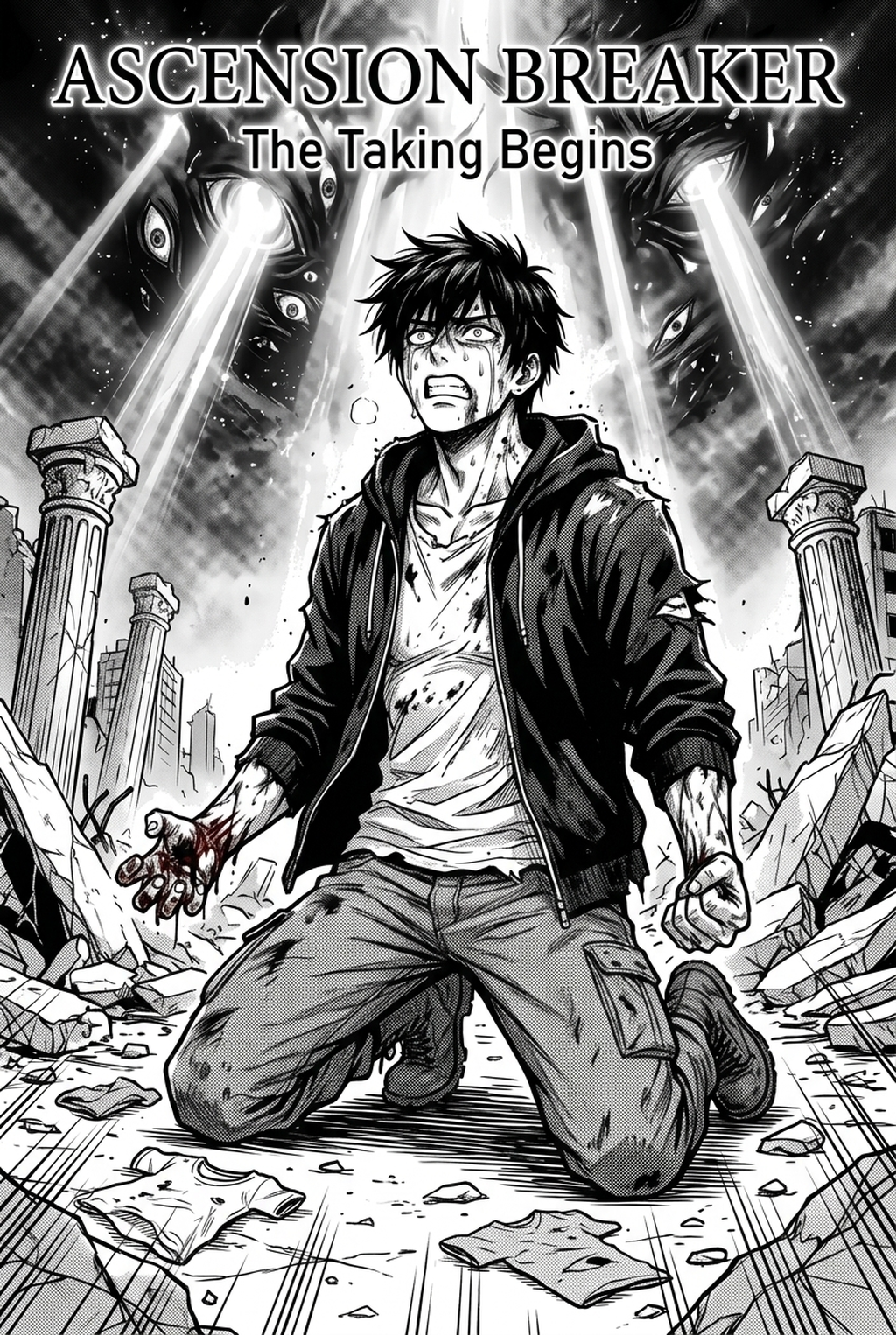
| Cover | AI-generated manga cover featuring a fantasy adventure story.png | https://drive.google.com/drive/folders/1RNl9s36_ITUMBe9xfu8b6P7O1VFtxnDy | Cover image |
| Content 1 | AI-generated manga page with comic panels and dialogue bubbles.png | https://drive.google.com/drive/folders/1RNl9s36_ITUMBe9xfu8b6P7O1VFtxnDy | Panel-to-shot illustration |
| Content 2 | (2).png | https://drive.google.com/drive/folders/1RNl9s36_ITUMBe9xfu8b6P7O1VFtxnDy | Timing-sheet illustration |
| Content 3 | (3).png | https://drive.google.com/drive/folders/1RNl9s36_ITUMBe9xfu8b6P7O1VFtxnDy | Camera-movement illustration |
| Content 4 | 5.png | https://drive.google.com/drive/folders/1RNl9s36_ITUMBe9xfu8b6P7O1VFtxnDy | Sound-cue or export-review illustration |
<script type="application/ld+json"> { "@context": "https://schema.org", "@type": "FAQPage", "mainEntity": [ {"@type":"Question","name":"Does an anime comic maker need to animate every panel?","acceptedAnswer":{"@type":"Answer","text":"No. A panel can remain still when its composition communicates the beat; use movement when it changes attention, clarifies action, supports a transition, or creates a meaningful pause."}}, {"@type":"Question","name":"Should every comic panel become one shot?","acceptedAnswer":{"@type":"Answer","text":"No. Several panels may form one visual thought, while one crowded panel may need multiple shots for a reveal or reading order."}}, {"@type":"Question","name":"How long should a dialogue panel stay on screen?","acceptedAnswer":{"@type":"Answer","text":"Keep it on screen long enough for the intended audience to read the exact dialogue and understand the visual beat, then test the exported file."}}, {"@type":"Question","name":"When should I use a pan or zoom instead of a cut?","acceptedAnswer":{"@type":"Answer","text":"Use a move when the viewer should travel through related information within one composition; use a cut when a new viewpoint or beat is clearer as a separate event."}}, {"@type":"Question","name":"Can I use temporary sound cues in an animatic?","acceptedAnswer":{"@type":"Answer","text":"Yes, for internal timing and review, when they are labelled temporary and their source status is tracked before final delivery."}}, {"@type":"Question","name":"What should I check after exporting?","acceptedAnswer":{"@type":"Answer","text":"Watch the file from start to finish and check shot order, text readability, camera moves, dialogue alignment, cue timing, continuity, and playback on review devices."}}, {"@type":"Question","name":"How can I write about an app without overstating its features?","acceptedAnswer":{"@type":"Answer","text":"Describe only actions tested or confirmed by current official documentation, and mark unconfirmed behaviour for verification with a fallback plan."}}, {"@type":"Question","name":"What is the safest first test in a new workflow?","acceptedAnswer":{"@type":"Answer","text":"Use a short sequence with a still panel, text-heavy panel, camera move, cue marker, and export review using the exact script and intended viewing device."}} ] } </script>
Verified Drive image manifest
Source folder: https://drive.google.com/drive/folders/1RNl9s36_ITUMBe9xfu8b6P7O1VFtxnDy
| Role | File | Verified Drive URL |
|---|---|---|
| Cover | AI-generated manga cover featuring a fantasy adventure story.png | https://drive.google.com/file/d/1tEHnJg1yx-6lQlkxMcM-szXHYzjB0eAB/view |
| Content image 1 | AI-generated manga page with comic panels and dialogue bubbles.png | https://drive.google.com/file/d/11K2fA-4USLax6M-IbdYbZlHvC-gayHvd/view |
| Content image 2 | AI-generated manga page with comic panels and dialogue bubbles (2).png | https://drive.google.com/file/d/1x8qPo3x8-twyJXoWpgP_d3M6XTgrxMWF/view |
| Content image 3 | AI-generated manga page with comic panels and dialogue bubbles (3).png | https://drive.google.com/file/d/1JIxjnEmb-L47FP6vViN3BcsFeabkL-Ab/view |
| Content image 4 | AI-generated manga page with comic panels and dialogue bubbles 5.png | https://drive.google.com/file/d/16twfQ5WvItiPOyJUtLtA2RlS_EvCjgI1/view |
Verified editorial source bank
The following pages were opened and are included as source links for the SEO/GEO and accessibility checks in this draft: