AI Manga Storyboard Builder: Defining the Rhythm of Panel Sequences
Effective pacing is determined by the size, shape, and frequency of panels in relation to the story's beat and intensity. When you vary these elements, you manipulate the reader’s perception of time and movement across the page.
- Accelerated Tempo: Utilizing high-frequency, narrow, or tilted panels simulates chaos and high-speed action, forcing the eye to scan quickly. * Emotional Weight: Large, full-bleed splash pages act as a hard stop, compelling the reader to slow down and absorb the atmosphere or a pivotal character reaction. * Koma Arrangement: The structural arrangement of these panels provides the necessary rhythmic contrast between high-octane combat and quiet, intimate dialogue scenes.
Claims that uniform grid layouts represent "classic" manga are often misguided, as modern professional output requires constant, active manipulation of these visual rhythms to maintain reader engagement. This keeps the review focused on story intent, line weight, panel readability, and the export quality behind the final AI Manga Storyboard Builder output.
Why Narrative Flow Determines Reader Retention
Good pacing prevents reader fatigue by creating a deliberate rhythm that guides the eye naturally across the page without visual clutter. When your panel distribution is stagnant, the audience often experiences a psychological disengagement, leading to "page-skipping" where plot points are lost to the reader's indifference.
Strategic pacing allows you to control the delivery format of critical information. By prioritizing the visibility of key reveals, you prevent essential narrative beats from becoming lost in overly dense layouts. For instance, Shonen creators must master impact-interval pacing, a technique where panel gutters are tightened specifically before a transformation sequence to maximize the eventual visual punch of a power-up or a hidden technique reveal. Ignoring this specific interval rhythm is a common cause for flat scenes in rookie drafts, regardless of the quality of the line art.
How Mangaka Manages Panel Distribution
Mangaka helps creators visualize the entire chapter's narrative flow before committing to final ink and color, effectively eliminating the need for expensive, time-consuming redrafts. By using an Manga storyboard pacing with Mangaka , you can test various panel configurations without sacrificing your character consistency or artistic intent.
- Structural Consistency: The tool auto-arranges panels to match standardized industry ratios, ensuring that your layout feels professional and familiar to veteran readers. * Geometry Management: While you focus on the review ownership of the composition, the software handles the underlying geometric layout, preventing common pitfalls like accidental panel collision or irregular gutter widths. * Context Preservation: By inputting your script, the tool provides the source context needed to ensure panel sizes directly correlate with the emotional intensity of the dialogue or action occurring within those frames.
Using this automation allows you to focus on the high-level artistic choices rather than the manual labor of resizing blocks on a digital canvas. This shifts your role from a layout technician to a narrative director, ensuring your final export—whether in PDF or high-resolution PNG—maintains a perfect, readable flow.
Common Pitfalls in Visual Density
The most frequent mistake in amateur layout is the unidirectional trap, where a series of uniform, square panels creates a monotonous reading experience that bores the reader. This lack of variety forces a flat, unchanging rhythm that does not reflect the dramatic spikes or dips in a narrative script.
Another critical failure is ignoring the gutter space, which serves as a temporal pause between events. Failing to vary the gutter size disrupts the narrative flow, as the reader lacks the necessary "breathing room" to process transitions between scenes. In digital-first formats, creators often struggle with visual density issues, where improper vertical scrolling pacing causes readers to lose interest mid-chapter. If you are crafting a web-optimized project, maintaining a deliberate balance between blank negative space and dense art panels is essential to keep the reader scrolling.
Getting Started with Professional Layout
Mangaka assists with your storyboard pacing by using specialized algorithms to suggest optimal panel arrangements that prioritize rhythm based on your input scenes. While these suggestions provide a robust structural foundation, you retain full editorial control to adjust panel placement to suit your specific artistic vision.
Regarding genre differences, pacing must adapt to your medium:
- Shonen Requirements: These chapters typically utilize faster, more aggressive pacing, favoring slanted panels and frequent breaks in the gutter grid to heighten the sense of physical combat and rivalry. * Seinen Requirements: These stories often allow for slower, atmosphere-heavy paneling where the focus remains on detailed, wide-format environmental shots and deliberate, sequential character movements.
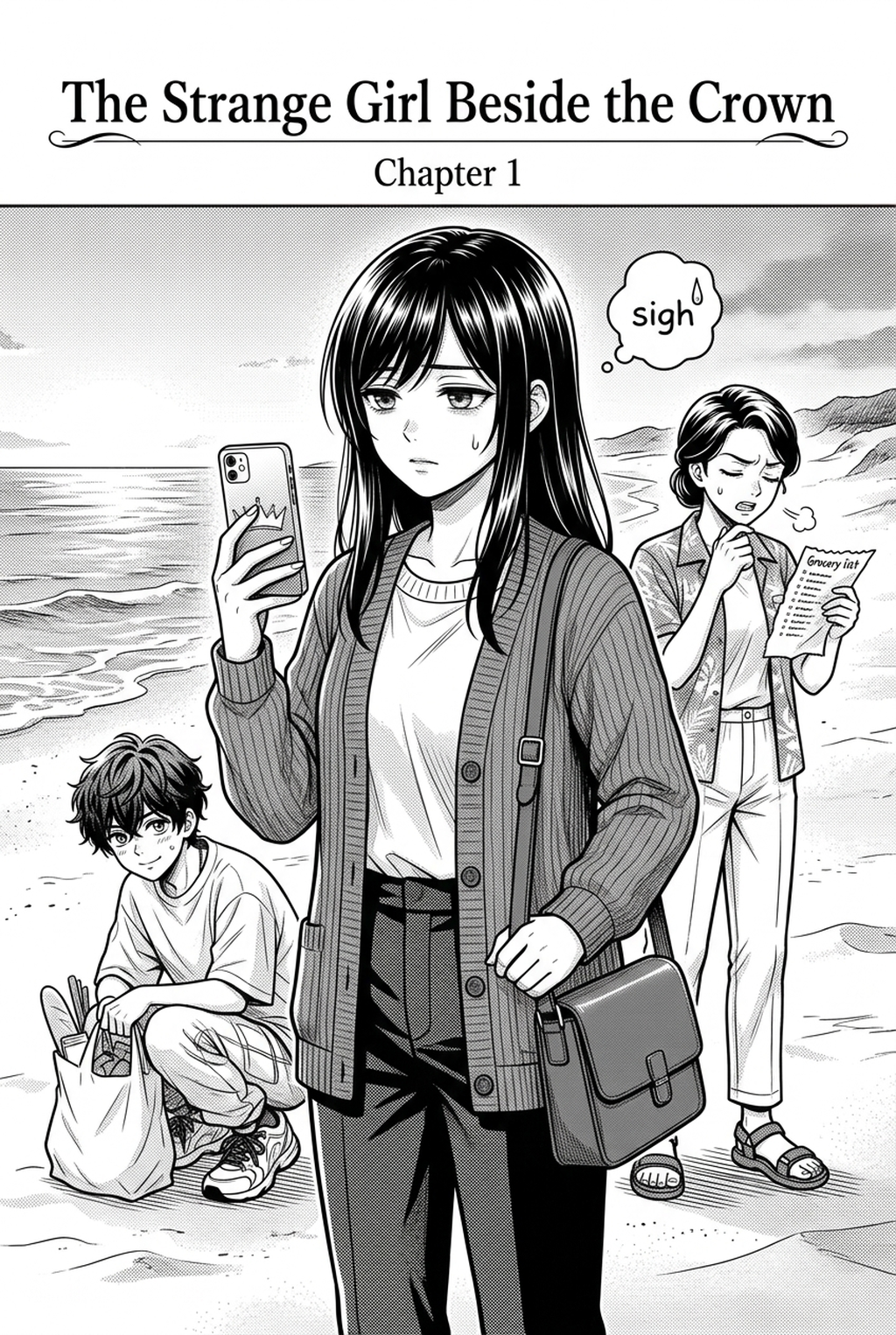
When you transition between these genres, you must adjust your panel frequency accordingly, or your work will fail to resonate with the target demographic's expectations for that specific narrative tone. Before export, creators should compare the generated line art with the original sketch and confirm that facial expressions, props, speed lines, and speech-bubble space still support the scene.
A repeatable review pass should cover character consistency, panel readability, background clarity, and whether the final file is ready for coloring, lettering, or editor feedback. For longer projects, creators should save approved examples of line weight, face detail, clothing folds, and background density. Those references keep later chapters closer to the intended style.
The Bottom Line
AI Manga Storyboard Builder workflow is the backbone of storytelling, transforming a series of drawings into a cohesive, cinematic experience. By integrating tools like Mangaka into your professional workflow, you can automate the technical heavy lifting of structural layout, allowing you to focus on the high-level narrative and artistic quality of your work. Manga storyboard pacing with a structural foundation built for impact and reader retention.
Related articles
Create Professional Manga Storyboards Instantly | Mangaka
Mastering the Magical Girl Manga Art Style: A Guide 2026
Mastering 4-Koma Comedy Pacing: A Guide for Manga Artists
Frequently Asked Questions
How does Mangaka ensure my character consistency across different panel sizes?
Can I modify the AI-suggested layouts manually?
Does panel pacing affect export file compatibility?
What is the best way to handle negative space in action sequences?
Master Cinematic Camera Angles and Storyboard Pacing with Mangaka.app
Cinematic pacing in modern manga blends filmic camera blocking with traditional Japanese sequential storytelling. Mangaka.app gives indie artists visual director tools:
- Virtual Camera Staging: Experiment with bird’s-eye, worm’s-eye, and Dutch angle camera perspectives across storyboard panels.
- Decompressed Action Choreography: Break down rapid combat moves into impactful sequential frames with consistent speed lines.
- Automated Dialogue Balloon Sizing: Prevent speech bubbles from obscuring focal artwork while maintaining optimal reading tempo.
- Standardized Industry Layout Canvas: Work directly within official B4 and A4 bleed, trim, and safe margin specifications.
For mangaka, comic illustrators, and indie webtoon teams looking to streamline their production pipeline, Mangaka.app delivers an end-to-end AI creation suite with consistent character model generation, intuitive komawari panel layouts, and print-ready 600 DPI rendering.