AI Manga Storyboard Builder: Why Panel Pacing Matters for Creators
Systematic panel pacing prevents the "cluttered page" syndrome where too many high-detail elements obscure the narrative flow or overwhelm the reader's visual attention. Mangaka automatically suggests panel sizes based on your chosen storytelling requirements, ensuring that your layout shifts appropriately between high-octane Shonen sequences and dense, dialogue-heavy Seinen panels.
- Editable Blueprints: Every generated output serves as a fully editable file, functioning as a high-fidelity guide for your final inking and color stages. * Delivery Format Integrity: The engine enforces strict visual delivery formats, preventing common errors like misaligned speech bubbles or text-heavy panels that bleed into the action. * Composition Control: By standardizing the layout early, you eliminate the risk of "line-weight drift," where character detail fluctuates wildly because the underlying spatial map was never locked down.
Working with AI for Faster Production
Eliminating empty-page syndrome requires a system that proposes dynamic panel compositions while allowing you to maintain the role of the creative lead throughout the process. Instead of spending hours sketching base frames, you can utilize the AI to draft the entire layout, then shift your focus to the "review owner" process, where you iterate on the flow before finalizing high-fidelity art.
- Source Context Preservation: Our engine utilizes advanced tracking to ensure characters maintain consistent proportions, preventing the dreaded "scale-shift" error often found in manual sketching. * Iterative Efficiency: You can adjust the arrangement of individual panels in seconds if the emotional impact of a specific sequence does not align with your intended dramatic beat. * Production Readiness: Because the system understands the relationship between line art and page composition, your transition from the initial storyboard to the final inked page remains seamless and technically accurate.
Applying the Builder to Your Project
Does the builder handle both single-page and double-page spreads? Yes, the platform treats the spread as a unified narrative vessel, ensuring that the transition across the center gutter supports, rather than hinders, your visual storytelling.
| Feature Type | Manual Workflow | Mangaka AI Builder |
|---|---|---|
| Panel Grid | Hand-drawn/Traced | Automated Geometry |
| Pacing | Manual Estimation | Genre-specific Defaults |
| Export | Variable Resolution | Standardized Bleed/Margin |
Users often ask if they can modify the AI-generated shapes; the answer is that every element is fully modular. You maintain complete creative control, allowing you to drag, resize, or delete panels as your script evolves. Furthermore, the final export includes industry-standard bleed and margin settings to ensure that your pages are print-ready for professional manga publishers or digital distribution.
Achieving Production Readiness
Converting from a "concept-heavy" stage to a "production-ready" file is the most significant hurdle for independent manga artists. By leveraging automated panel composition and standardized layout constraints, creators can bypass the repetitive tasks that typically delay the transition to the inking phase. Workflow Fit for Creator Output.
Workflow Fit for Creator Output
- Workflow Velocity: You shift from spending six hours on layout planning to spending one hour on creative review and refinement. * Proportional Consistency: The engine maintains character height and volume across various panel angles, which is critical for maintaining immersion throughout a series. * Technical Compliance: Every export confirms to professional printing standards, meaning you do not have to perform tedious cleanup on line-art edges or gutter dimensions before submission.
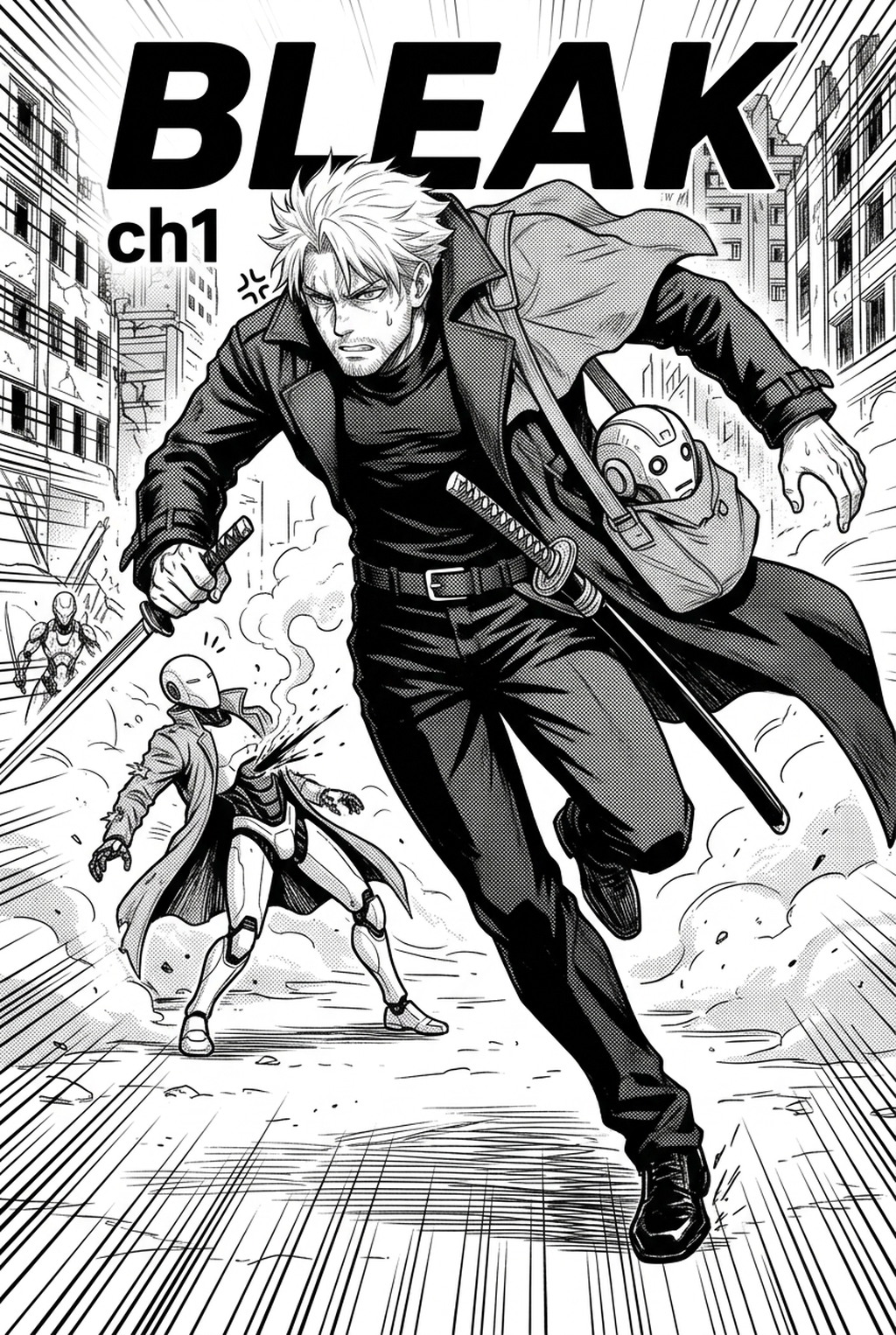
- Before Export. Creators should compare the generated line art with the original sketch and confirm that facial expressions, props, speed lines, and speech-bubble space still support the scene. A repeatable review pass should cover character consistency, panel readability, background clarity, and whether the final file is ready for coloring, lettering, or editor feedback. - For Longer Projects. Creators should save approved examples of line weight, face detail, clothing folds, and background density. Those references keep later chapters closer to the intended style. For collaboration, creators should mark which panels are final and which panels still need redraws. Clear status labels prevent an assistant, editor, or colorist from polishing the wrong version. - For Publishing. Creators should review the page at the actual reading size before export. Small screens expose crowded dialogue, weak silhouettes, and line details that looked fine while zoomed in. This keeps the review focused on story intent, line weight, panel readability, and the export quality behind the final AI Manga Storyboard Builder output. - For Style Control. Creators should keep a short reference board beside the draft and compare hair shapes, eye details, costume folds, and texture choices before approving the final page. For revision planning, creators should separate art fixes from story fixes. Line cleanup, panel order, dialogue clarity, and character acting each need a different review question.
Creators should compare the generated line art with the original sketch and confirm that facial expressions, props, speed lines, and speech-bubble space still support the scene. This keeps the review focused on story intent, line weight, panel readability, and the export quality behind the final AI Manga Storyboard Builder output.
Review Controls Before Export
A repeatable review pass should cover character consistency, panel readability, background clarity, and whether the final file is ready for coloring, lettering, or editor feedback. For longer projects, creators should save approved examples of line weight, face detail, clothing folds, and background density. Those references keep later chapters closer to the intended style. For collaboration, creators should mark which panels are final and which panels still need redraws. Clear status labels prevent an assistant, editor, or colorist from polishing the wrong version.
Creators can evaluate manga storyboard with Mangaka mid-workflow when they need the product path tied directly to review, refinement, and export. A real test should use the same sketch, character goal, or panel sequence that would otherwise need manual cleanup after generation.
The Bottom Line
Building a professional-grade workflow no longer requires manual, error-prone measurement of page gutters and frame widths. By automating these technical components, you regain the creative bandwidth needed to focus on character performance and emotional pacing. You can AI AI Manga Storyboard Builder workflow Builder workflow today to see how quickly your production workflow transforms when the geometry is handled for you.
Related articles
Start Manga Storyboard Creation with AI – Try Mangaka 2026
Mastering AI Manga Storyboard Tips for Better Narrative
Create Your Manga Storyboard Fast with AI-Powered Tools 2026