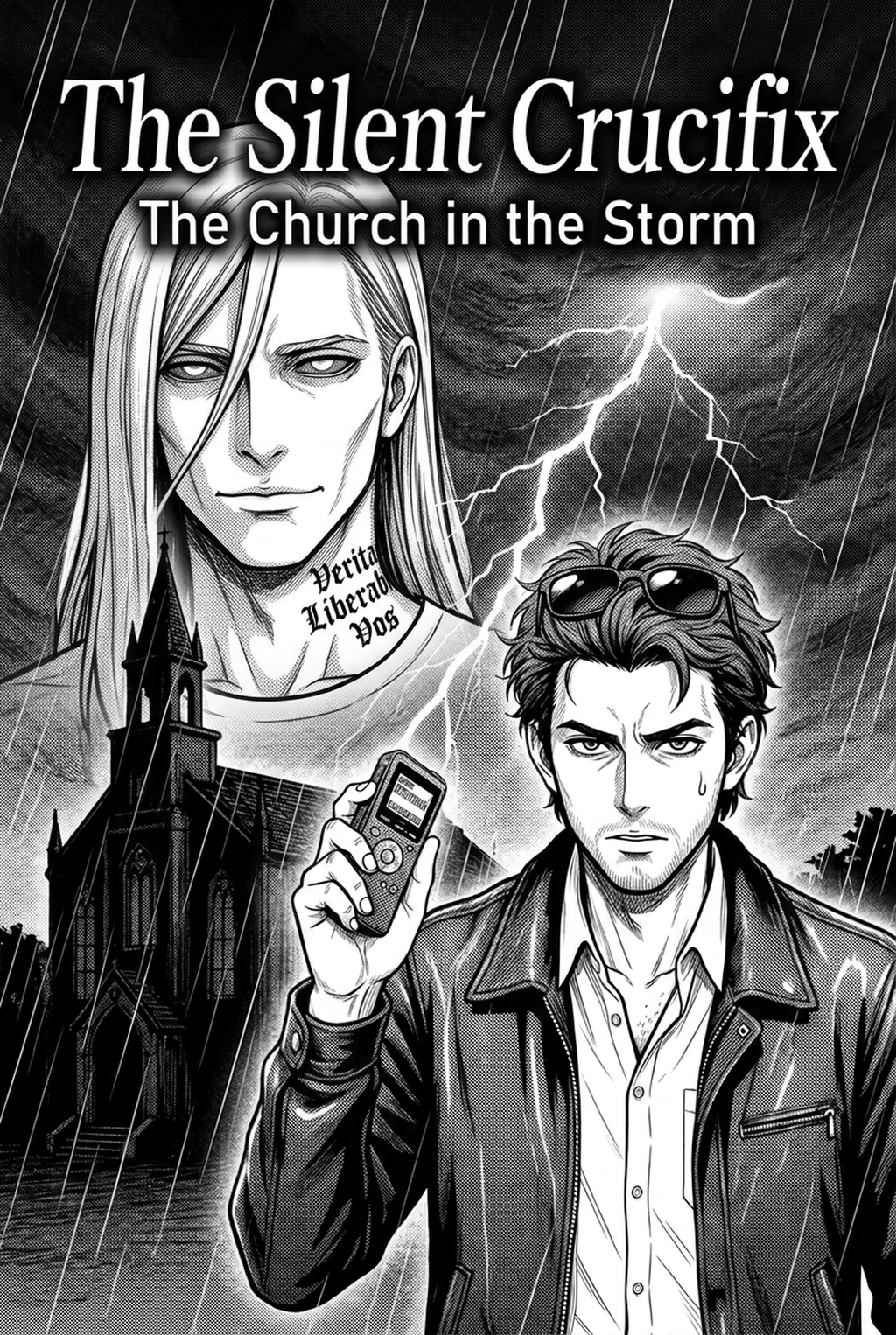
AI Manga Inker: Production Challenges for Independent Teams
Manual inking is the primary bottleneck for independent manga teams, as perfecting every individual stroke is physically exhausting and prone to human error. Even experienced professionals struggle with wrist fatigue when maintaining consistent line quality across a 20-page chapter, often leading to production delays or inconsistent panel density.
Managing complex background scenery without losing detail during the transition from rough pencil sketches to final ink remains a significant hurdle. Non-professional studios frequently find that their hand-drawn line art lacks the technical stability required for high-DPI print reproduction, resulting in jagged edges or blurry assets during the final export. Scaling up to a full serialization demands a level of stamina that few individual creators can maintain indefinitely without digital intervention.
Automating Line Art with Mangaka
Mangaka automates the conversion of pencil lines into crisp, vector-ready digital ink, effectively replicating the nuanced nib strokes of a traditional G-pen. By interpreting your specific pressure sensitivity, the tool allows you to preserve the raw energy of your original pencil work while delegating the tedious, repetitive cleaning and filling work to the machine.
You can customize your output by adjusting the sensitivity parameters, ensuring that the software recognizes your stylistic quirks—such as thicker brush strokes in high-intensity panels—without flattening the personality of your art. By using manga inking with Mangaka for your layout sketches, the system calculates the optimal line width to maintain visual clarity, ensuring that your character consistency is preserved from the first panel to the final spread. This setup eliminates the need for manual cleanup on secondary assets, allowing you to focus your creative energy on expressive character faces and emotional framing.
Strategic Application for Production Scale
Scale your production by applying AI-assisted inking to background scenery, secondary props, and repetitive assets while keeping your human touch reserved exclusively for hero panels. This tiered approach allows you to maintain high output volume without sacrificing the unique visual style that your readers expect from your series.
| Asset Type | Primary Inking Method | Technical Goal |
|---|---|---|
| Hero Panels | Hand-Drawn Inking | Maximum emotional impact |
| Backgrounds | AI-Assisted Inking | Consistent atmospheric depth |
| Secondary Props | AI-Assisted Inking | Clean, uniform line weights |
Developing a standardized workflow ensures that your storyboards are ready for colorists or tone artists almost immediately after the sketch phase. Automated inking also guarantees that technical requirements—such as consistent DPI settings and line stability—are met across every chapter, preventing layout errors during the prepress phase.
Launching Your Digital Workflow
Transitioning to an AI-assisted workflow does not replace the artist's personal touch; it acts as a force multiplier that handles the technical heavy lifting, allowing you to focus on narrative pacing and complex framing. You can customize your ink sensitivity to ensure your signature style remains intact, as modern software is designed to respect the intent behind every stroke.
Creative Brief and Source Input
Creative Brief and Source Input. These tools are built for high-resolution print pipelines, supporting formats that ensure your work looks professional whether it is being published in a weekly magazine or a trade paperback collection. If you are worried about losing the "organic" feel of your lines, remember that the software is a tool for refinement, not a replacement for your artistic vision.
- Before Export. Creators should compare the generated line art with the original sketch and confirm that facial expressions, props, speed lines, and speech-bubble space still support the scene. A repeatable review pass should cover character consistency, panel readability, background clarity, and whether the final file is ready for coloring, lettering, or editor feedback. - For Longer Projects. Creators should save approved examples of line weight, face detail, clothing folds, and background density. Those references keep later chapters closer to the intended style. For collaboration, creators should mark which panels are final and which panels still need redraws. Clear status labels prevent an assistant, editor, or colorist from polishing the wrong version. - For Publishing. Creators should review the page at the actual reading size before export. Small screens expose crowded dialogue, weak silhouettes, and line details that looked fine while zoomed in. This keeps the review focused on story intent, line weight, panel readability, and the export quality behind the final AI Manga Inker output. - For Style Control. Creators should keep a short reference board beside the draft and compare hair shapes, eye details, costume folds, and texture choices before approving the final page. For revision planning, creators should separate art fixes from story fixes. Line cleanup, panel order, dialogue clarity, and character acting each need a different review question.
Generation Review and Export
Creators should compare the generated line art with the original sketch and confirm that facial expressions, props, speed lines, and speech-bubble space still support the scene. This keeps the review focused on story intent, line weight, panel readability, and the export quality behind the final AI Manga Inker output.
A repeatable review pass should cover character consistency, panel readability, background clarity, and whether the final file is ready for coloring, lettering, or editor feedback. For longer projects, creators should save approved examples of line weight, face detail, clothing folds, and background density. Those references keep later chapters closer to the intended style. For collaboration, creators should mark which panels are final and which panels still need redraws. Clear status labels prevent an assistant, editor, or colorist from polishing the wrong version.
The Bottom Line
Professional manga creation is rapidly shifting toward creators who integrate automated inking to handle the repetitive technical workload. By adopting AI-assisted processes, you reduce production time without sacrificing the style or quality of your artwork. Visit manga inking and see how much faster your chapter production moves when the technical cleanup is automated.
Related articles
How to Draw a Professional Manga Background Without Drawing
Mastering 4-Koma Comedy Strips: A Creator's Guide in 2026
Decoding the Apothecary Diaries Art Style: A 2026 Guide