AI Manga Panel Generator: Essential Principles of Visual Flow
Panel composition is the art of balancing negative space, panel shape, and sequence to dictate the speed of a narrative. Standard layouts like the four-panel Yon-koma provide a reliable rhythmic backbone, while non-rectangular or "bleeding" panels break the grid to signal high-impact action moments that require more visual room than a static frame allows.
Visual eye tracking in traditional manga relies on the Z-pattern, which serves as the fundamental anchor for all structural decisions. If you place a high-action climax at the top-left of a page, you force the reader to fight their natural reading direction, which creates immediate visual friction and narrative confusion.
- Anchor points: Place core emotional reactions at the start of a row to orient the reader before escalating to complex background details. * Sequential gravity: Use larger, wider panels to slow down the perception of time, letting the reader absorb subtle facial expressions or atmospheric environmental shots. * Negative space: Balance internal gutters with thick external borders to keep the eye moving forward, preventing the reader from accidentally skipping entire sequences in a high-density spread.
Strategic Importance of Panel Design
Effective paneling acts as the "cinematography" of manga, where larger panels signal slower, more dramatic beats and smaller panels indicate fast-paced or repetitive action. Without deliberate scaling, your story loses the ability to manipulate how the audience perceives the passage of time.
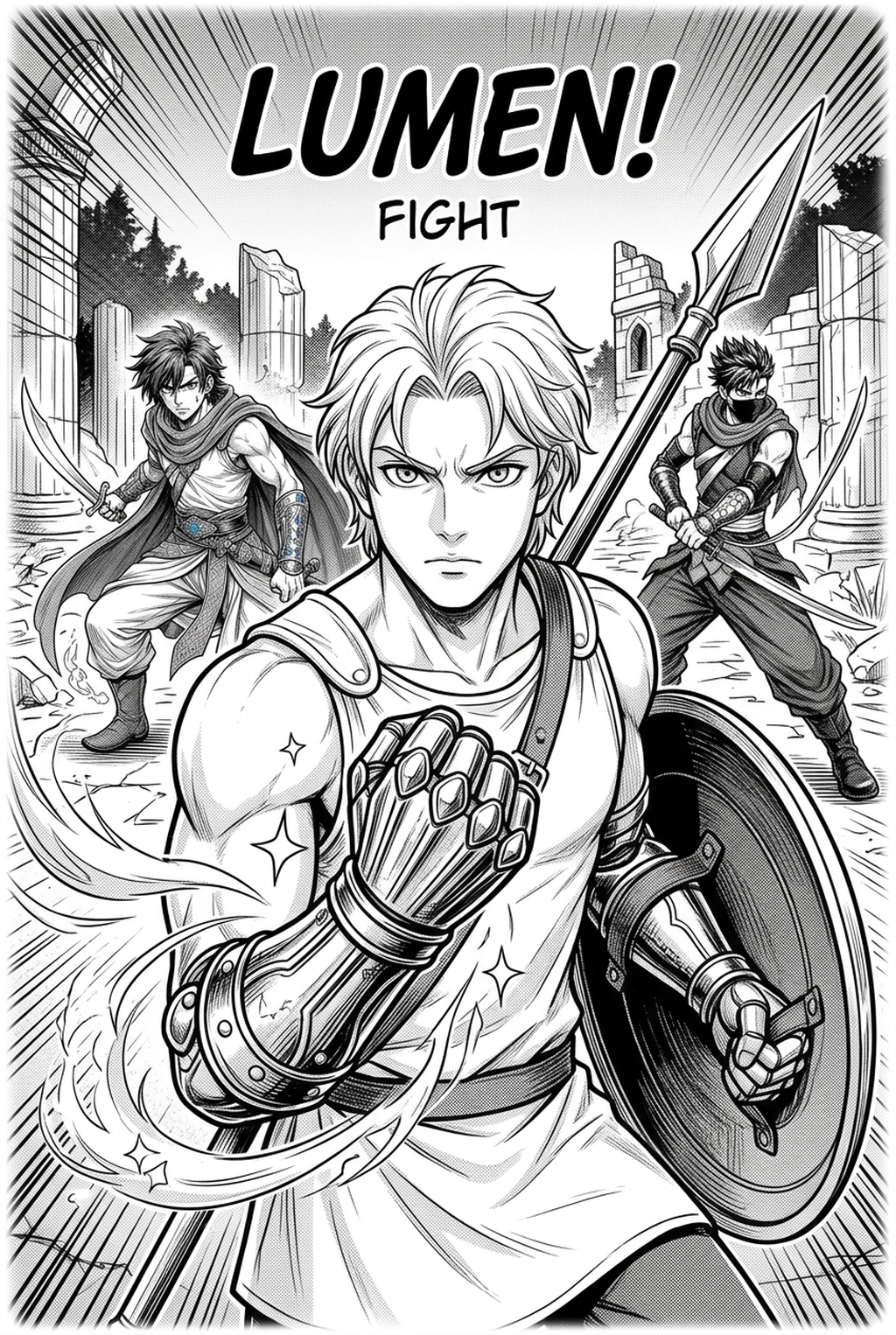
Creating emotional weight in Shonen battles requires dynamic scaling, where impact frames expand to break the grid, forcing the reader to pause at key technical turning points. Relying on uniform, grid-locked frames during a high-speed duel flattens the excitement and makes technical power-ups feel stagnant rather than explosive.
- Impact frames: Shift from a standard 3x3 grid to a diagonal, irregular frame to mimic the kinetic chaos of a strike. * Overlapping techniques: Use overlapping frames to show simultaneous events, a technique often lost when creators stick to rigid, static layouts that isolate characters too much. * Focus of interest: Position your subject—such as a character’s fist or a glowing magical artifact—to physically point toward the next panel, effectively guiding the eye through the page without needing excessive dialogue to bridge the gaps.
Advanced Layout Prototyping with Mangaka
AI tools allow creators to rapidly prototype panel placements before committing to final inking and line work, saving hours of iterative redrawing that typically follows a miscalculated layout. By inputting a script, you can generate multiple variations of a scene's layout to test different visual perspectives and frame counts.
Digital creators can leverage AI to generate composition heatmaps that highlight if the reader's eye is being drawn effectively across the page, avoiding "dead zones" in complex spreads. If a heatmap reveals that the reader's attention lingers in an empty, non-narrative corner of a 10x14 inch page, you can adjust the panel borders or dialogue bubble placement to pull that attention back to the action.
| Feature | Manual Drafting | Mangaka AI Prototyping |
|---|---|---|
| Iteration Speed | Hours per layout | Minutes per variation |
| Grid Alignment | Subjective, prone to error | Automated precision |
| Flow Testing | Requires finished ink | Real-time heatmap analysis |
You can start testing your layouts at manga panel composition with Mangaka to see how automated generation handles complex scene transitions. This keeps the review focused on story intent, line weight, panel readability, and the export quality behind the final AI Manga Panel Generator output.
Identifying and Correcting Layout Mistakes
The most common mistake is Gutter Fatigue," where narrow or inconsistent gutters between panels confuse the narrative sequence, leading the reader to misread the order of action. Ignoring the Focus of Interest"—failing to position the subject in a way that leads the eye toward the next panel—breaks reader immersion and ruins the pacing of your narrative.
Over-reliance on uniform grids for Seinen psychological horror often fails to build tension, as readers need irregular, claustrophobic panels to match the unsettling subject matter. If every frame has the same height and width, the reader expects a predictable rhythm; breaking that rhythm with a claustrophobically thin panel followed by a massive, empty frame creates the sudden, sharp tension that defines the genre.
- Inconsistent gutters: Varying the white space between panels allows you to adjust the "pause" between actions. * Panel borders: Using thin, light lines for flashbacks and thick, aggressive ink for present-time conflicts separates narrative timelines without needing extra text or labels. * Export fidelity: Always ensure your layout is exported as a high-resolution 600 DPI PNG or PSD, as low-resolution exports will blur the line-art boundaries, effectively destroying the distinction between the frame and the gutter.
Getting Started with Layout Automation
What is the difference between a gutter and a panel border? The gutter is the negative white space that cushions the eye, while the border is the frame containing the action; both must be balanced to maintain clarity. Can AI assist with complex two-page spreads? Yes, by defining the focal points and structural flow across the binding. By treating the two pages as a single unit rather than two separate files, the generator ensures that action flows across the center, avoiding any "lost" art in the spine.
- Readability focus: Always prioritize flow; aesthetic symmetry should be secondary to the reader's ability to follow the sequence of events. * Page logic: Before you draw a single line of final ink, map your script to your panels to ensure the visual logic supports your story beats. * Export readiness: Work within standard page formats like B4 or A4 to ensure that your final exported files fit the requirements of your chosen print or digital distribution platform.
The Bottom Line
AI Manga Panel Generator workflow is the structural heartbeat of your story, acting as the primary tool to control time and narrative impact on a static page. While manual drafting remains a respected craft, tools like Mangaka provide a professional-grade shortcut for experimenting with complex layouts, grid-breaking sequences, and eye-tracking accuracy at scale. manga panel composition to see how automated composition can sharpen your visual storytelling.
Master Manga Panel Composition and Visual Drama with Mangaka.app
Great manga storytelling depends on how effectively panels guide reading rhythm, build suspense, and release emotional tension. Mangaka.app enhances panel composition:
- Dynamic Panel Framing & Cutting: Experiment with Dutch tilts, bleeding border panels, and claustrophobic narrow gutters to heighten scene impact.
- Golden Ratio Focal Point Alignment: Position key character actions and sound effects (Onomatopoeia) precisely along natural ocular reading paths.
- Smart Gutter & Margin Management: Maintain strict industry-standard safe zones and trimming bleeds for seamless physical tankōbon printing.
- Interactive Page Rhythm Previewer: Scroll through double-page spreads to evaluate pacing balance between dialogue-heavy scenes and action splashes.
Ready to elevate your serialized manga and speed up chapter production? Create your professional manga storyboard and character sheets on Mangaka and transform your creative workflow today.